Skip to content
Event operations

From the warehouse to strike.

One event record. In your hands.

  • One caller. The desk and every crew phone read the same live cue.
  • One asset number. Pull, scan out, scan back, home on the rack.
  • One record. Advance, docks, the call, and the invoice are the same event — not a thread.
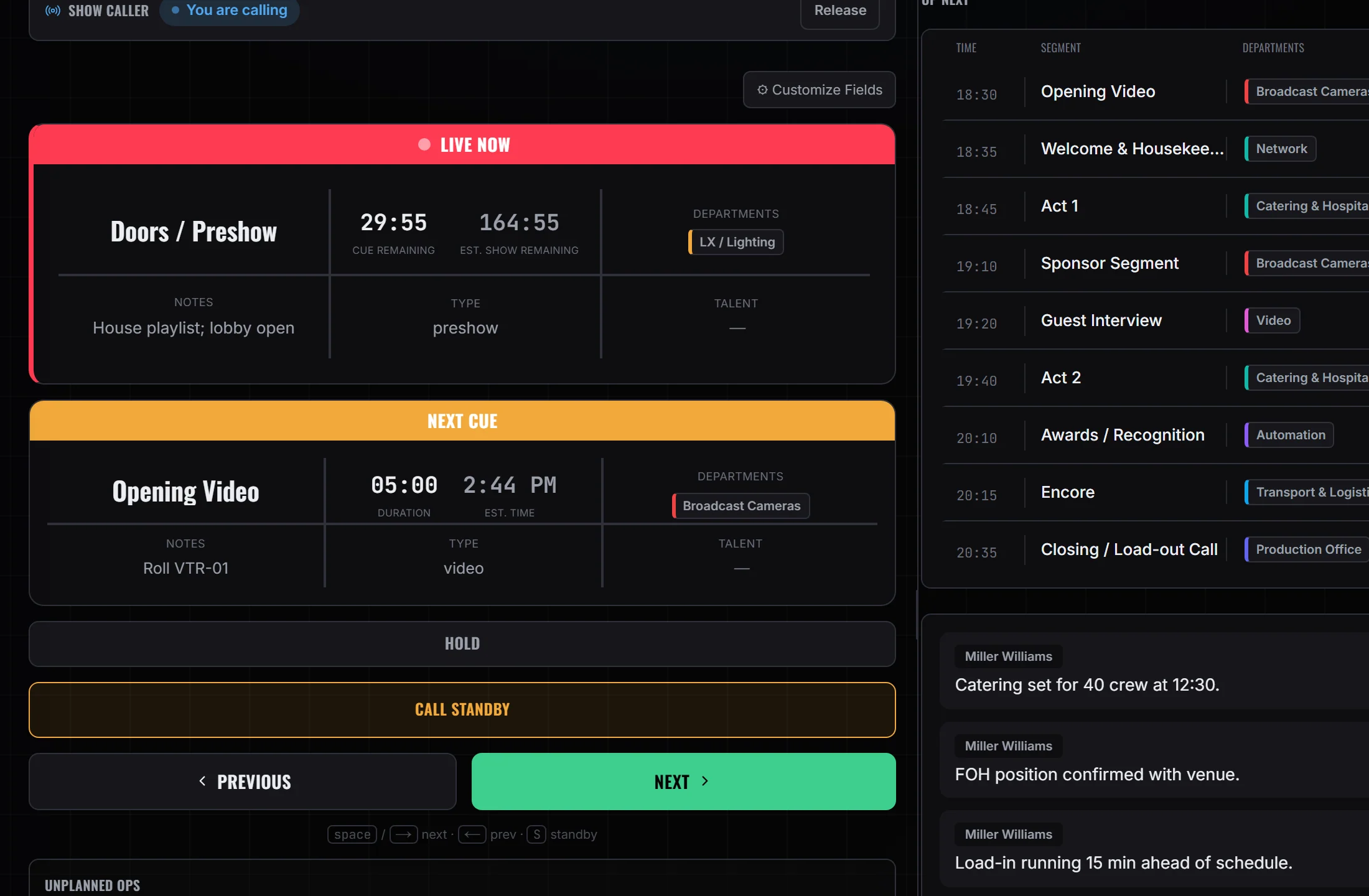
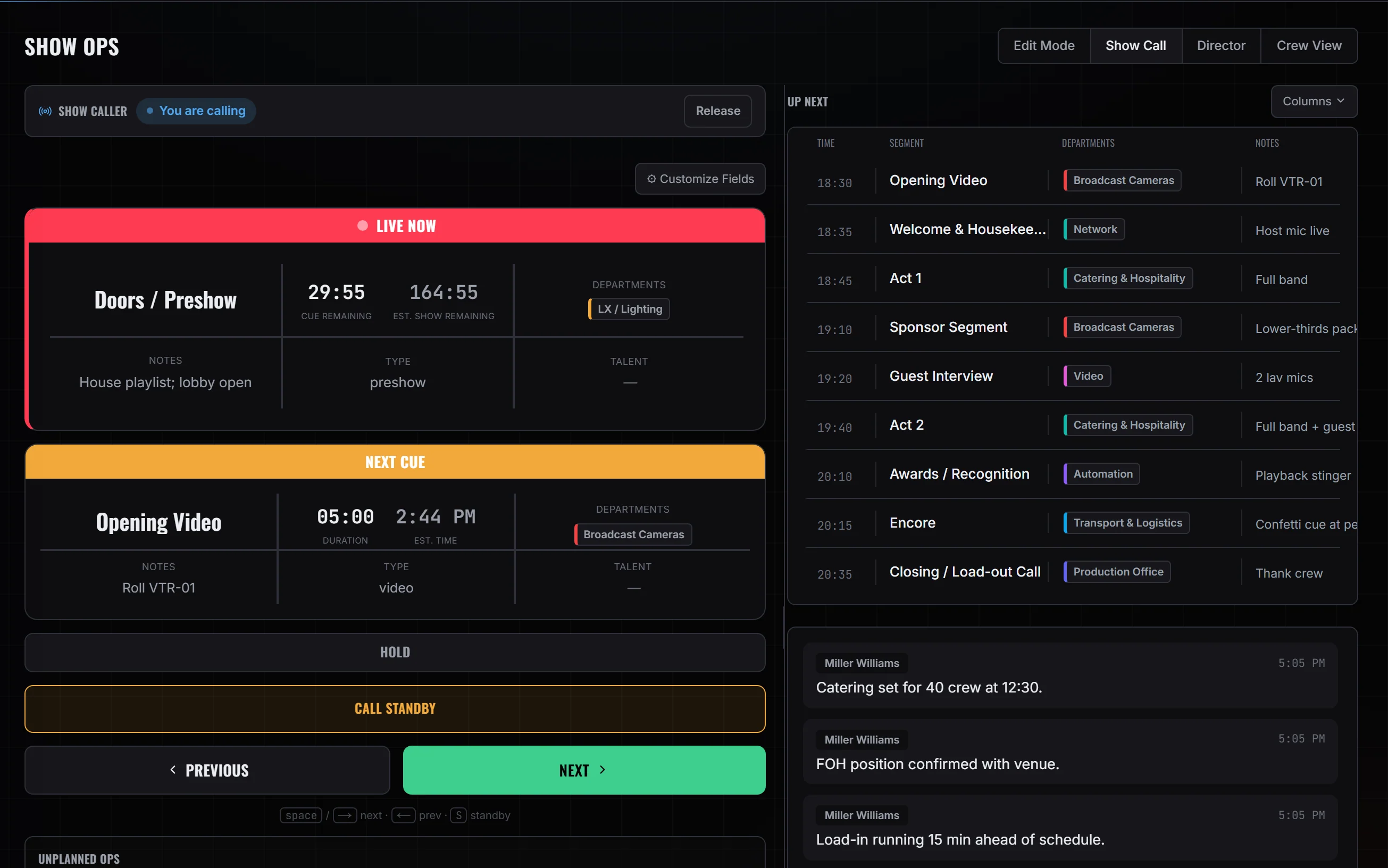
The show call desk: Doors / Preshow live with 29:55 remaining, Opening Video next on the rundown, and the show's running order beside it
Show Ops → Show Call. Doors / Preshow live, Opening Video next on the rundown.

Advance, slide 1 of 4

01 ADVANCE1 / 4

Advance the show week.

Lock the room before anyone rolls.

  • Put the venue, the budget and the site layout on one sheet
  • Crew the week from your own roster
  • Book travel out of each person's profile
  • Schedule your trucks against the dates they serve
Open Advance
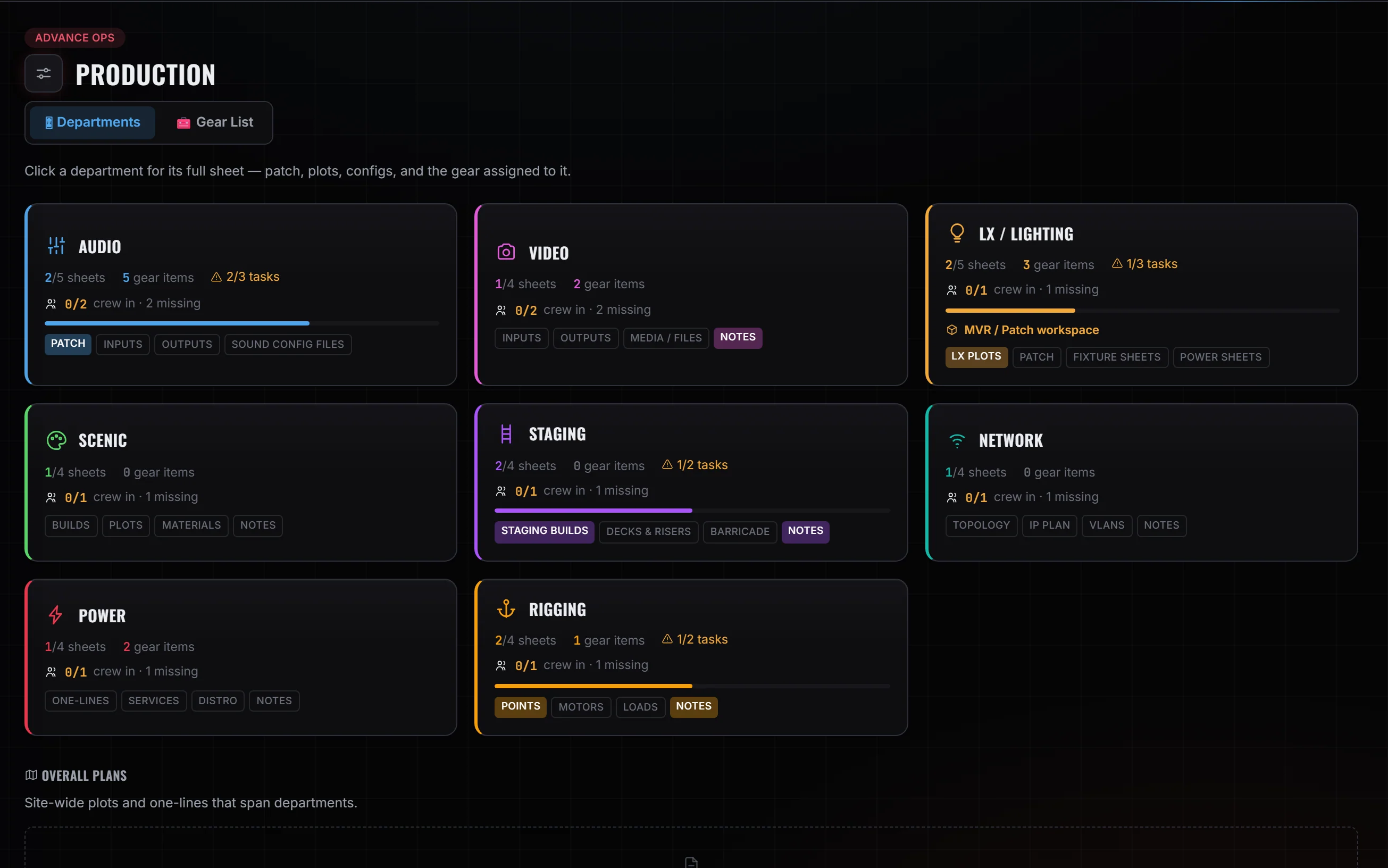
Advance Ops → Production. The department cards for the event.
01 ADVANCE2 / 4

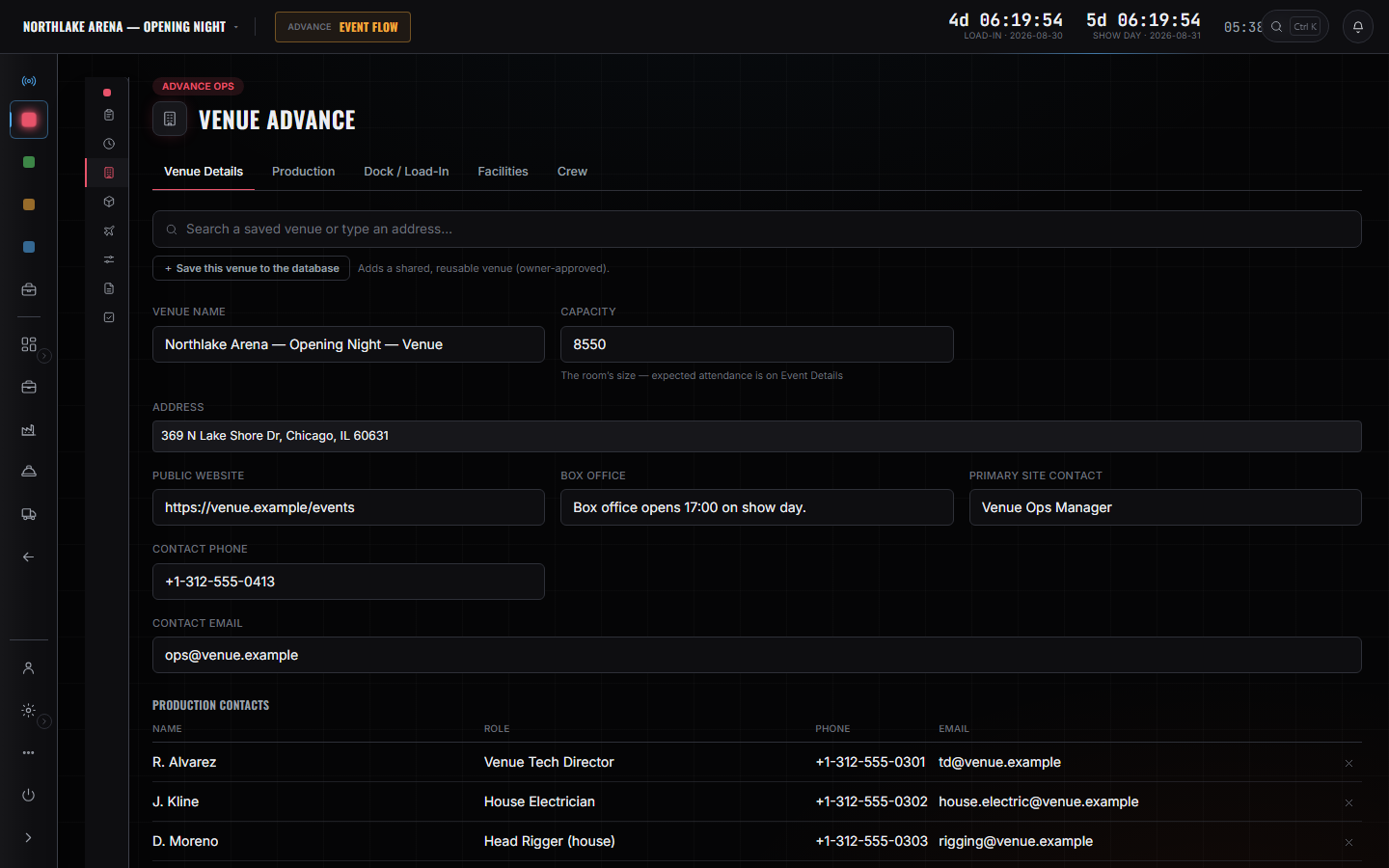
Venue Advance.

The room is on one sheet before anyone rolls.

  • Address, contacts, budget, site plan — not four inboxes
  • Load-in windows live next to the parking notes
  • The plot sits on the same page as the rider
Advance Ops → Venue Advance. The room, the house contacts, and the tabs the rest of the advance hangs off.
01 ADVANCE3 / 4

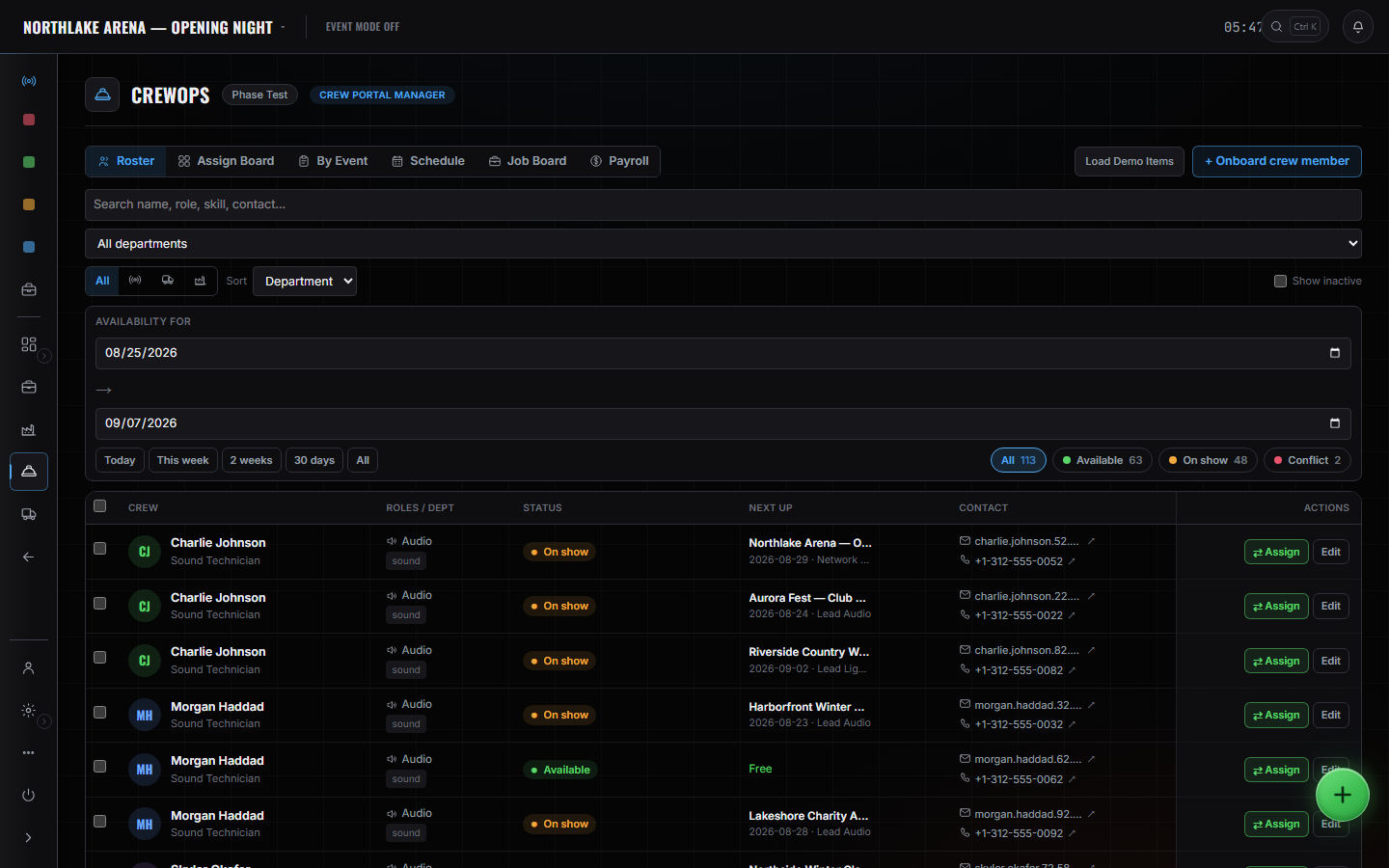
Crew the week.

Names on the days. Travel off their profile.

  • Build the roster from people you already have
  • Positions, call times, days on — one grid
  • Book flights and rooms from the profile, not a side spreadsheet
CrewOps → Roster. 113 crew against a date window — 63 available, 48 on show, 2 in conflict.
01 ADVANCE4 / 4

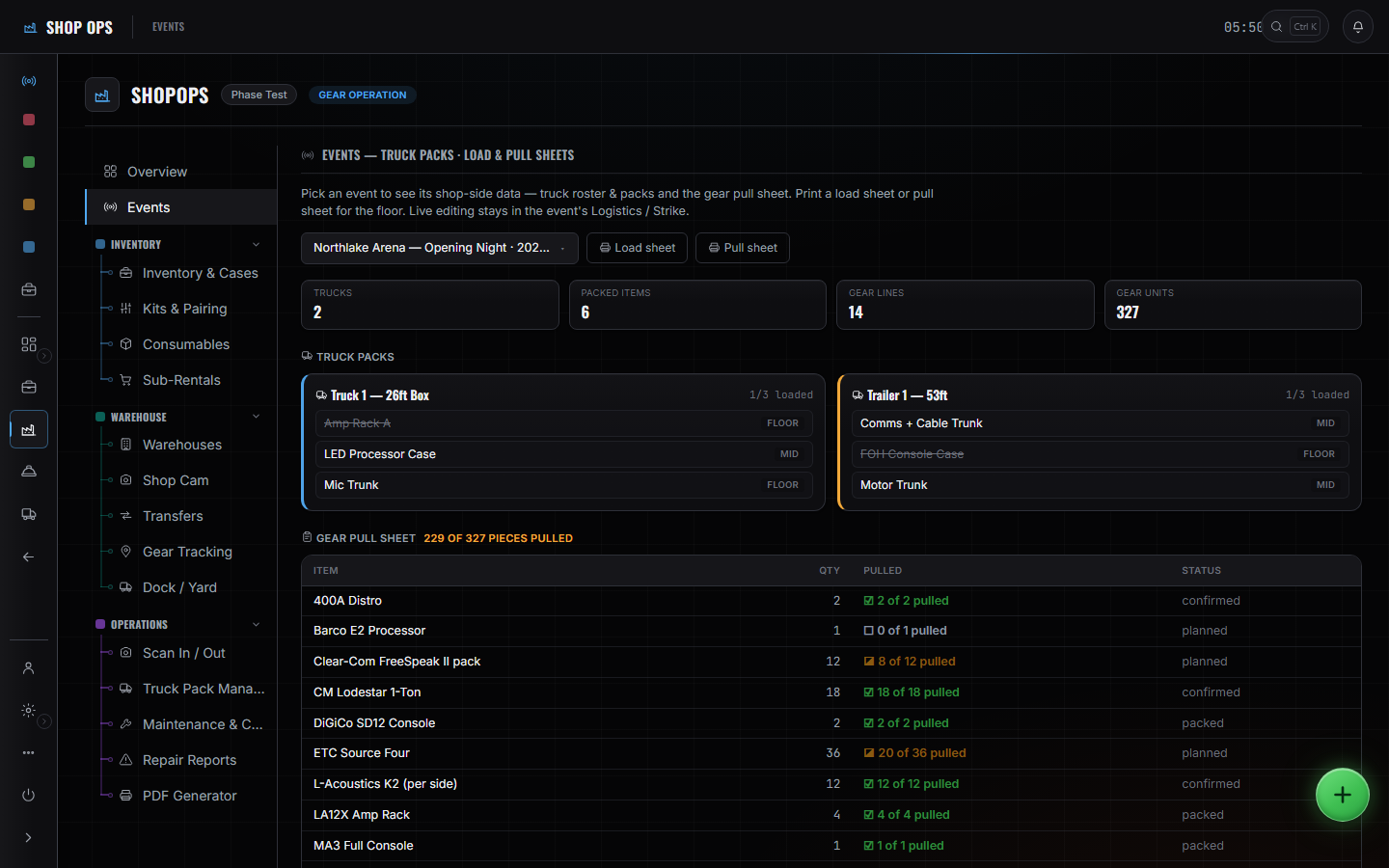
Assign the gear.

The pull sheet comes off the department, not a separate app.

  • Gear sits on the department card before it sits on a truck
  • Patch, plots, configs, and the list that ships
  • What isn't assigned does not get pulled
Shop Ops → Events. The gear pull sheet at 229 of 327 pieces, over the event's two truck packs.

Prep, slide 1 of 4

02 PREP1 / 4

Prep the show week.

Kit it in the shop.

  • Pull the sheet — your kits and your cases
  • Document your signal flow before you leave
  • Fill the department sheets: patch, plots, media
  • Print the label that carries the asset number
  • Build the truck pack, layer by layer
Open Prep
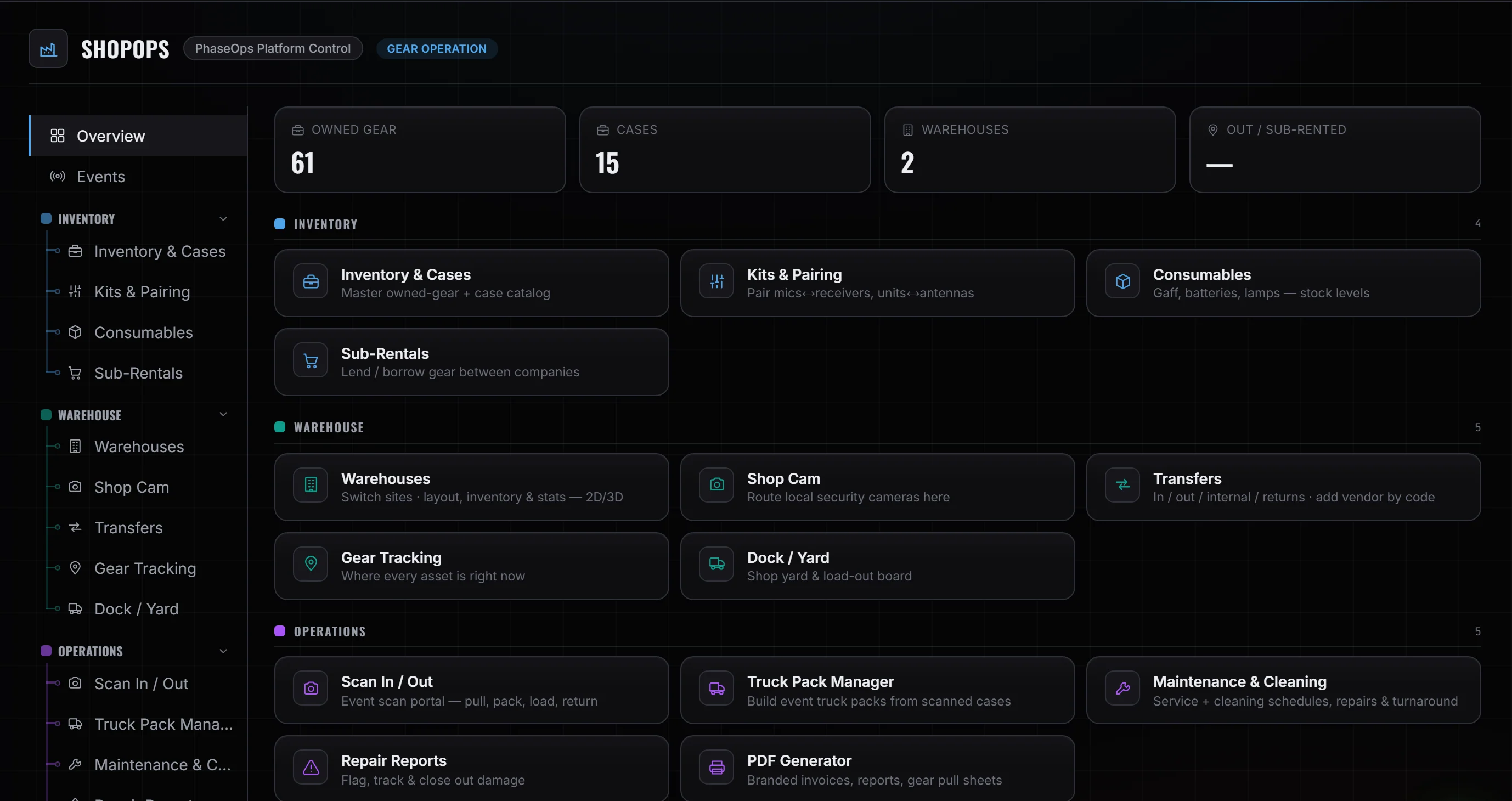
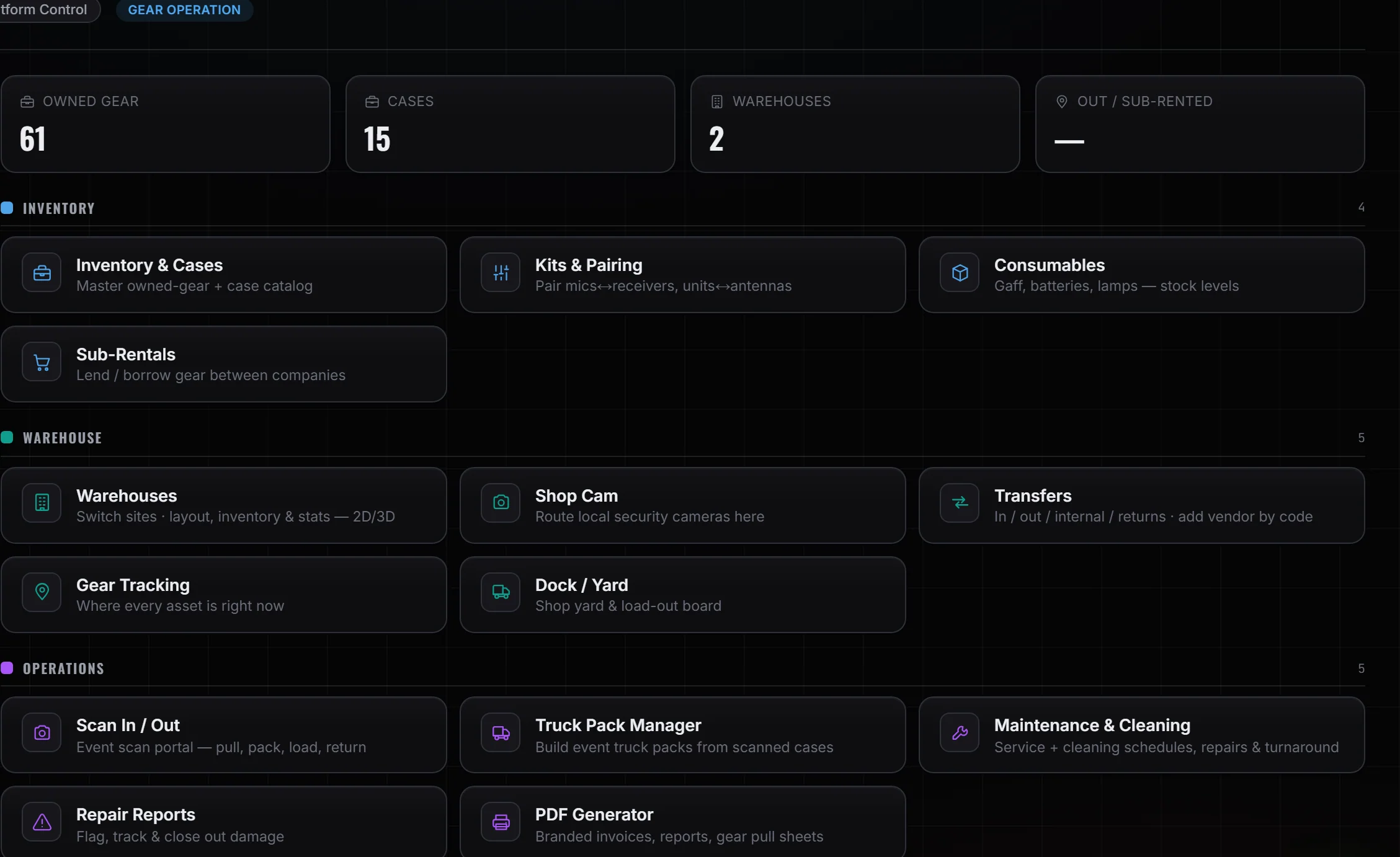
Shop Ops overview — owned gear and case counts, over Inventory & Cases and Kits & Pairing.
02 PREP2 / 4

Travel in their hands.

You do not send another email.

  • We send on confirmation
  • Again 7 days out
  • Again 24 hours before the first check-in
  • Itinerary is already on their profile — the message just points at it
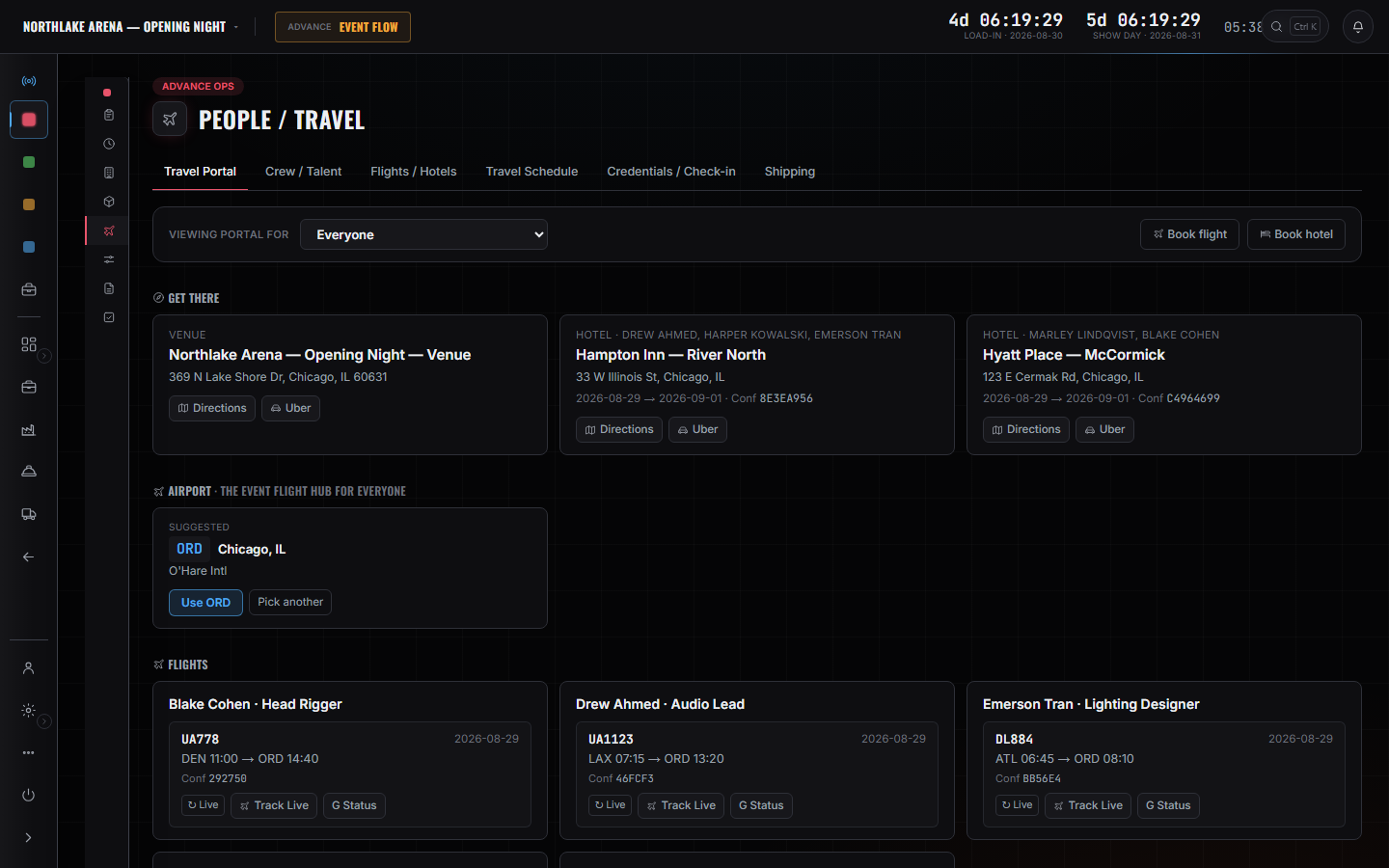
Advance Ops → People / Travel. Hotels with their confirmations, the event flight hub, and each traveller's booking.
02 PREP3 / 4

Trucks and packs.

Route the week the same place you pack it.

  • Cases on layers, not a guess at the dock
  • Trucks pointed at the days they serve
  • The pack is the sheet the driver gets
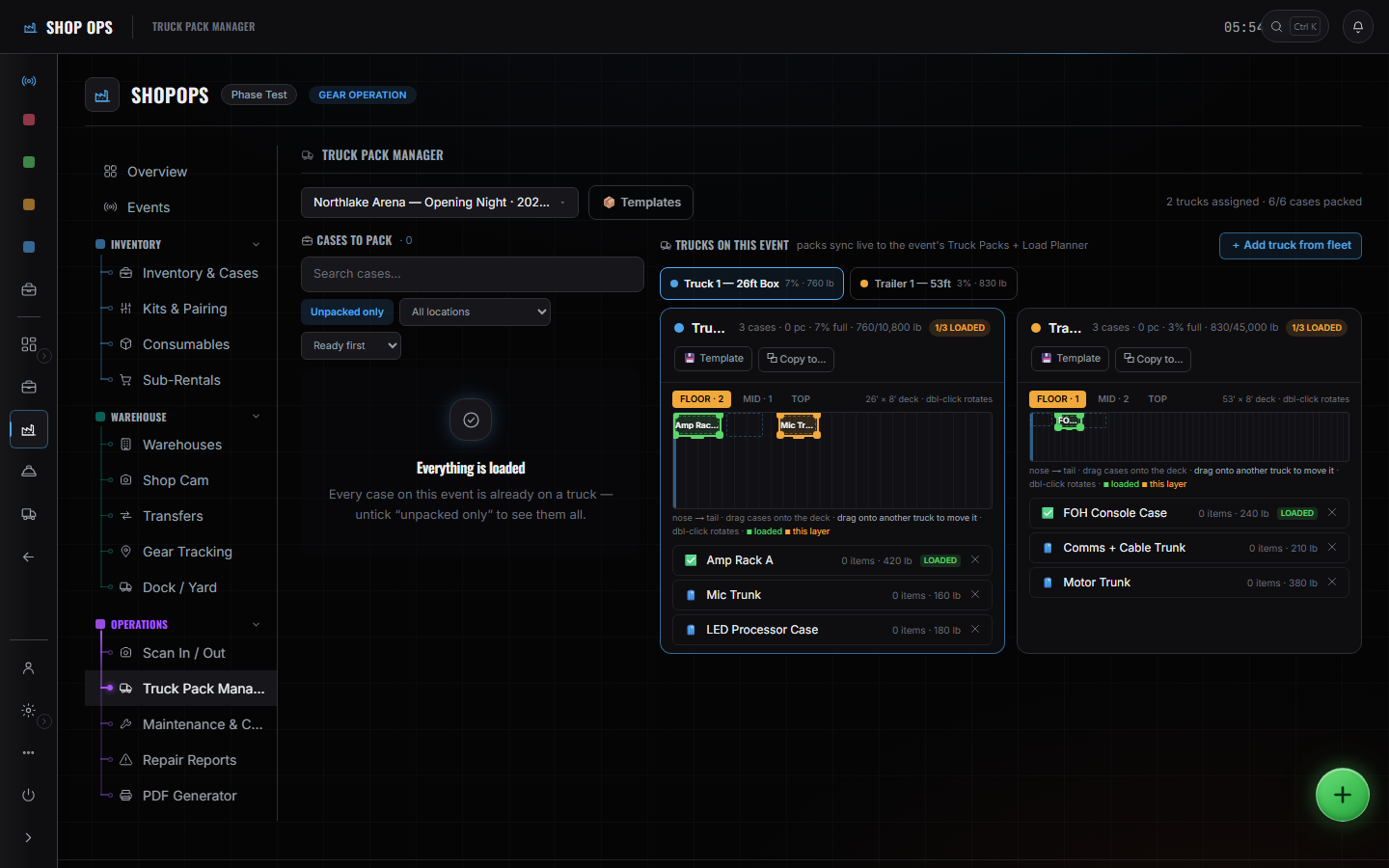
Shop Ops → Truck Pack Manager. Floor, Mid and Top as layers over a to-scale deck. Layers, then the door.
02 PREP4 / 4

Route it before you're on site.

Networks and devices are a shop problem, not a load-in surprise.

  • IPs, VLANs, device list — filled before you roll
  • Signal Ops is the sheet, not a thread from the van
  • What isn't routed does not get plugged in first
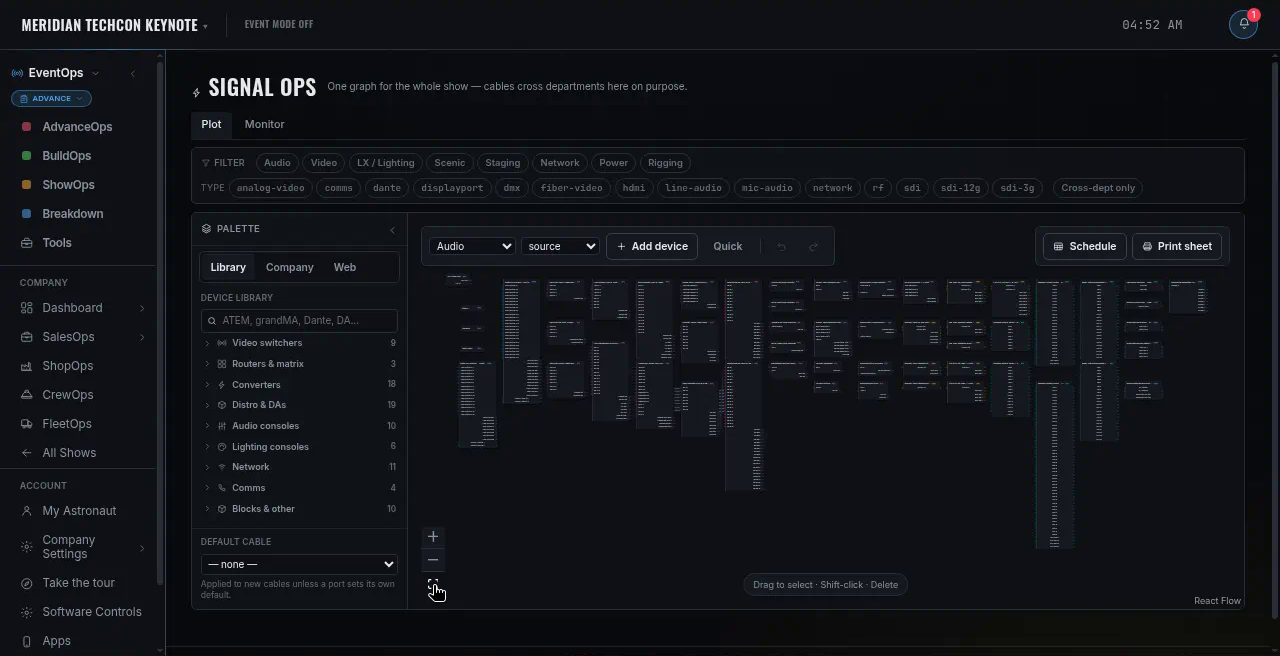
Advance Ops → Production. The Network department card, one of eight — its Topology, IP Plan and VLAN sheets.

Load-in, slide 1 of 4

03 LOAD-IN1 / 4

Load the week.

The dock is the first room you own.

  • Point every truck at a dock window
  • Scan cases off the liftgate
  • Walk the 3D plot before the first case hits the floor
  • Flag the empty that's still on the truck
Open Load-in
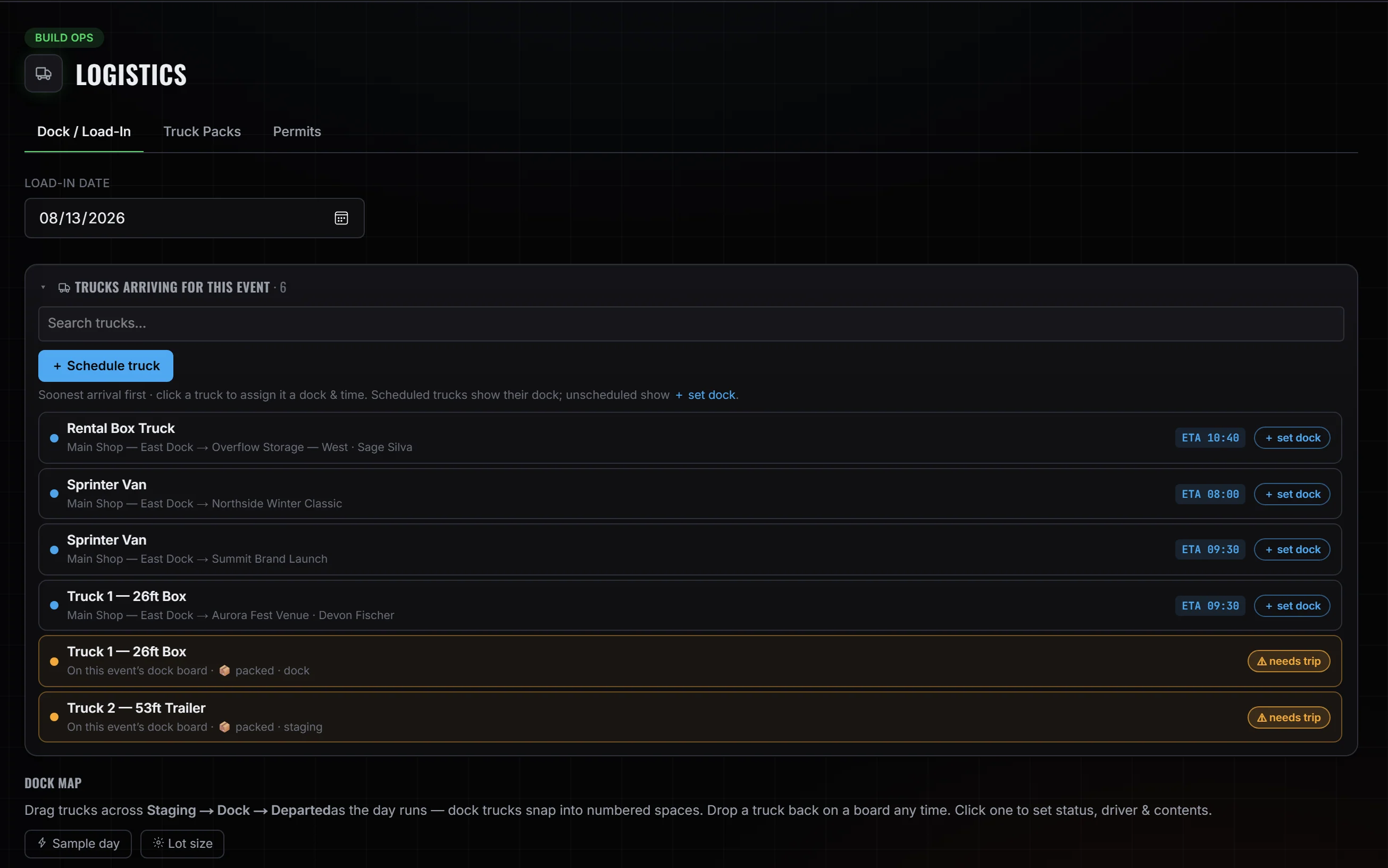
Build Ops → Logistics → Dock / Load-In. Six trucks arriving — four with an ETA, two flagged needs trip.
03 LOAD-IN2 / 4

Give every truck a window.

The yard already knows the order.

  • Dock time is a slot, not a text
  • Fleet on the same board as the pack
  • If it's late, the dock knows before the room does
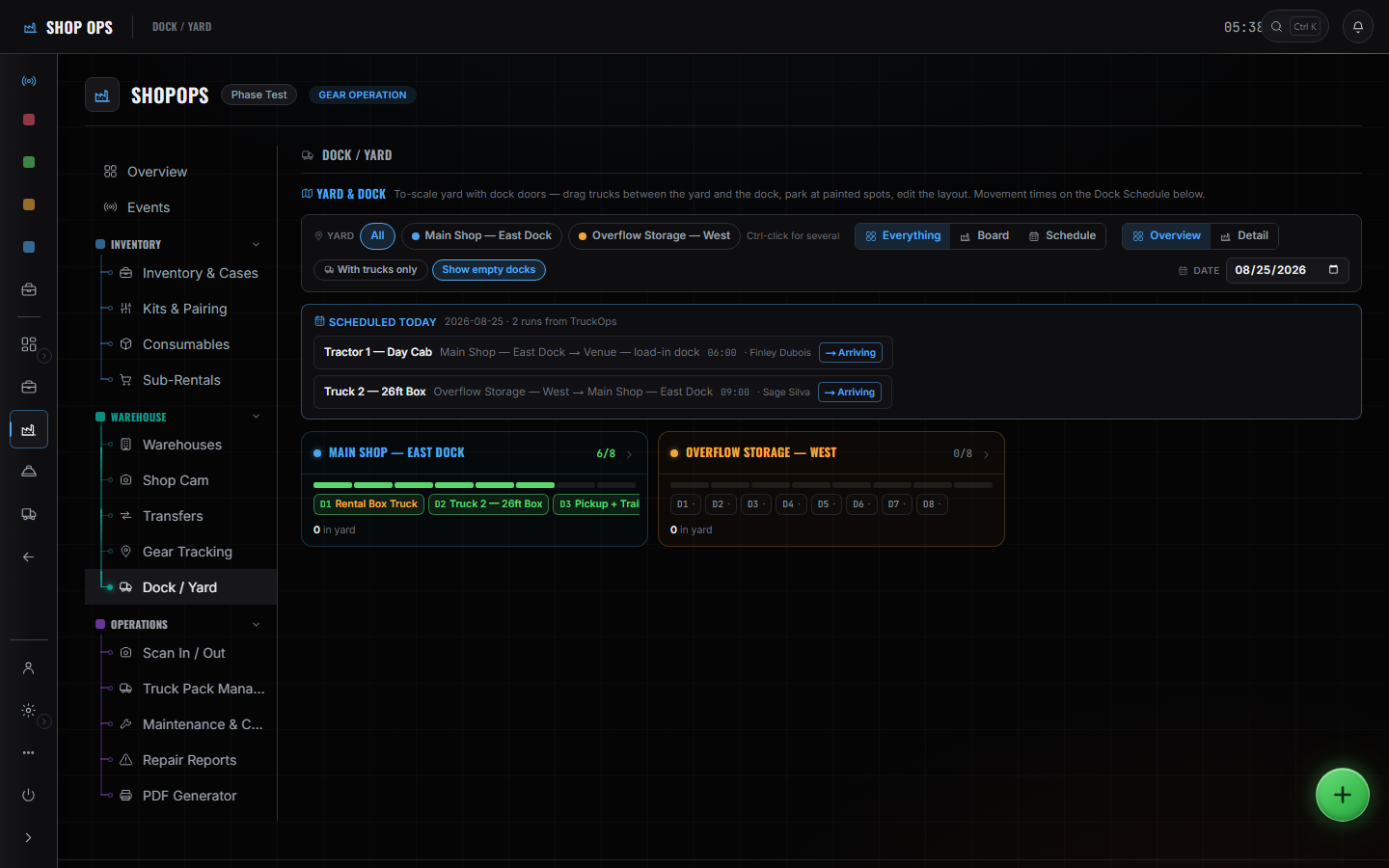
Shop Ops → Dock / Yard. Two runs scheduled today, and the dock roster for each warehouse under them.
03 LOAD-IN3 / 4

The pack is the sheet.

Layer by layer, then the door closes.

  • Cases in the order they have to come off
  • Weight and cube on the pack, not on a guess
  • What isn't on a layer isn't on the truck
Shop Ops → Truck Pack Manager. Two trucks, 6 of 6 cases packed, weight against capacity on each deck.
03 LOAD-IN4 / 4

Scan it off the liftgate.

If it isn't in the system, it's still on the truck.

  • Case in, case counted
  • The empty you didn't scan is the empty you'll hunt at strike
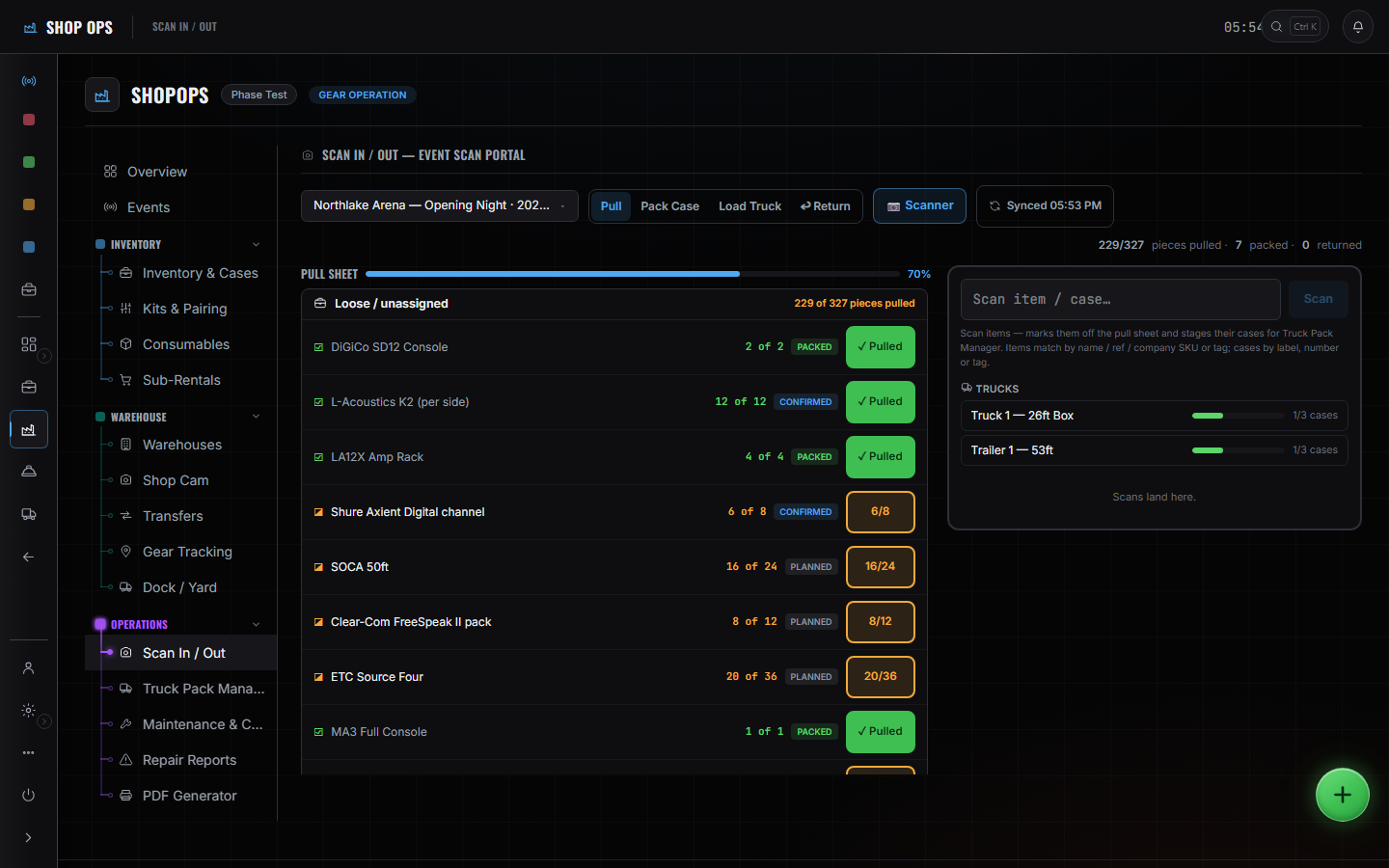
Shop Ops → Scan In / Out. The event scan portal — pull, pack, load, return — with the truck case counters beside it.

Show, slide 1 of 3

04 SHOW1 / 3

Call the show.

One thread. The room.

  • Open the call from the run-of-show
  • Push a change once — it lands on every radio
  • Keep the cue sheet and the crew list on the same clock
Open Show
Show Ops → Show Call. Doors / Preshow live with 29:55 left; Opening Video next on the rundown.
04 SHOW2 / 3

A problem is a thread.

Not a group chat. Not a radio you missed.

  • Alert becomes a thread in the room
  • The people on it are the people on the call
  • Close it when the room is clear, not when the Slack goes quiet
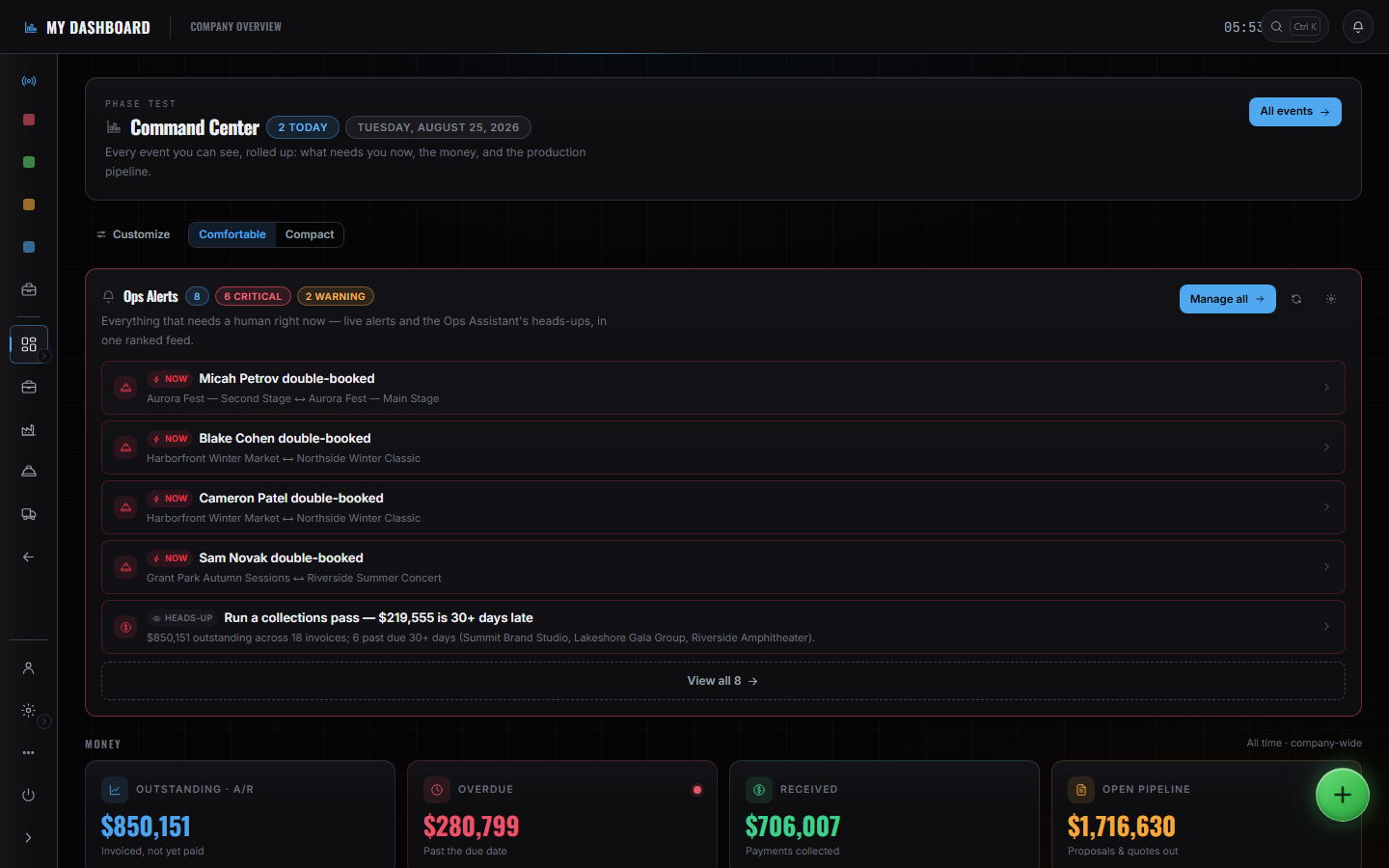
Command Center → Ops Alerts. Eight ranked, six critical — four of them a different person double-booked across two events.
04 SHOW3 / 3

The week stays on one board.

While the room is live.

  • Crew, cues, and the thing that just broke
  • You do not open a second app to see who's on
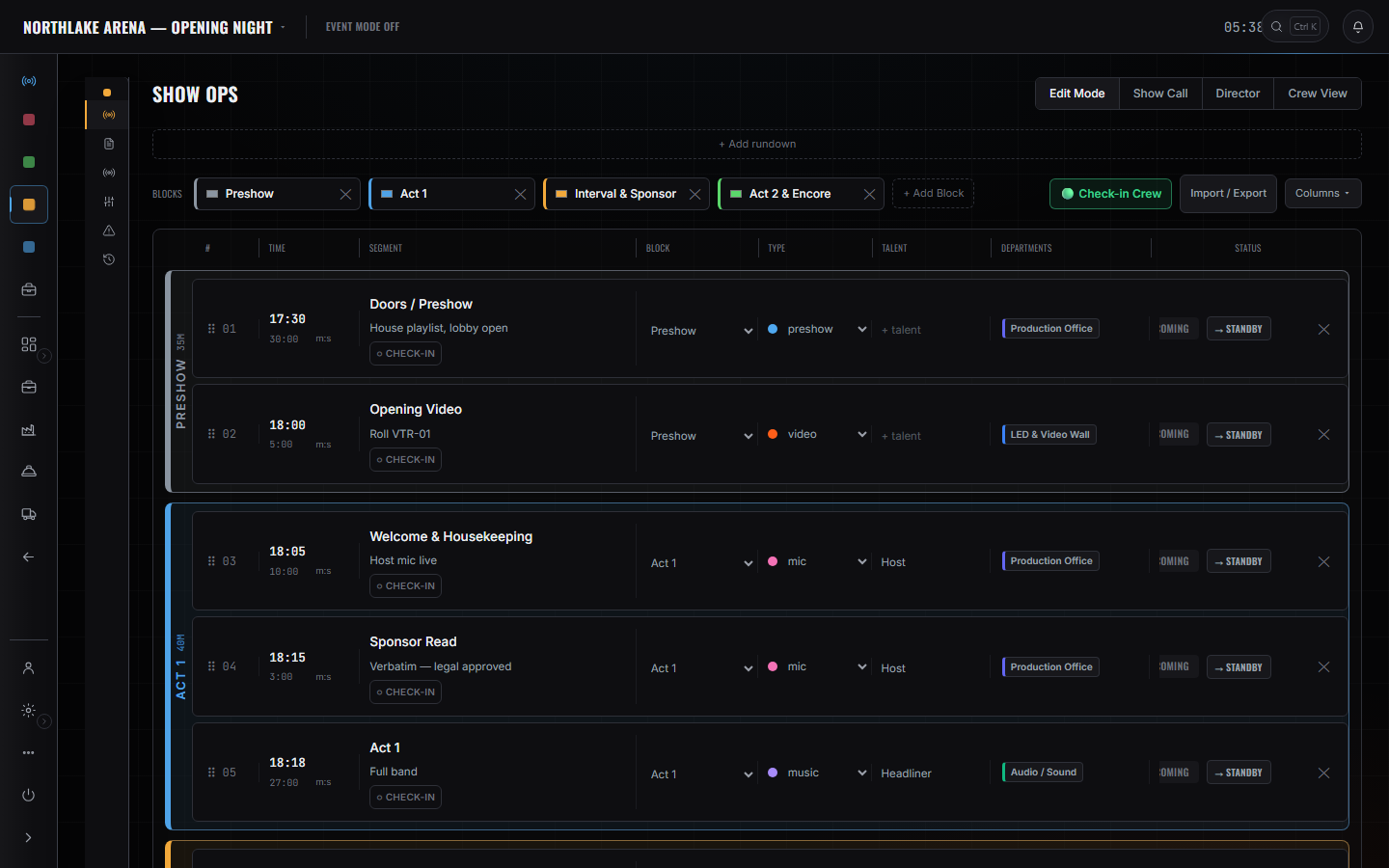
Show Ops → Edit Mode. Blocks, segments, the department on every cue, and Check-in Crew on the same board.

Strike, slide 1 of 3

05 STRIKE1 / 3

Strike the week.

Cases come home counted.

  • Scan every case back onto the truck
  • Close the damage reports before the wheels roll
  • Reconcile the sub-rentals against the sheet they left on
  • Park it. The shop already knows what's inbound
Open Strike
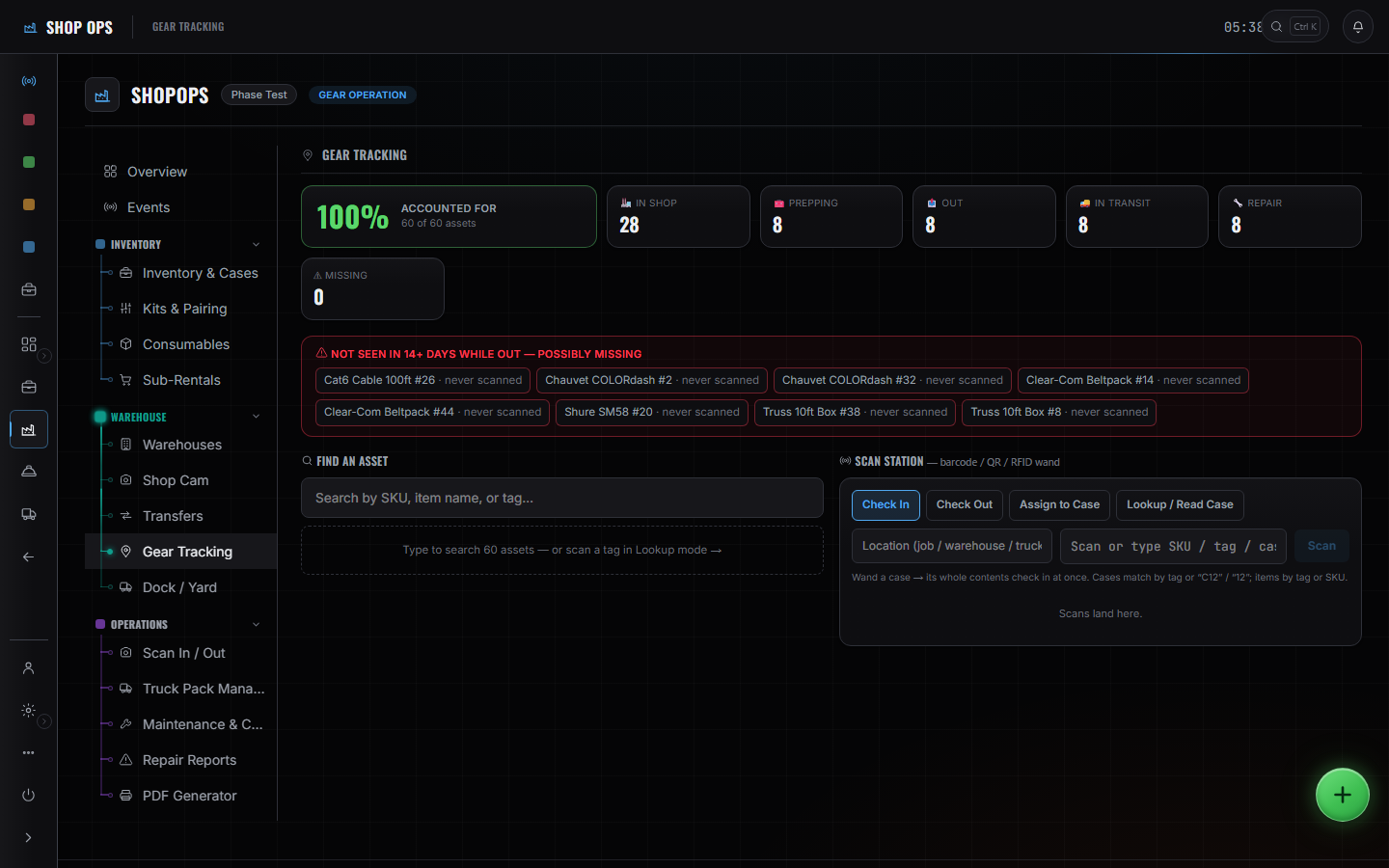
Shop Ops → Gear Tracking. 100% accounted for — 60 of 60 assets, 28 in shop, 8 out, 8 in transit, 0 missing.
05 STRIKE2 / 3

Scan it back on.

Counted out is not counted in.

  • Case on the truck is a scan, not a memory
  • Shortages show before you leave the dock
Shop Ops → Scan In / Out. Return is a tab on the same portal the gear went out through.
05 STRIKE3 / 3

Close it before the wheels roll.

Damage, sub-rentals, inbound — the shop is already watching.

  • Repair flags don't wait for Monday
  • Sub-rentals match the sheet they left on
  • The shop knows what's inbound while you're still on the road
Open Strike
Shop Ops overview — the Repair Reports, Sub-Rentals and Maintenance & Cleaning cards the shop closes a strike out of.
Get started

Run the show week on one system.

For companies that advance the event, call the show, and bring the gear home — and want the problem on the record before it walks into the room.

The all-in-one live events operations platform.