Putting it up — crew, gear, vendors, the dock, and the count at the end.
The build, the people on it, and what is arriving to be built with, read off one event record — so the thing that is late is visible before it is late on the floor.
You are the one who has to make it stand up. The advance is somebody else's, the deal is somebody else's, and the call is somebody else's — yours is the fortnight where a drawing turns into a room, with the crew, the gear and four vendors who each think they are first on the dock.
- Your unit is the build, and the build is people plus what arrives
- You would rather know a case is still on the deck now than at soundcheck
- The number you actually care about is how many of them came home
Build Schedule
Build Ops
The build as items with dates, owners and departments, and a status on each — done, in progress, blocked. You open it first because it is the only screen that answers what has to happen today in an order somebody can actually work.
More on Show Ops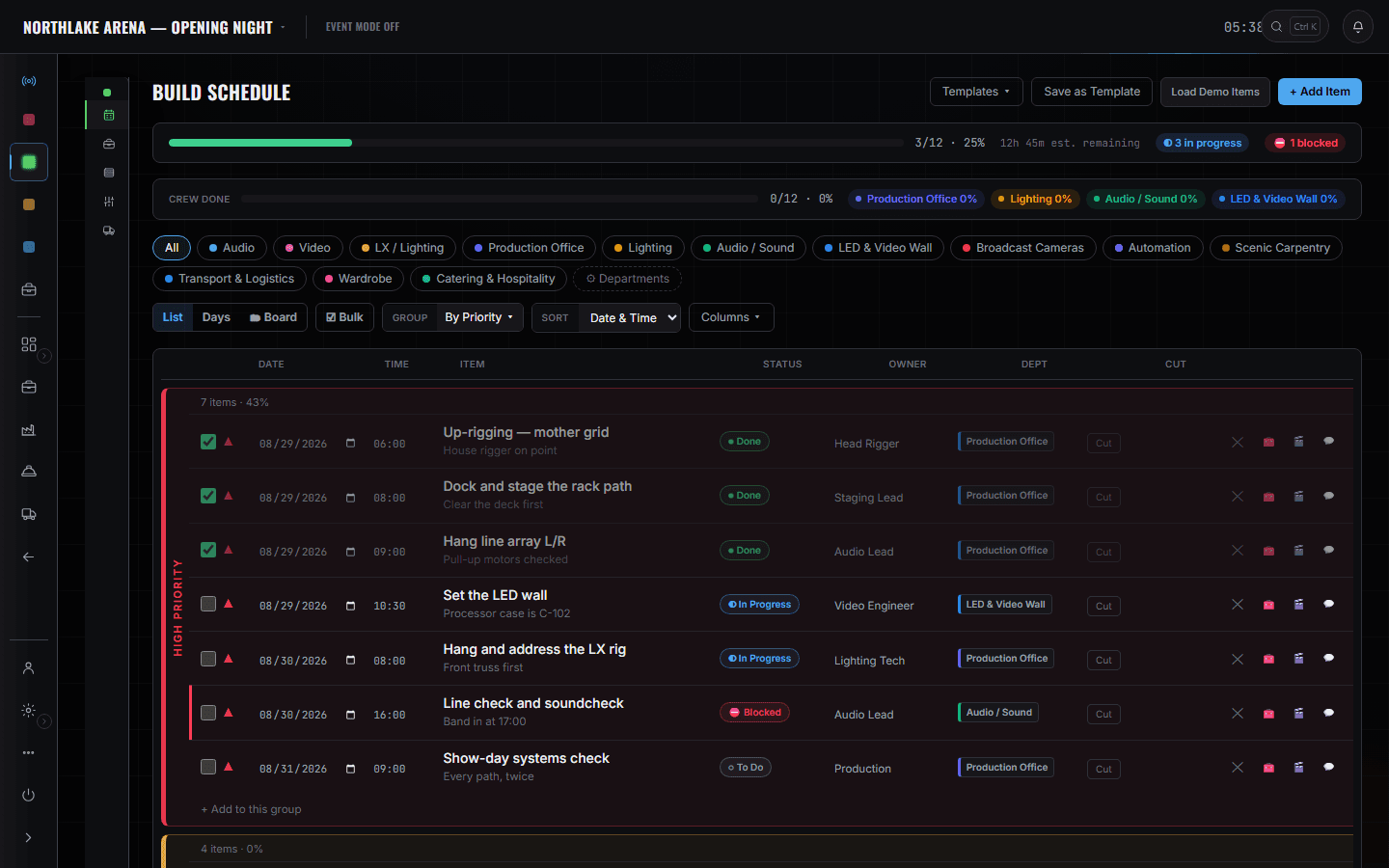
Build Schedule is the spine: what is happening, who owns it, what is blocked. The event Gear List is what you are building with — every line carrying its case and its truck, which is how you answer whether a thing is here without walking the dock. CrewOps By Event is the positions board for this show rather than the whole company, so filling a hole is one screen. The dock board is where the trucks and the windows live, and it is shared with logistics rather than copied from them. Department cards tell you which discipline has not filled its sheets in, and Tasks is where the open questions from the advance land on you.
What you open, and what it answers.
The event gear list
What is coming, in which case, on which truck, and how much of it has actually been pulled against what was asked for. This is the count — the one you read on the way in and again on the way out — and it is the event's own list, not the shop's.
Crew, by event
CrewOps
The positions board for this show: what is needed, what is filled, and what is still a hole with a date on it. Availability is computed from assignments that already exist, so a person who is on another show that week is flagged rather than double-booked and discovered.
More on Crew Ops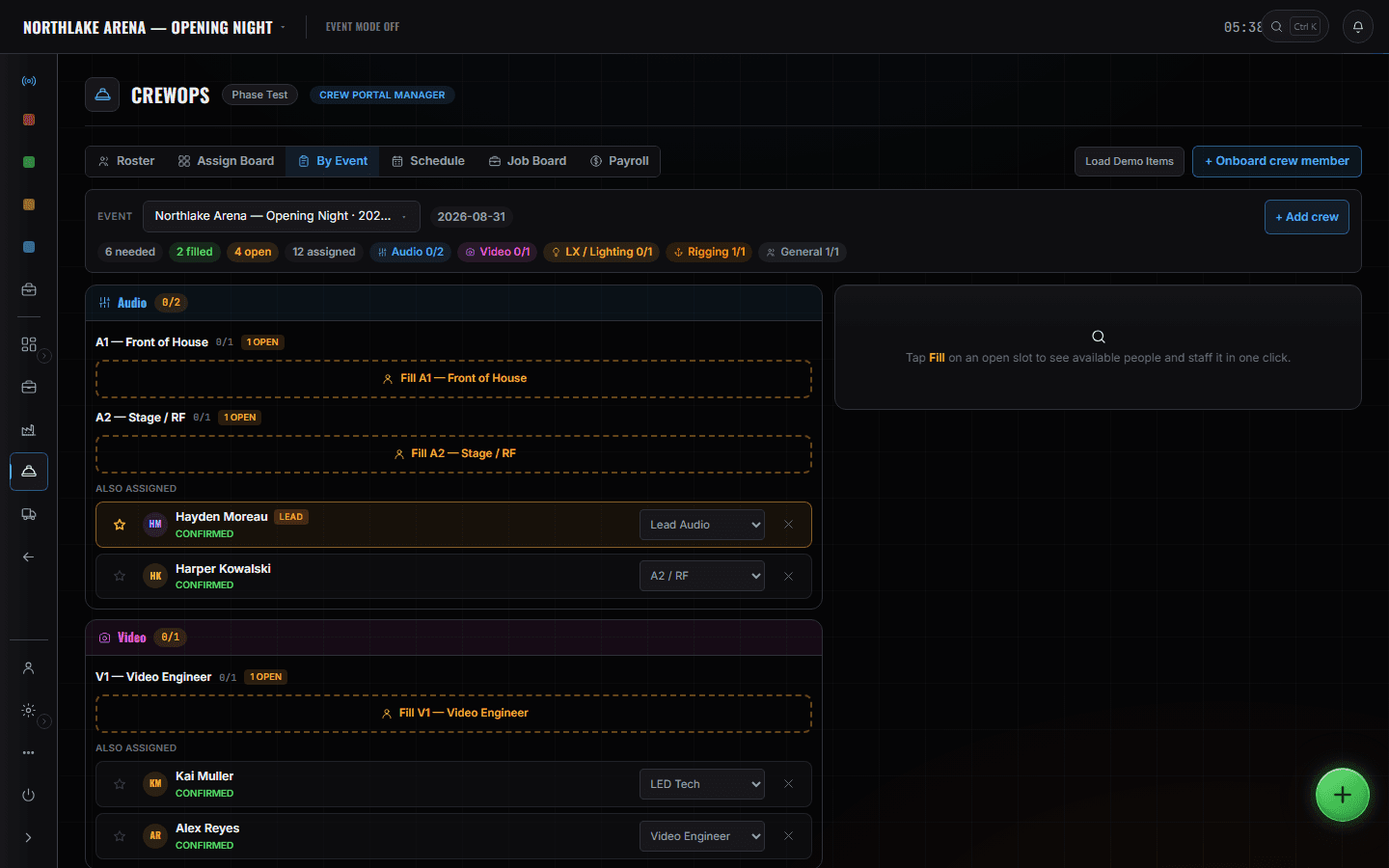
The dock board
Build Ops
Trucks against doors and windows, with what has arrived and what is still flagged as needing a trip. You share this board with the logistics coordinator rather than keeping a second version of it — which is the entire point, because two dock plans is how a vendor ends up on the wrong side of a lift.
More on Fleet Ops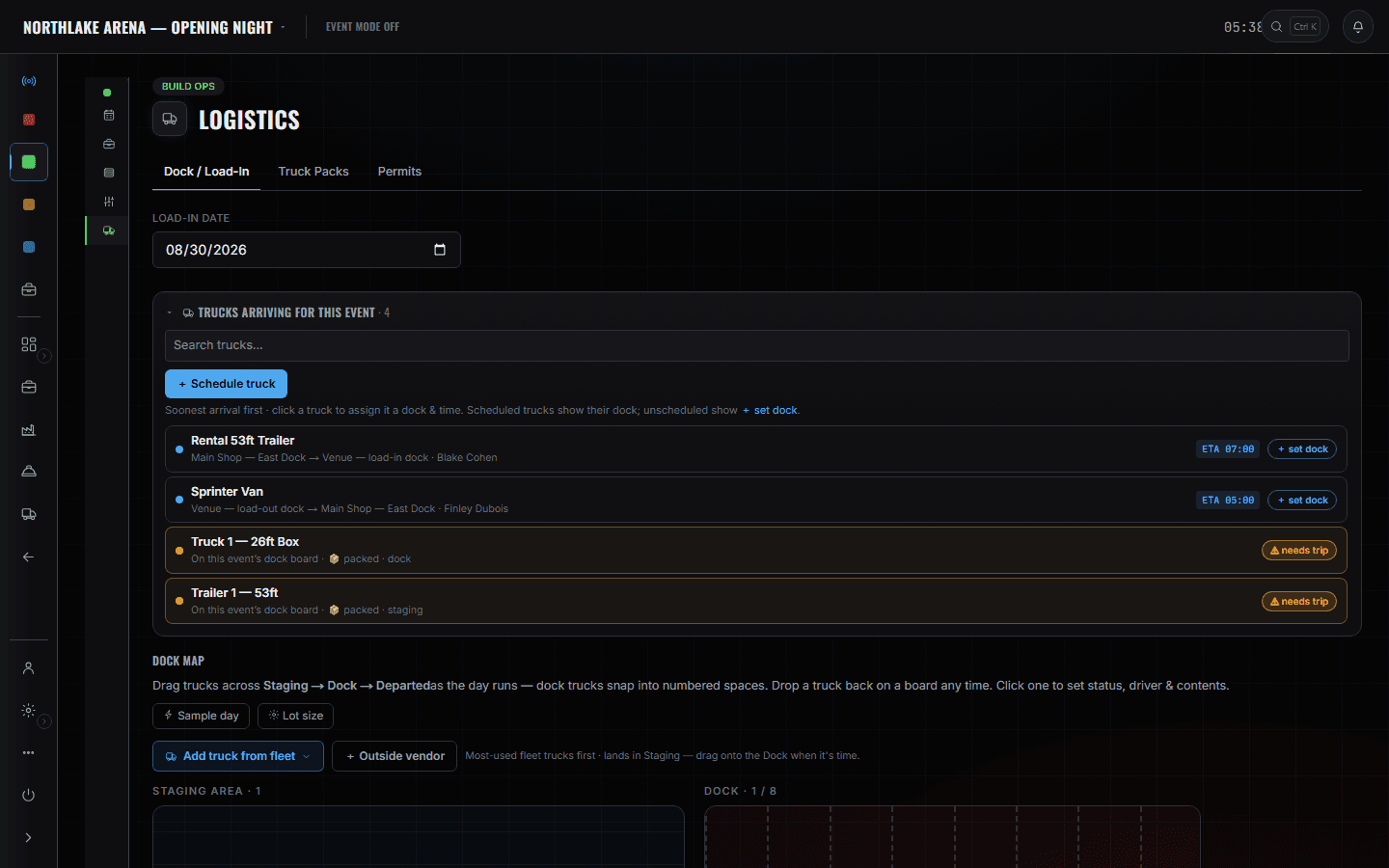
The department sheets
Show Ops
One card per discipline, each carrying its sheet count, gear items, crew checked in and open tasks. It is the fastest read of which department is actually ready and which one is telling you it is.
More on Show Ops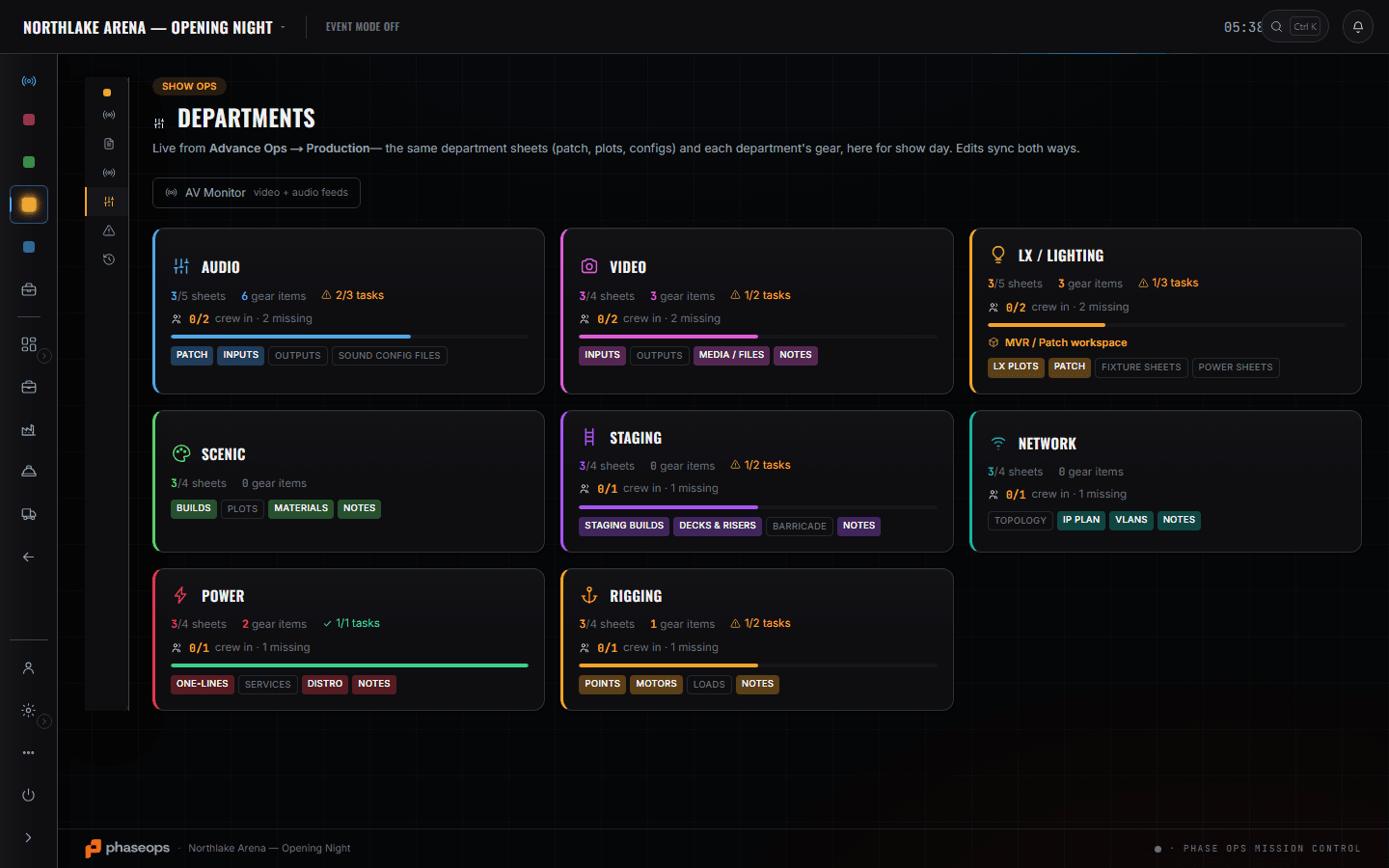
Tasks
Advance Ops
The open questions that survived the advance and are now yours, grouped by area, with meters fed by the records rather than by ticking. It is the list that tells you what is still unresolved on the morning the trucks arrive.
More on Advance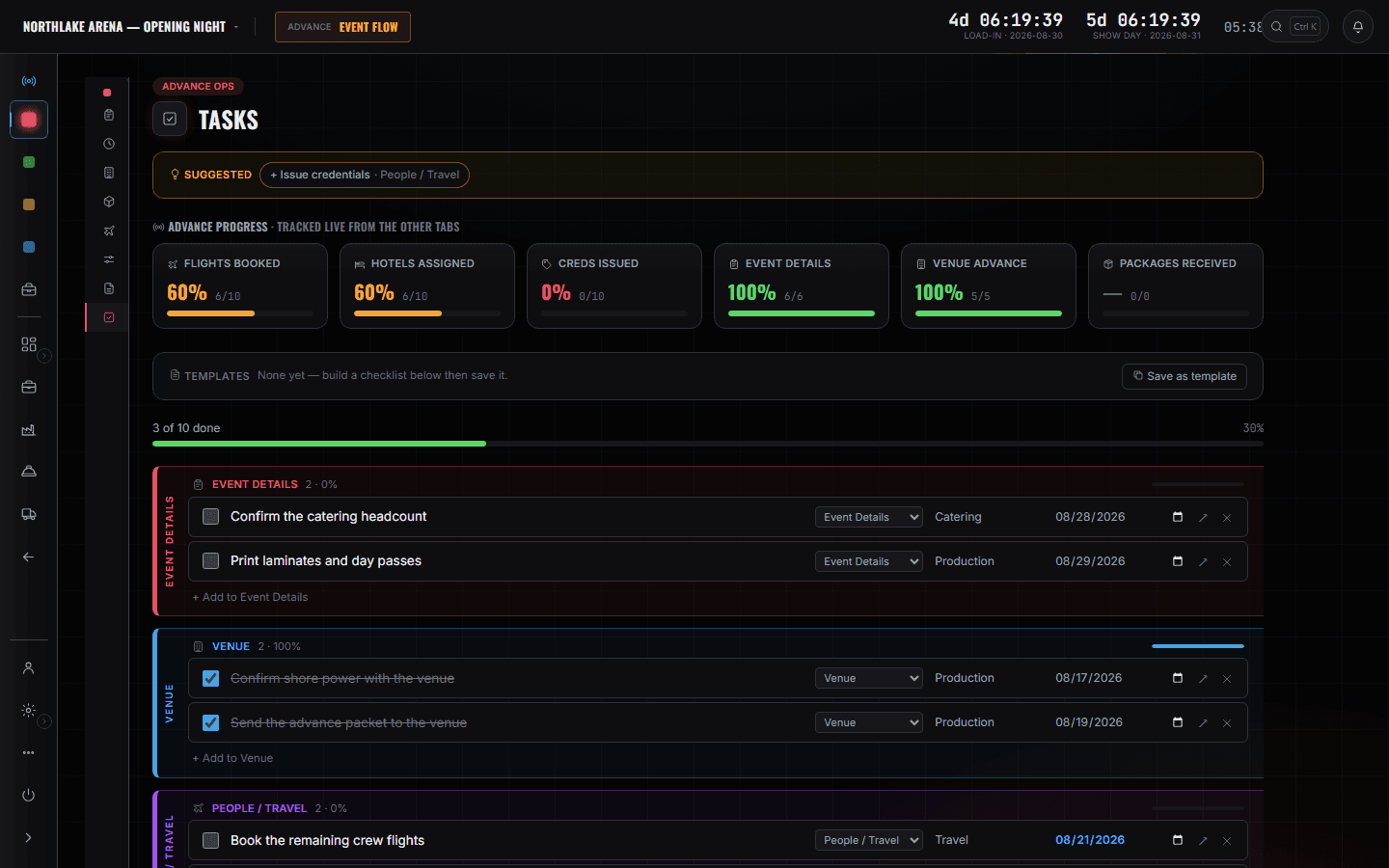
What else this chair can open
- SchedulesAdvance Ops
The boundary, before you find it yourself
Worth knowing now rather than at 16:00 on a load-in day.
The pull sheet
How gear came off a shelf is the shop tech's screen. You read the event's list — what is coming and whether it is here — not the pick that produced it.
Kits, pairing and RFID
What is bagged with what, and which tag is on it, is the warehouse's discipline. It does not become yours because you are the one waiting for the case.
The racks and the warehouse floor
Where a case sleeps between shows is the shop's answer. Your floor is the one with the show on it.
Calling the show
Standby and GO are the stage manager's desk. You built the room they are calling in; you are not on that screen while they do it.
Invoices and A/R
What the week costs is the producer's line and what is unpaid is the owner's. You are answering for whether it stands up.
Driver duty clocks
Hours of service is the driver's screen and the coordinator's constraint. You need the truck at the door, not the log behind it.
The build, the load-in, and the count at the end.
- Fortnight outThe build as items with owners and dates — and the blocked one, visible.Build Ops · Build Schedule
- Fortnight outFill the holes on the positions board before they are holes on the floor.CrewOps · By Event
- Week outWindows and doors for four vendors who each think they are first.Build Ops · Logistics
- Load-inWhat is on the truck, which case it is in, and whether it is here yet.Build Ops · Gear List
- Load-inWhich department is ready, read off a card rather than shouted across a room.Show Ops · Departments
- OutThe count against what came in. That is the number you answer for.Build Ops · Gear List