This date, this room — everything the house needs, before anyone rolls.
The venue, the house contacts, the run of days and every open question on one record, so the answer the venue gets from you is the answer the crew is already working to.
You are the one the venue emails. One date, one building, and about two hundred details that are each individually trivial and collectively the show — the dock height, the house electrician, whether the freight lift takes a road case, what time the room actually opens. Nobody thanks you when it is right, and everybody knows when it is not.
- Your unit is the date, and the date has exactly one room in it
- You have been burned by a load-in window that lived in an email thread
- The thing you need most is one page you can send the venue back
Event Details
Advance Ops
The record everything else on the show hangs off — dates, venue, client and the budget lines the week is worked against. You open it first because until it is right, every other screen in the product is describing the wrong day.
More on Advance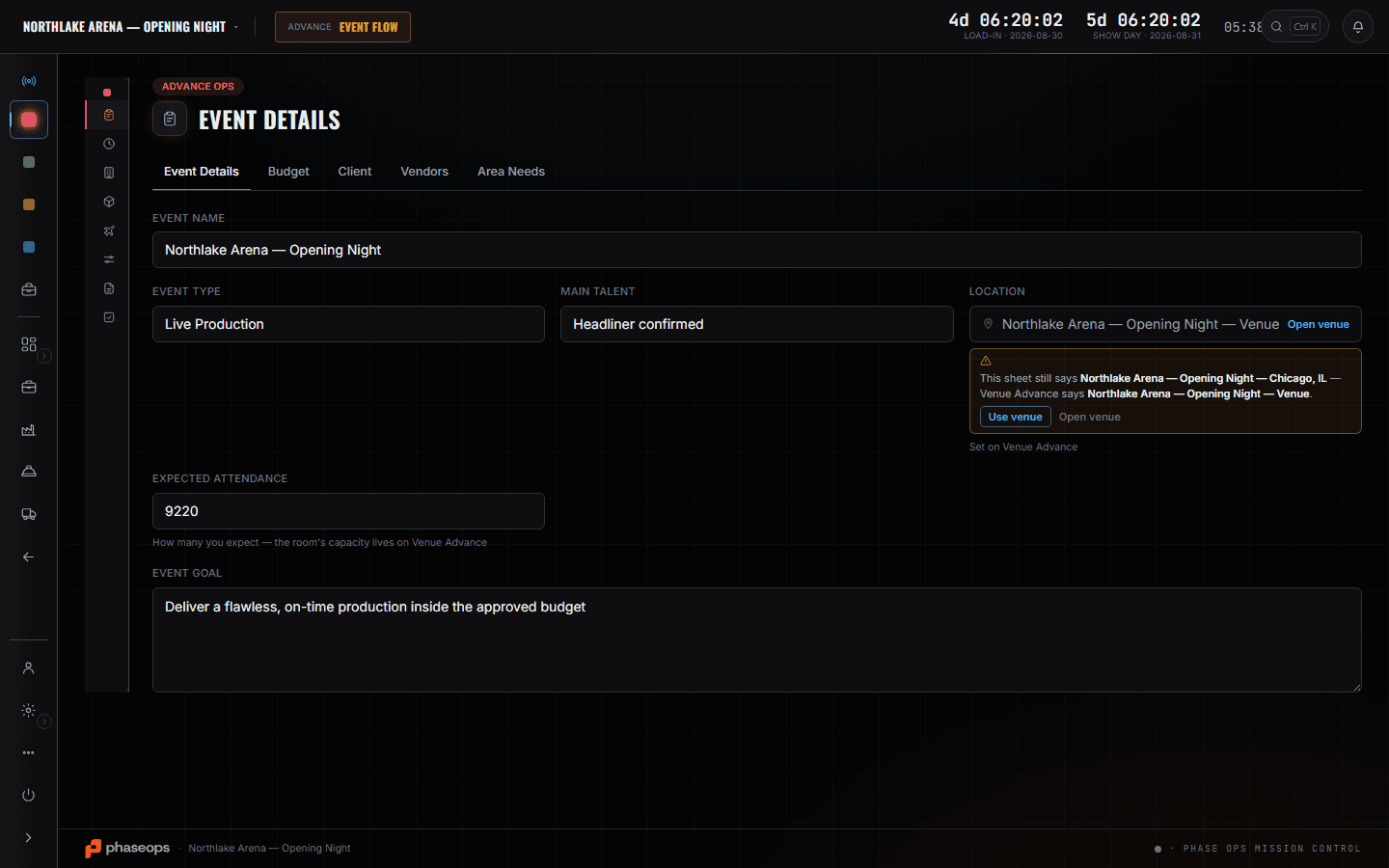
Event Details is the spine and Venue Advance is the room: address, capacity, box office and the house contacts, with the load-in window sitting next to the parking notes rather than in a different inbox. Schedules turns the date into a run of days everyone reads, and Tasks is the honest list of what is still open — fed by the same records the work happens on, so a progress meter means something. The department cards tell you whether each discipline has actually filled its sheets in, which is the question you are really asking when you chase people. The Events slate is how you see this date beside every other one the company has said yes to.
What you open, and what it answers.
Venue Advance
The room itself: address, capacity, box office, and the house contacts with their numbers. The load-in window lives next to the parking notes, so the two can never be separately true — which is the failure mode of running an advance out of a mail thread.
More on Advance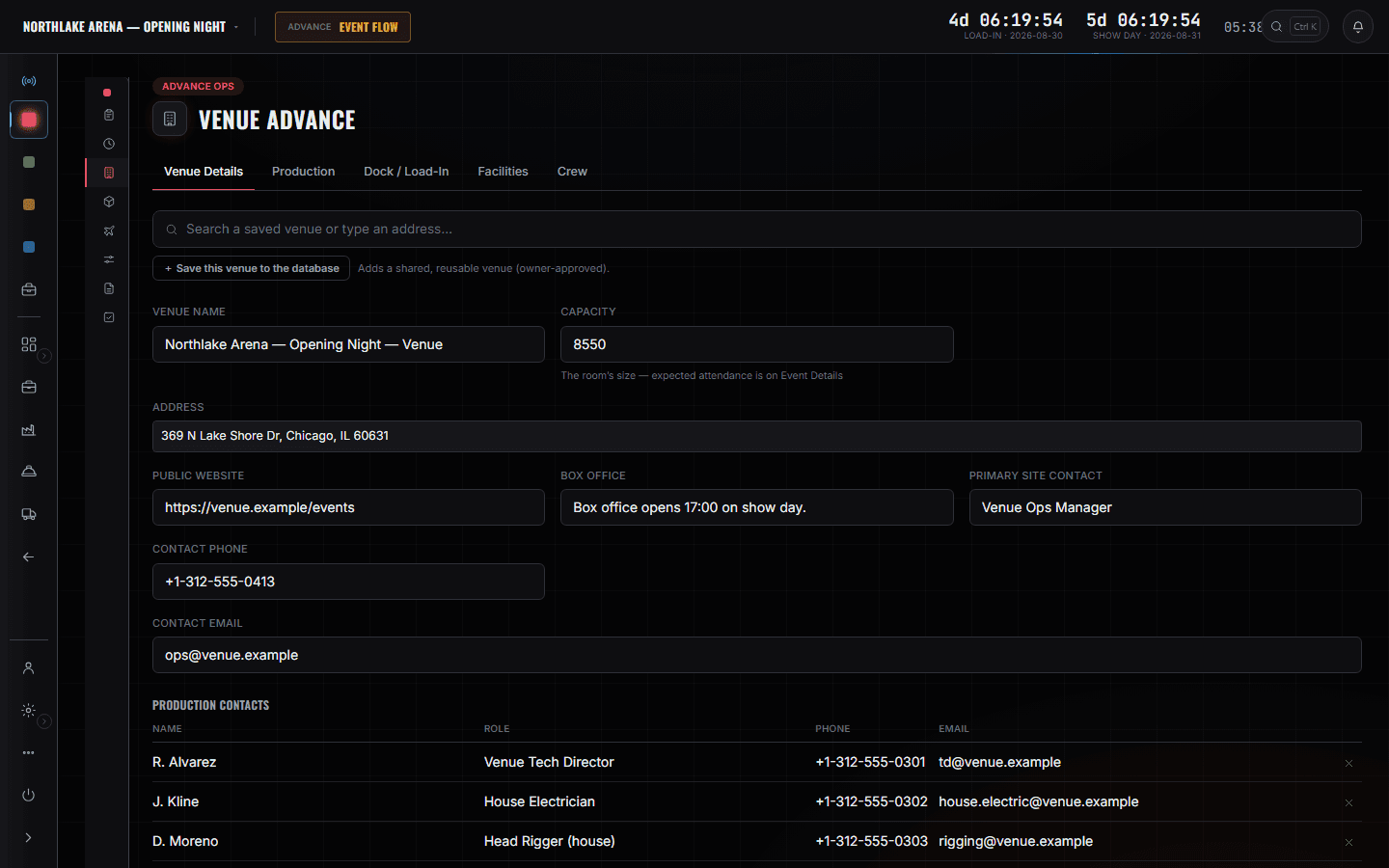
Schedules
The date as a run of days, with call times, and one version of it. When the house moves the room opening by an hour you change it here and everybody downstream is reading the change rather than a message about it.
More on Advance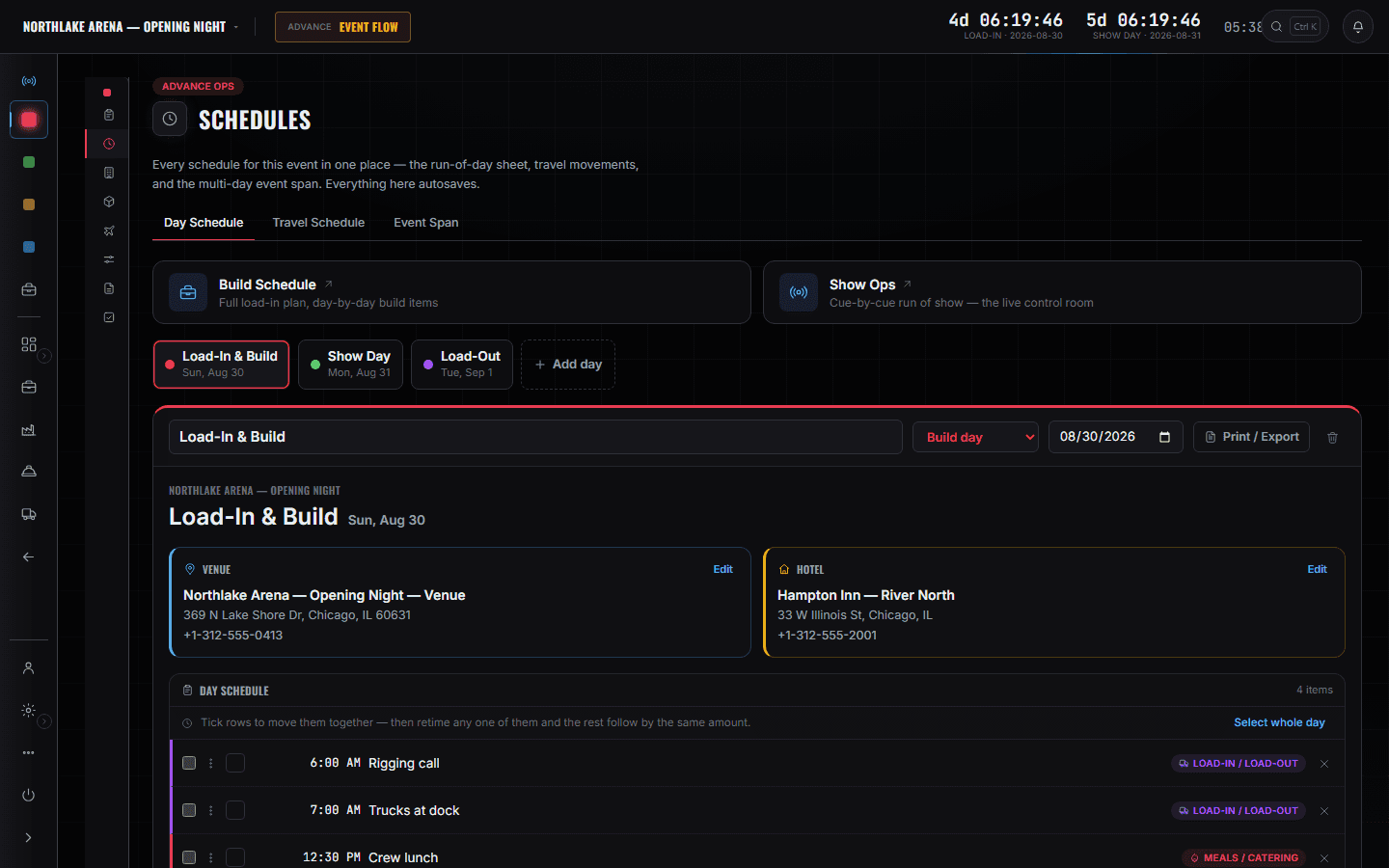
Tasks
What is still open, grouped by area, with progress meters fed by the records themselves rather than by somebody remembering to tick a box. It is the list you work down in the last fortnight, and the one you send when you are asked where the advance is.
More on Advance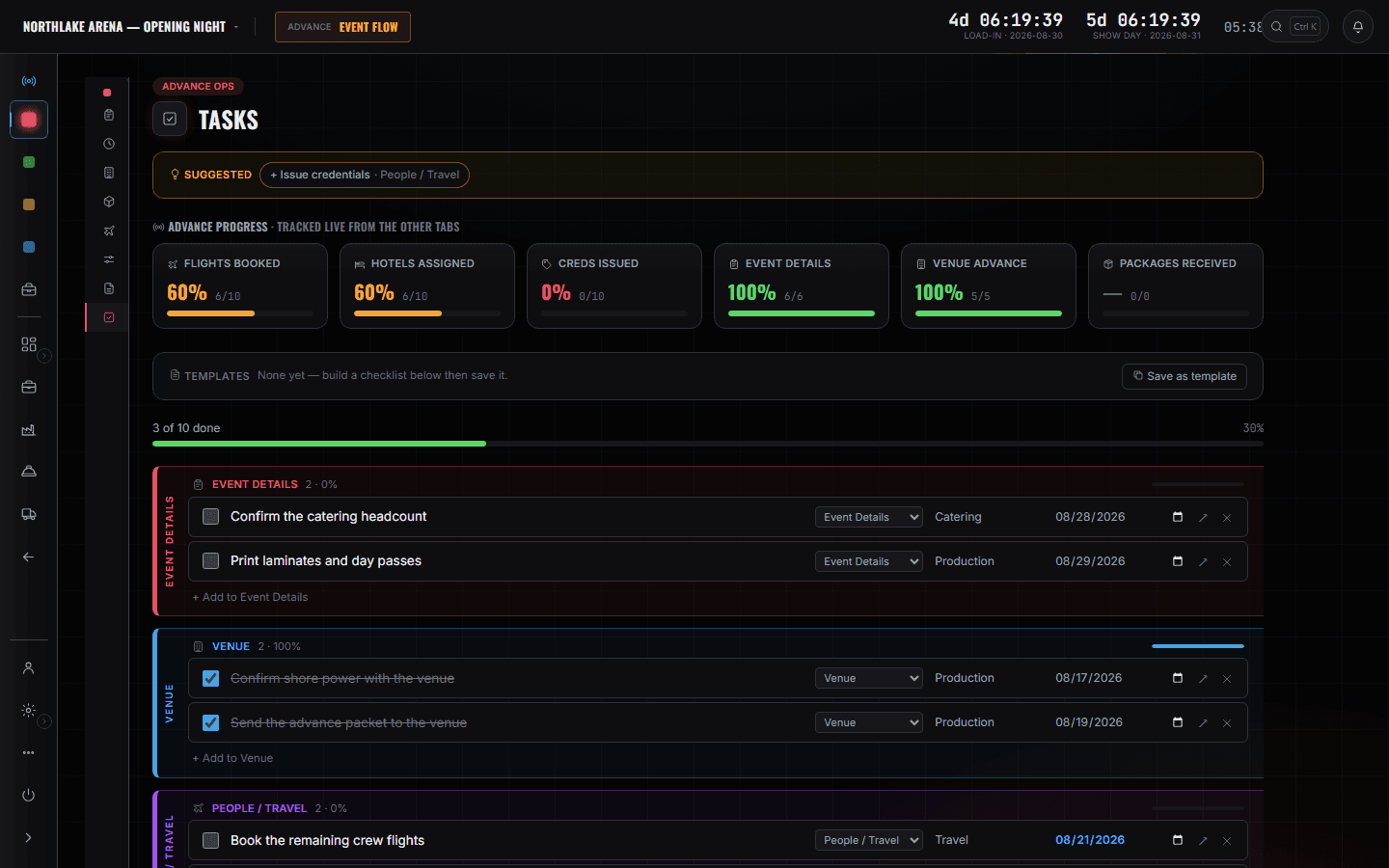
The department sheets
Show Ops
One card per discipline with its sheet count on it, so chasing a department is reading a number rather than asking a person. You are not filling these in — you are finding out which one has not been.
More on Show Ops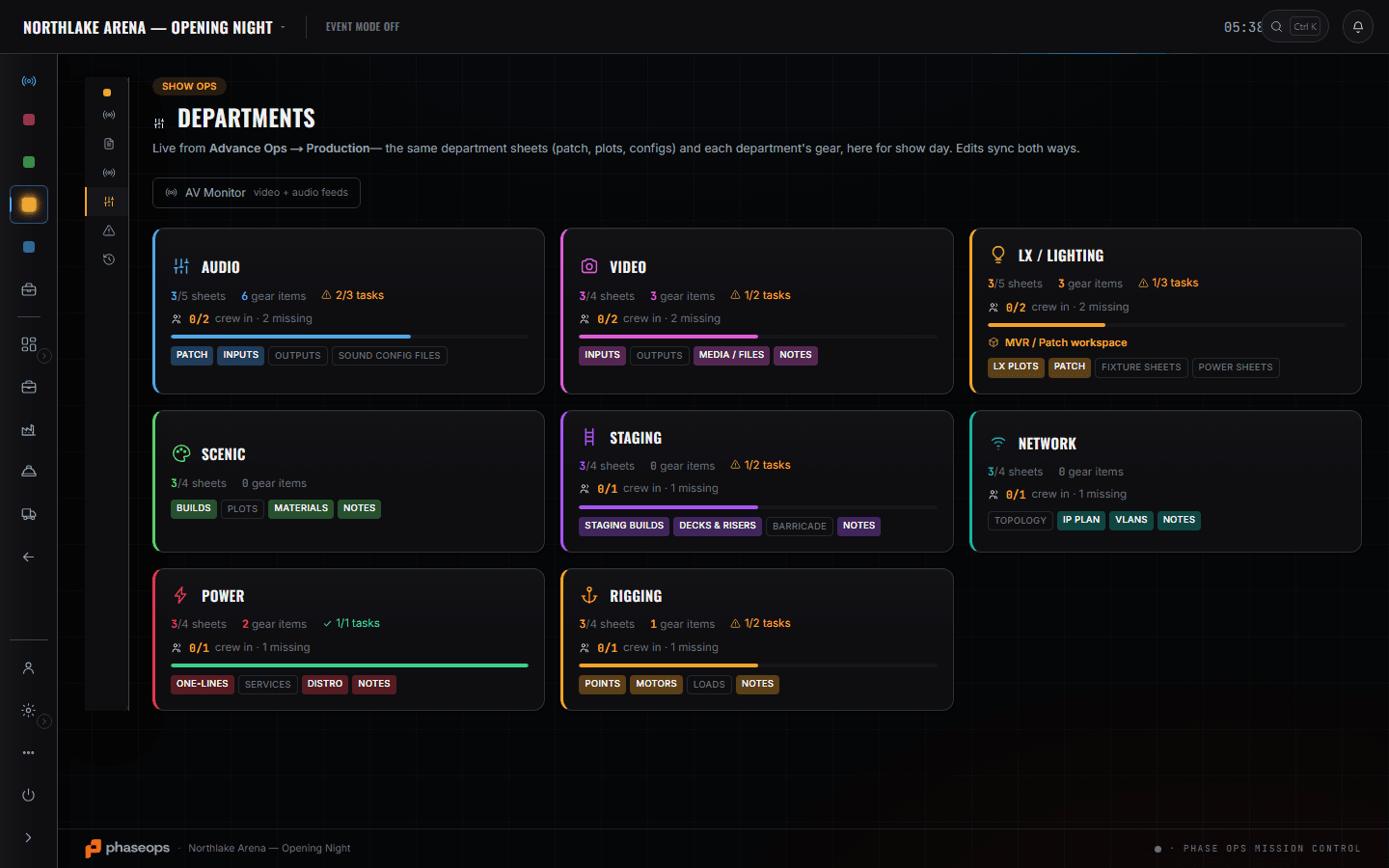
What is coming to the room
Build Ops
The event's own list, at the level this chair needs it: what is coming, in which case, on which truck. Enough to answer the venue when they ask what is arriving and how big it is — and no deeper, because what is on a shelf between shows is not your question.
The company slate
Events
Your date beside every other date the company has taken, in production order. It is where you find out that the week you are advancing has two other shows leaning on the same crew.
The boundary, before you find it yourself
Worth knowing now rather than at 16:00 on a load-in day.
Calling the show
Standby and GO are the stage manager's desk. Your work is finished before the first cue and starts again when the room is empty.
Pull sheets and the shop floor
What came off which shelf is the shop tech's screen. You need to know what is arriving at the dock, not how it was picked.
The racks and the warehouse floor
Where a case lives between shows has never been an event manager's problem.
Drawing the room
The plot is the designer's file. You hold what the house needs; they hold what it looks like.
Invoices and A/R
Money in and money chased are the owner's and the producer's. You are answering for the room, not for the margin.
Booking flights and rooms
Moving people is the tour manager's, and it books against the company card. You tell them when the room opens.
The booking, the advance, and the morning the trucks arrive.
- On bookingThe date becomes a record: venue, dates, client, budget lines.Advance Ops · Event Details
- Weeks outThe room itself — house contacts, capacity, the load-in window beside the parking notes.Advance Ops · Venue Advance
- Weeks outThe run of days, in one version everybody reads.Advance Ops · Schedules
- Last fortnightWork the open list down. The meters are fed by the records, not by ticking.Advance Ops · Tasks
- Last weekWhich department has not filled its sheets in — a number, not a phone call.Show Ops · Departments
- Load-in morningYou already know what is arriving and how big it is when the house asks.Build Ops · Gear List