The rig, the patch and the power it draws — on the show record.
LX plots, patch, fixture sheets and power sheets are the lighting department's own tabs. Import an MVR and the fixtures, layers, positions and patch come out of the plot rather than being typed in again.
Lighting programmer, lighting TD, board op, crew chief or the electrician on distro. You are the department with the largest gear count, the longest load-in and the most paperwork that other people need — the rigger wants your points, the shop wants your case list, and the venue wants your power draw before you arrive.
- Your paperwork is other departments' input, so it cannot live on your laptop
- Your rig is imported, not retyped — MVR in, fixtures and patch out
- Your load-in starts before everyone else's and finishes after it
LX — MVR / patch workspace
Show Ops
Drop an .mvr and the show's lighting project is built from it — fixtures, layers, positions and patch straight out of the plot, rather than retyped off a PDF. You can also start from a patch sheet import, or add fixtures one at a time.
More on Show OpsThe LX workspace is where the show starts for you: drop an .mvr and fixtures, layers, positions and patch come out of the plot instead of being retyped. What you do there becomes other people's paperwork on the Departments card — the rigger wants your points, the venue wants your draw — so the two are one loop rather than two jobs. Build Schedule is the honest answer to whether the rig is hung and addressed by focus, and it names who is blocking you rather than leaving you to find out on the floor. The Gear List is where you check the heaviest lines are pulled while the shop can still fix it, and which truck the movers are on. Edit Mode is the last of it: the cues LX is tagged on, which is what filters the phone during the show.
What you open, and what it answers.
Departments — LX / Lighting
Where the workspace becomes paperwork other people read: LX Plots, Patch, Fixture Sheets and Power Sheets as your tabs, with sheets done, gear items, crew checked in and open tasks on the front of the card. The rigger wants your points and the venue wants your draw — this is where both find them.
More on Show Ops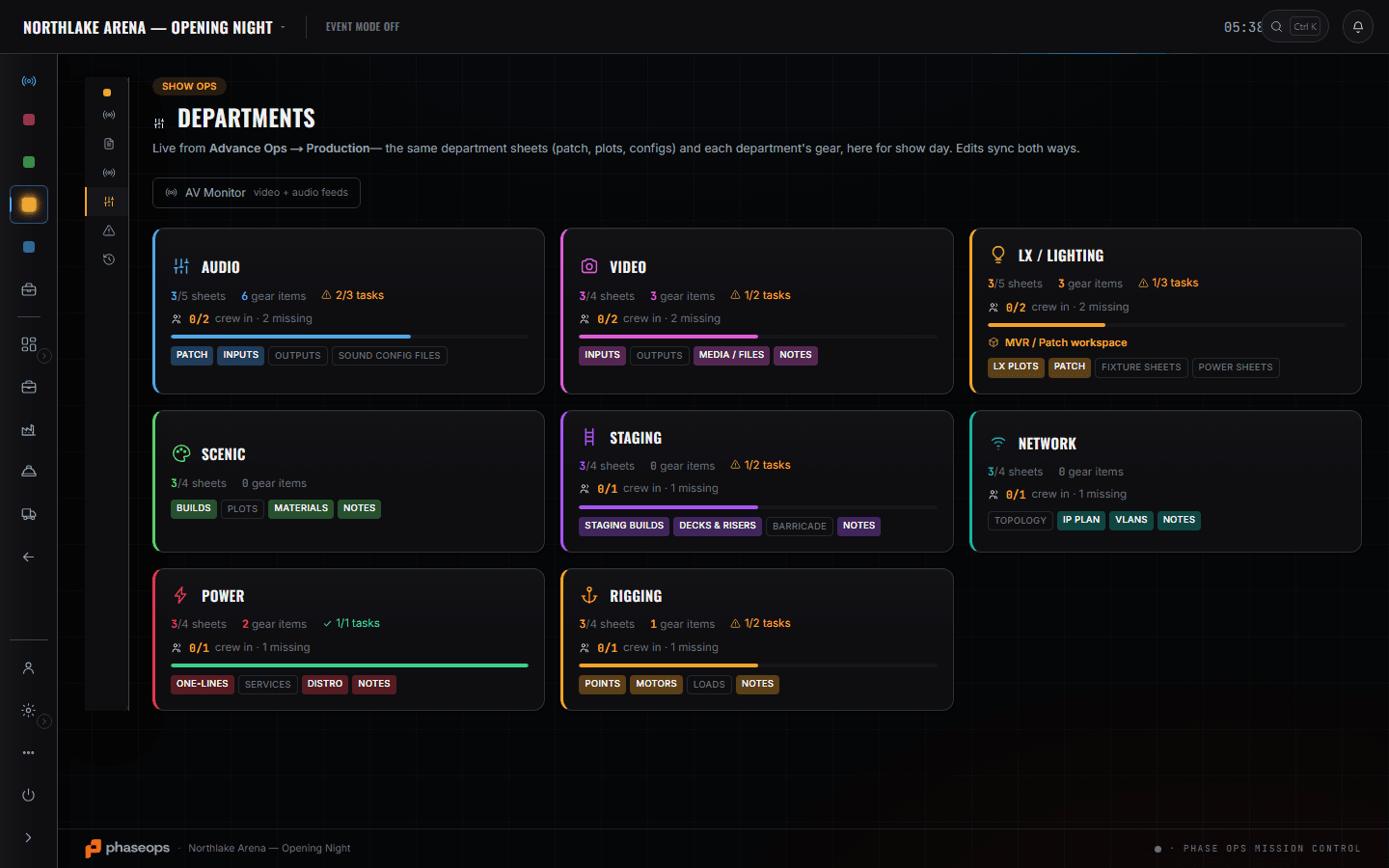
Which case has the movers, and which truck they are on
Build Ops
The event gear list carries a CASE column and a TRUCK column on every line, with a By Case grouping across the top. That is the lighting gear question — which case the moving lights are in and which truck is bringing them — and it is answered on the event's own list. The pulled count is on the same row: '20 of 36 pulled' on the profiles, flagged short, while there is still time.
Build Schedule
Hang and address the LX rig is a row with a date, a time, an owner and a status. When focus is blocked behind rigging, the board says which item is blocking it rather than leaving you to find out on the floor.
More on Show Ops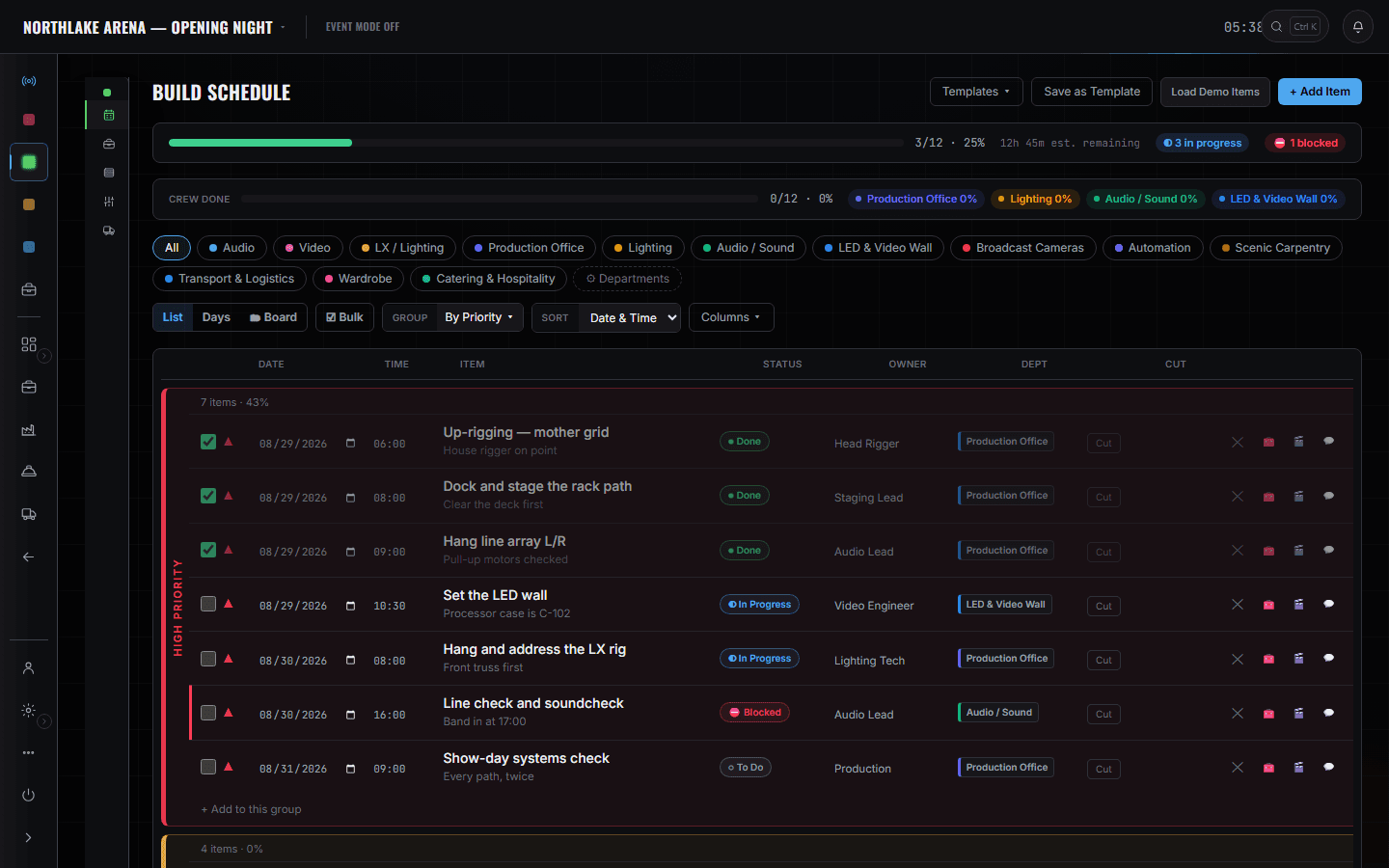
Show Ops — Edit Mode
Show Ops
The cues LX is tagged on. The tag is what filters the crew phone to your department during the show.
More on Show Ops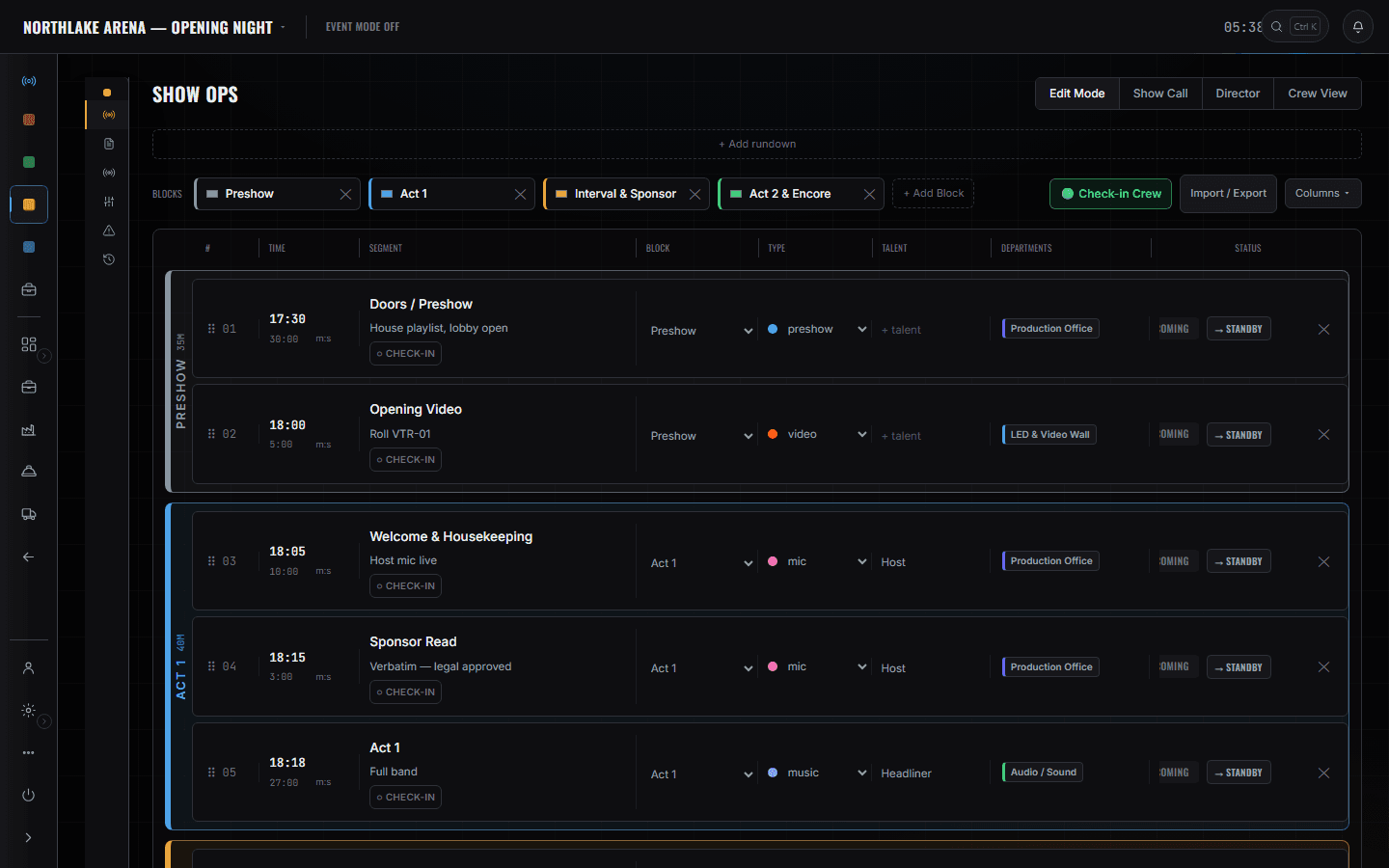
The boundary, before you find it yourself
Worth knowing now rather than at 16:00 on a load-in day.
Your console
No console control, no cue stack, no output of any kind. The patch sheet is a document; the desk is yours.
Visualisation
The MVR import reads the plot's fixtures and patch. It is not a viz suite and it does not pre-visualise anything.
The shop and the warehouse
Pull sheets, pairing, RFID tags and shelf locations are the shop tech's job, on the shop tech's page. You clock into a rig, not into a warehouse — your gear answer is the case and truck columns on the event list.
Cue sequences
There is no cue-sequencing surface in this product. Cues are rows on a rundown that a person calls.
Flights and hotels
Booked by whoever is managing the tour. Your call times come to the phone.
Nothing here switches power. Power sheets record the draw and the services so the venue can answer them; a dimmer, a distro and a breaker are still somebody standing next to them.
Load-in, show, load-out.
- Pre-productionImport the MVR; fixtures, positions and patch come off the plot instead of being retyped.LX · MVR / patch workspace
- PrepCheck the pulled counts on your heaviest lines while the shop can still fix them.Build Ops · Gear List
- Load-inUp-rigging goes done, then hang and address moves to in-progress.Build Ops · Build Schedule
- Load-inFind the movers by case and truck on your own list rather than opening the dock.Build Ops · Gear List
- FocusFixture and power sheets onto the department card, where the venue copy reads from.Show Ops · Departments
- Pre-showCheck in from the phone so the readiness check has you.Crew portal
- LiveLX cues only, on the phone, with the next one counting down.Crew portal · Live