A trip carries a company vehicle, a driver from your roster, real addresses and the event it serves — so trucking and load-in stay one plan instead of two.
A trip is planned against a vehicle, a driver and the event it serves
Addresses geocode on save, so a run plots on the map without retyping
Mileage comes from a real road route, and the straight-line fallback is labelled an estimate
Drivers broadcast en route, at dock or delayed in one tap instead of a phone call
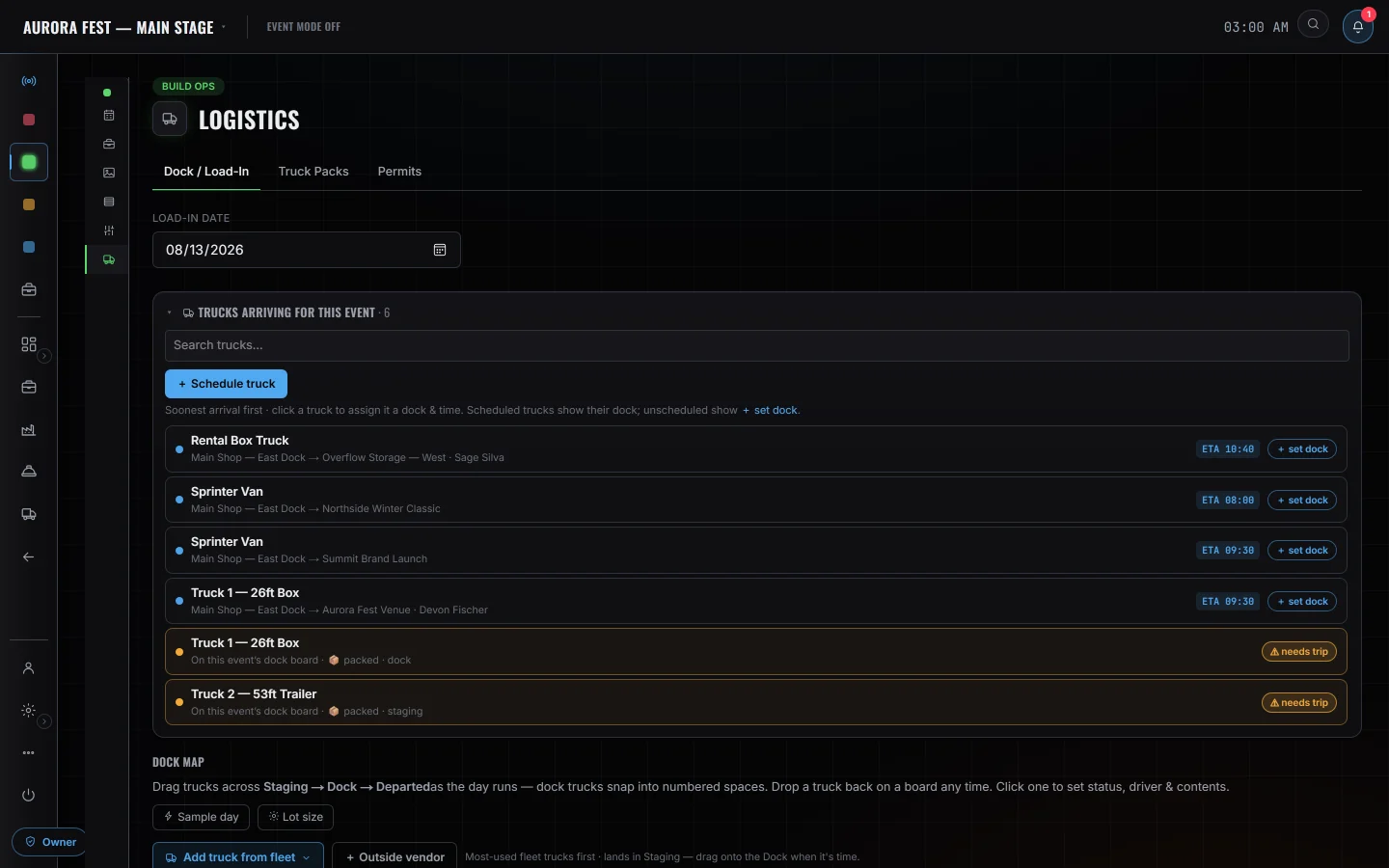
Incoming trucks feed the venue's dock board, so trucking and load-in stay one plan
Fleet Trips on the event, and the dock board they land at
Logistics — Dock / Load-In
Every truck arriving, on the event
9:41
▮Lakeside Arena — Opening NightTruck 2 · Morgan H.En Route
Trip Control■ Stop Trip
My Status
AvailableReady for a runOn the WayRolling to the pickupAt DockLoading / unloadingEn RouteHeaded to the venueDelayedIssue — see noteOff DutyDone for now
The cab, on the way to dock B
Also in this area
Trips & routingRuns with geocoded origins and destinations on a map
Dock / yard boardWhich truck lands at which door, and when
PermitsVehicle compliance dates tracked against the roster
Whoisonitwithyou
DispatchPlans the run and moves the dock window.
DriversClaim the truck, broadcast status, run the duty clock.
Crew at the venueSee what is inbound on the dock board.
Straight answers
NotGPS,andnotanELD
Trucks are not GPS units. Position is the driver's phone while the run is open, and the map says so. Without a shared phone the marker is interpolated from the trip's status and departure time against an assumed speed — a projection, not a position, and the map says which of the two it is showing. The driver duty clock is a helper for the 11-hour, 14-hour and break rules; it is not a certified ELD, it does not implement split sleeper-berth, and there is no DOT log export or roadside transfer file. The panel itself states this.