What leaves, what comes back, and what you had to hire in.
ShopOps is the company's gear operation, tied to the company rather than to one event — so kits, cases, pairing and sub-rentals stay yours no matter whose show they go out on.
You run the shop. Prep is your week, the truck is your deadline, and everything that goes wrong on site was either short, broken, or in the wrong case. What you need is a pull sheet that reflects scans instead of intentions, and a way to see the same thing the crew chief is seeing.
- Your inventory is company-wide; the event is just where it goes this week
- You care about counts that came off a scan, not counts somebody ticked
- Sub-rental is a normal Tuesday, not an exception
ShopOps Overview
ShopOps
Owned gear, cases, warehouses and what is out or sub-rented, over the three groups the shop actually works in: Inventory, Warehouse and Operations. It is the index of your whole operation, and every tile is a way in.
More on Shop Ops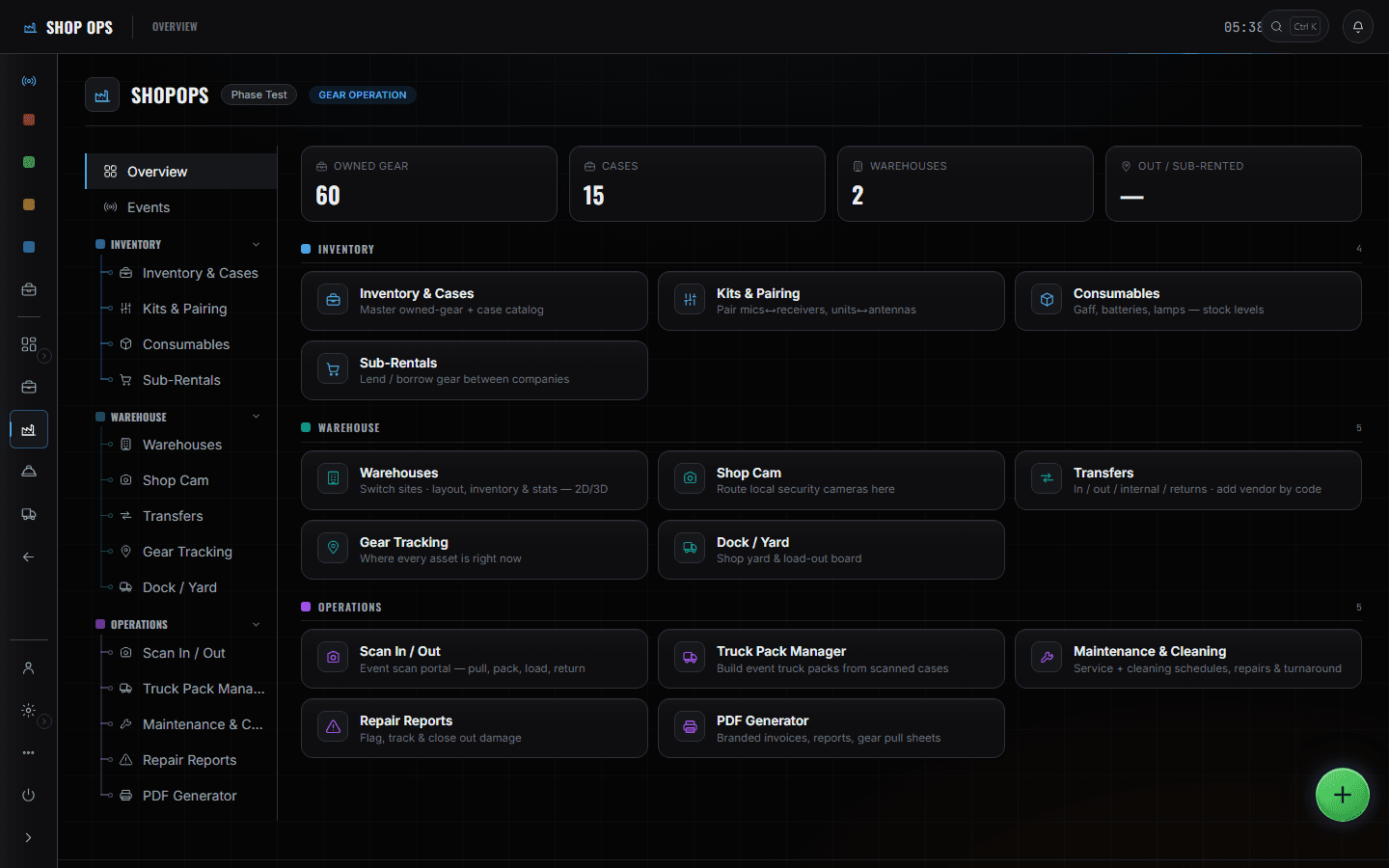
The Overview is Monday: what is out, what is coming back, what is in repair, across every show rather than the one in front of you. From there the week is the pull sheet and the scan portal working as one screen — you pull against the event's list and scan as you go, so the count is the scans rather than somebody's ticks. Kits and pairing is the check before anything is cased, because a short kit is cheaper to find on a bench than on a dock. Truck Pack Manager is where the load becomes a plan with layers and a weight, in the order it will come off. Inventory and Cases sits under all of it: every item and case carries the asset number the label and the tag both print.
What you open, and what it answers.
Events — pull sheet & truck packs
Pick the event and get its shop-side truth: the truck roster, the packs, and the gear pull sheet with a pulled count per line. Print a load sheet or a pull sheet for the floor from the same screen.
More on Shop Ops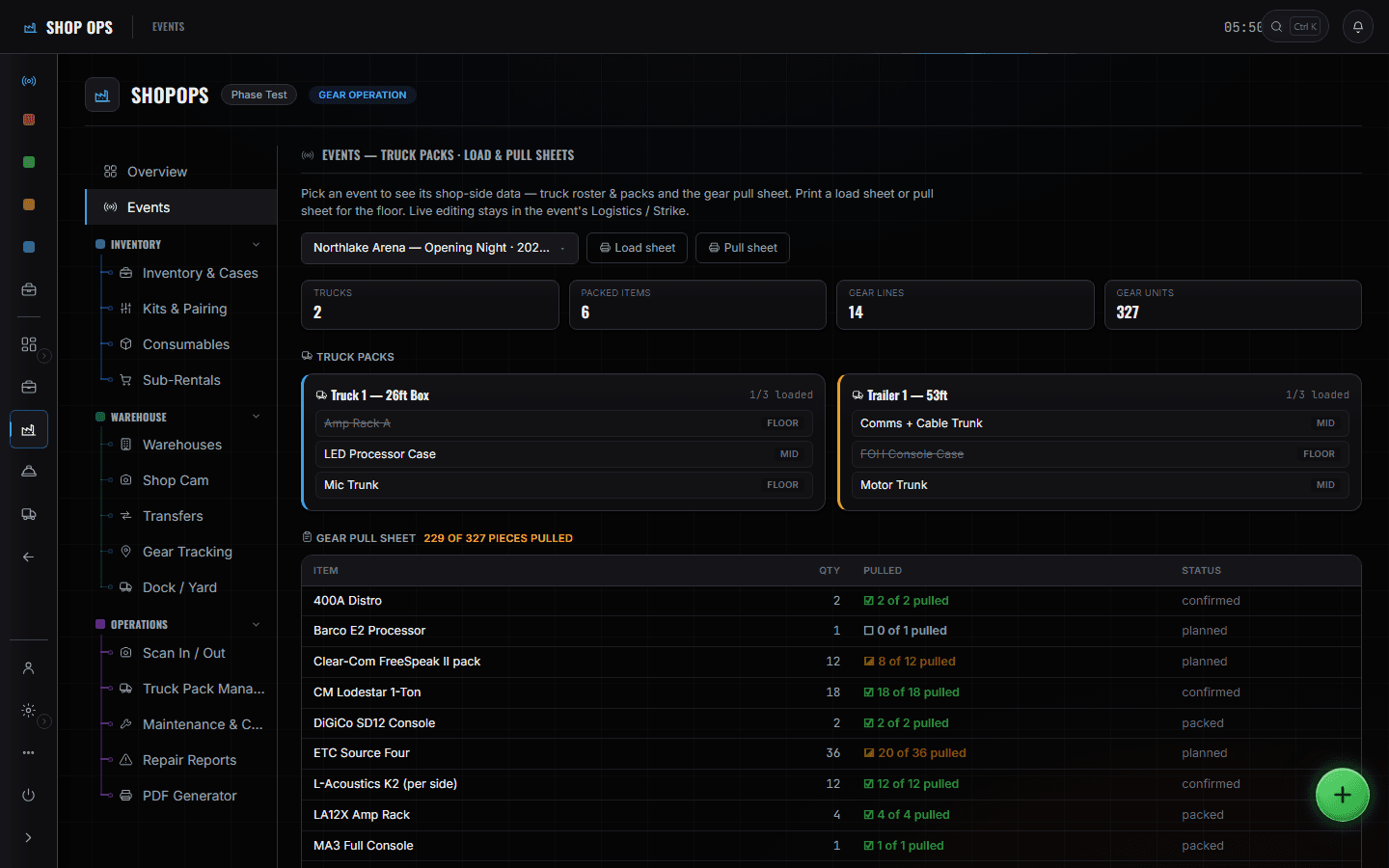
Inventory & Cases
The permanent catalogue — owned gear and road cases, each with a company asset number. The status bar across the top splits the whole inventory into in-warehouse, prepping, on job, repair and missing.
More on Shop Ops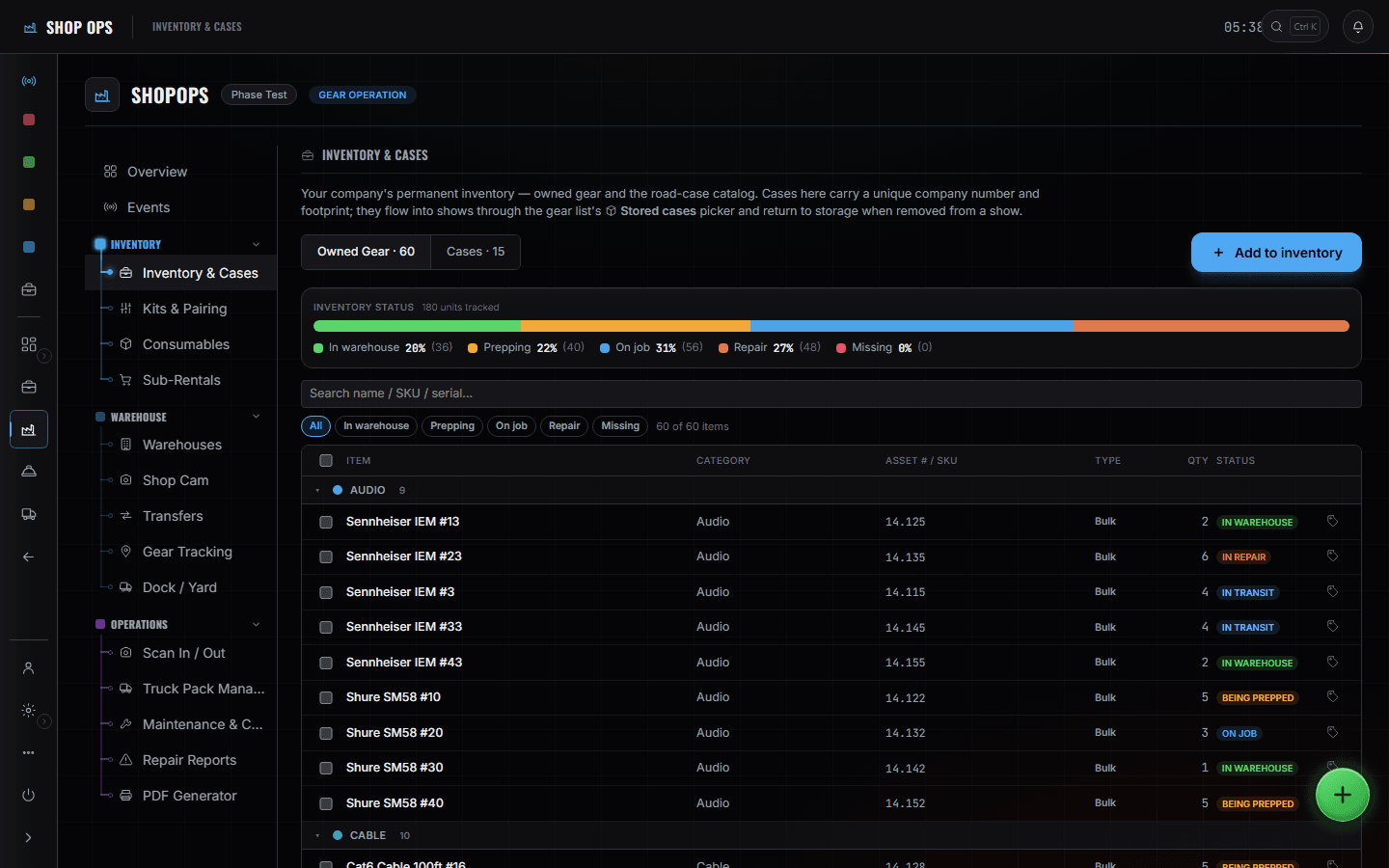
Kits & Pairing
Kits that travel as one thing, and pairing for gear that is useless alone — mics to receivers, units to antennas. A kit that is not complete says so before it is pulled.
More on Shop Ops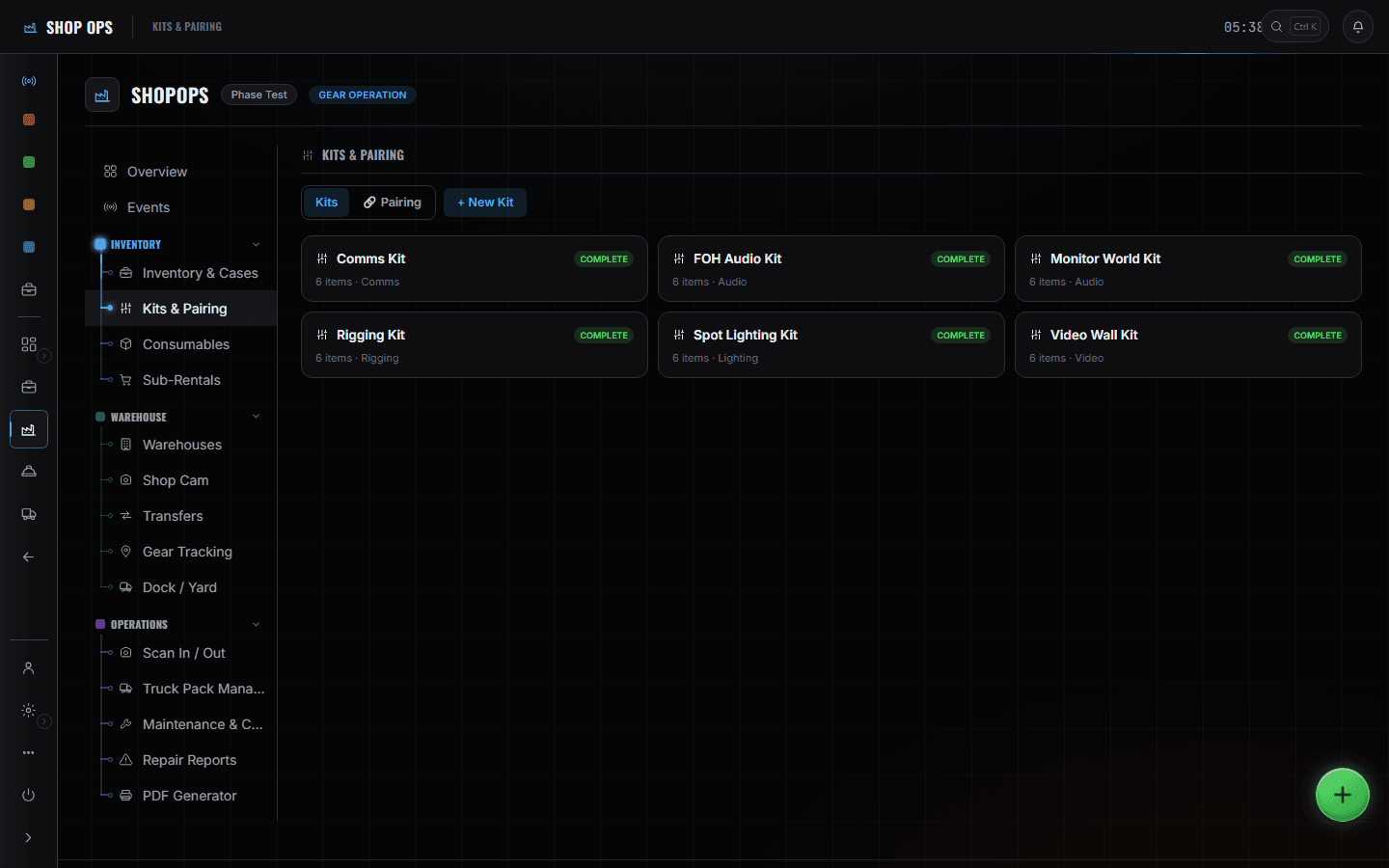
Truck Pack Manager
Build the pack against a to-scale deck with floor, mid and top layers, and the truck's own dimensions and weight. Packs sync live to the event's Truck Packs and Load Planner — you are not building it twice.
More on Shop Ops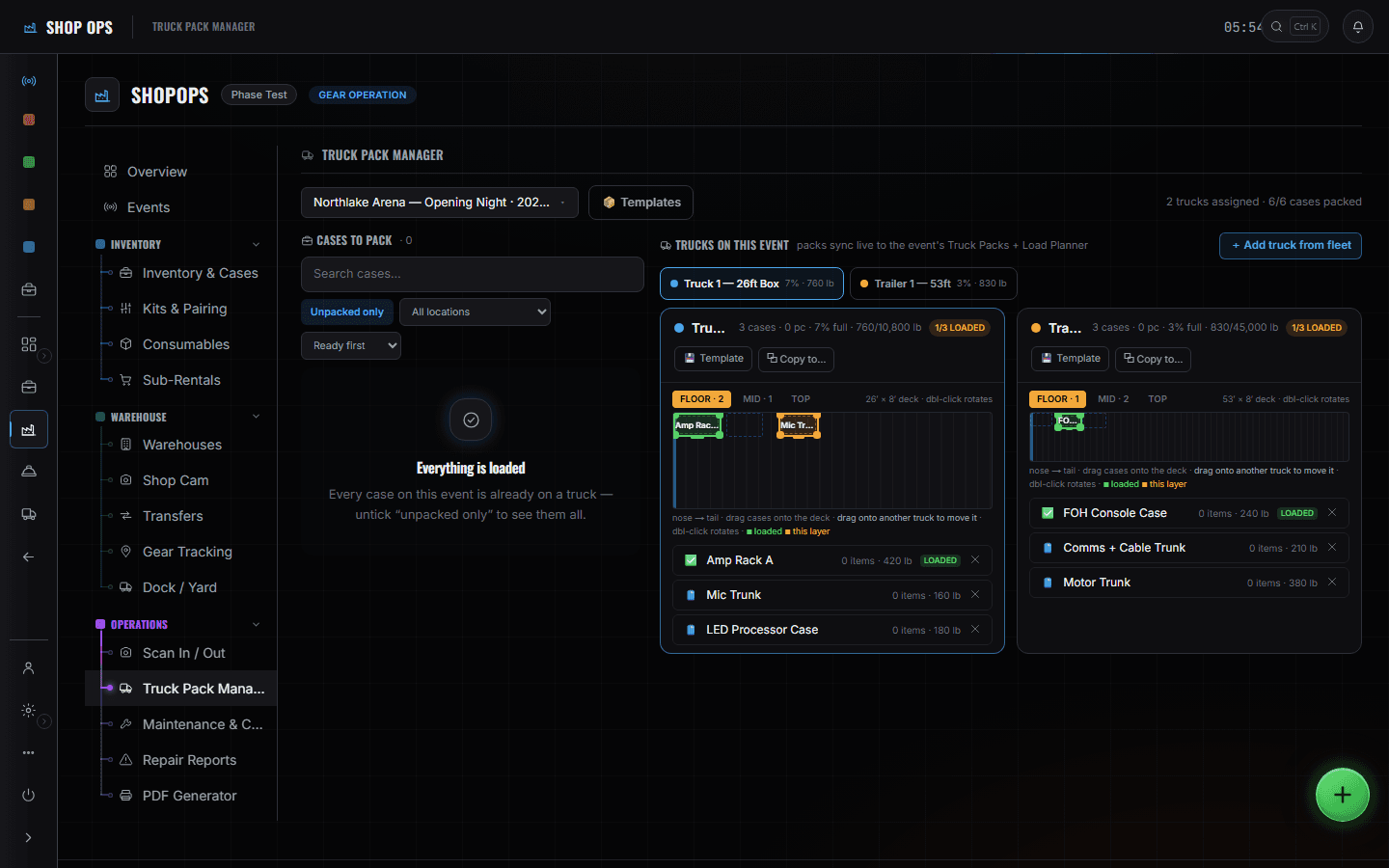
Scan In / Out
The event scan portal — pull, pack case, load truck, return. Scanning marks items off the pull sheet and stages their cases for the pack; the progress bar is the scans, not an estimate.
More on Shop Ops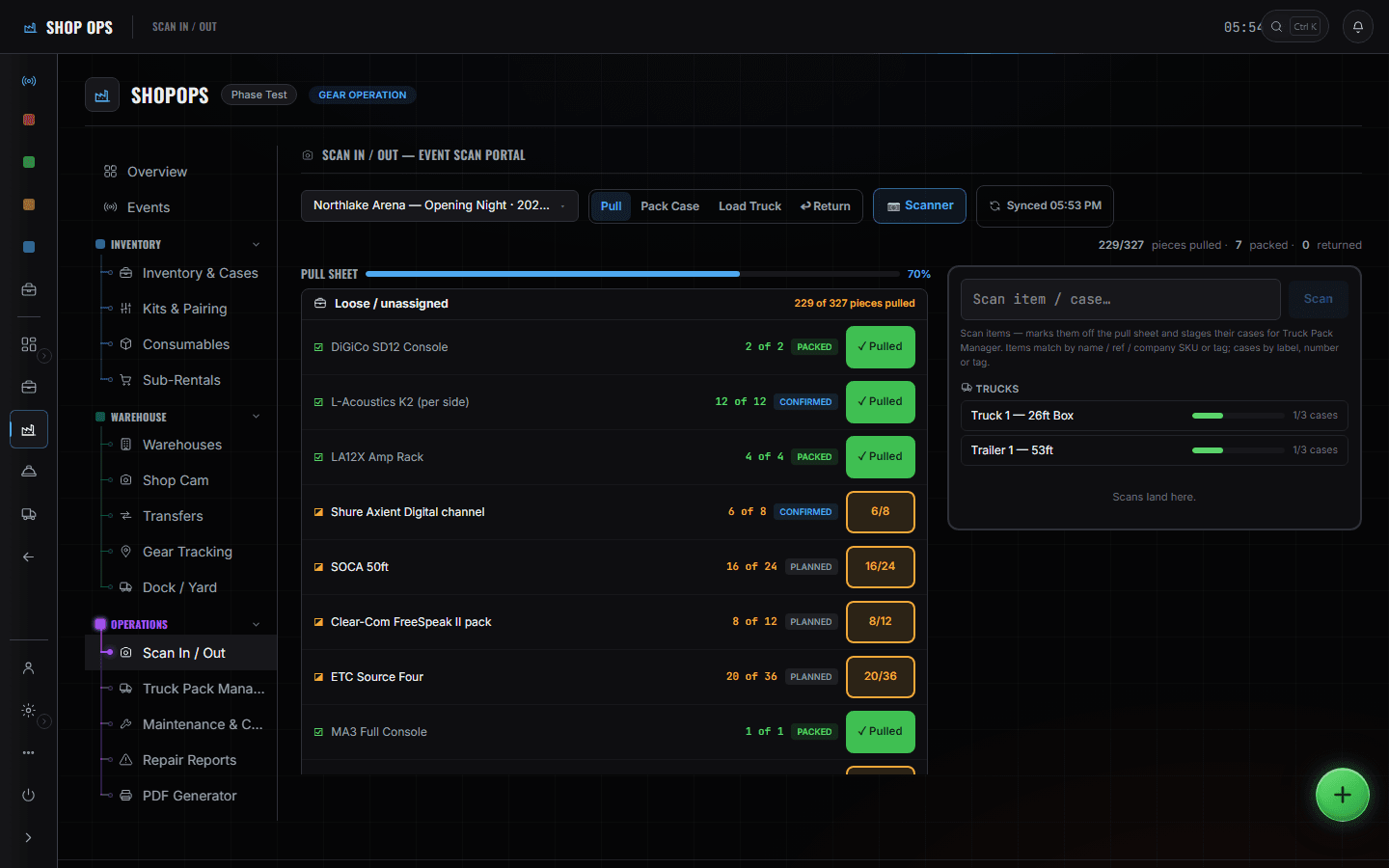
What else this chair can open
- RFID / QR scan portalShopOps
The boundary, before you find it yourself
Worth knowing now rather than at 16:00 on a load-in day.
The show
You are not on the rundown and you do not want to be. Your handover is the truck.
Hotels, flights and the transport plan
The tour manager books people and the coordinator books trucks. Your handover is the truck being loaded, not where it sleeps.
The rundown
You are not on it and you do not want to be. A cue is not a thing you can pull.
Someone else's shop
When companies share an event, back-of-house stays separate. You see your gear on the shared gear list, not theirs.
Automatic reordering
Consumables track stock levels. Nothing here places an order or talks to a supplier.
The week the truck leaves at the end of.
- MondayRead the week: what is out, what is coming back, what is in repair.ShopOps · Overview
- PrepPull against the event's sheet, scanning as you go — the count is the scans.ShopOps · Scan In / Out
- PrepCheck kits are complete and pairs are together before they are cased.ShopOps · Kits & Pairing
- ShortRaise the sub-rental rather than sending a hole to site.ShopOps · Sub-Rentals
- PackBuild the pack to scale, floor to top, in the order it will come off.ShopOps · Truck Pack Manager
- OutLoad truck scan, so the dock board and the crew chief see the same list.ShopOps · Scan In / Out
- ReturnReturn scan; anything that does not scan is still out, and the tracking screen names it.ShopOps · Gear Tracking