Points, motors and loads on the sheet, beside the truss they fly.
The rigging department keeps points, motors, loads and notes on its own tabs. The house rigger and the venue's own contacts sit on the venue advance, so the number you need at 05:30 is not in somebody's inbox.
Head rigger, up or down rigger, motor tech. You are first in and you are working above everybody. What you need from paperwork is short and specific: the point count everyone agreed on, the loads, the house rigger's mobile, and confirmation that the motors on the truck are the motors on the list.
- You are the first call of the day and the rest of the schedule follows you
- A revised point count has to reach the room, not sit in a thread
- Your gear is the gear that must not be short
Departments — Rigging
Show Ops
Points, Motors, Loads and Notes as the tabs on your card, with the sheet count, the gear on the event and the crew checked in on the front of it. A revised point count written here is the version the show reads.
More on Show Ops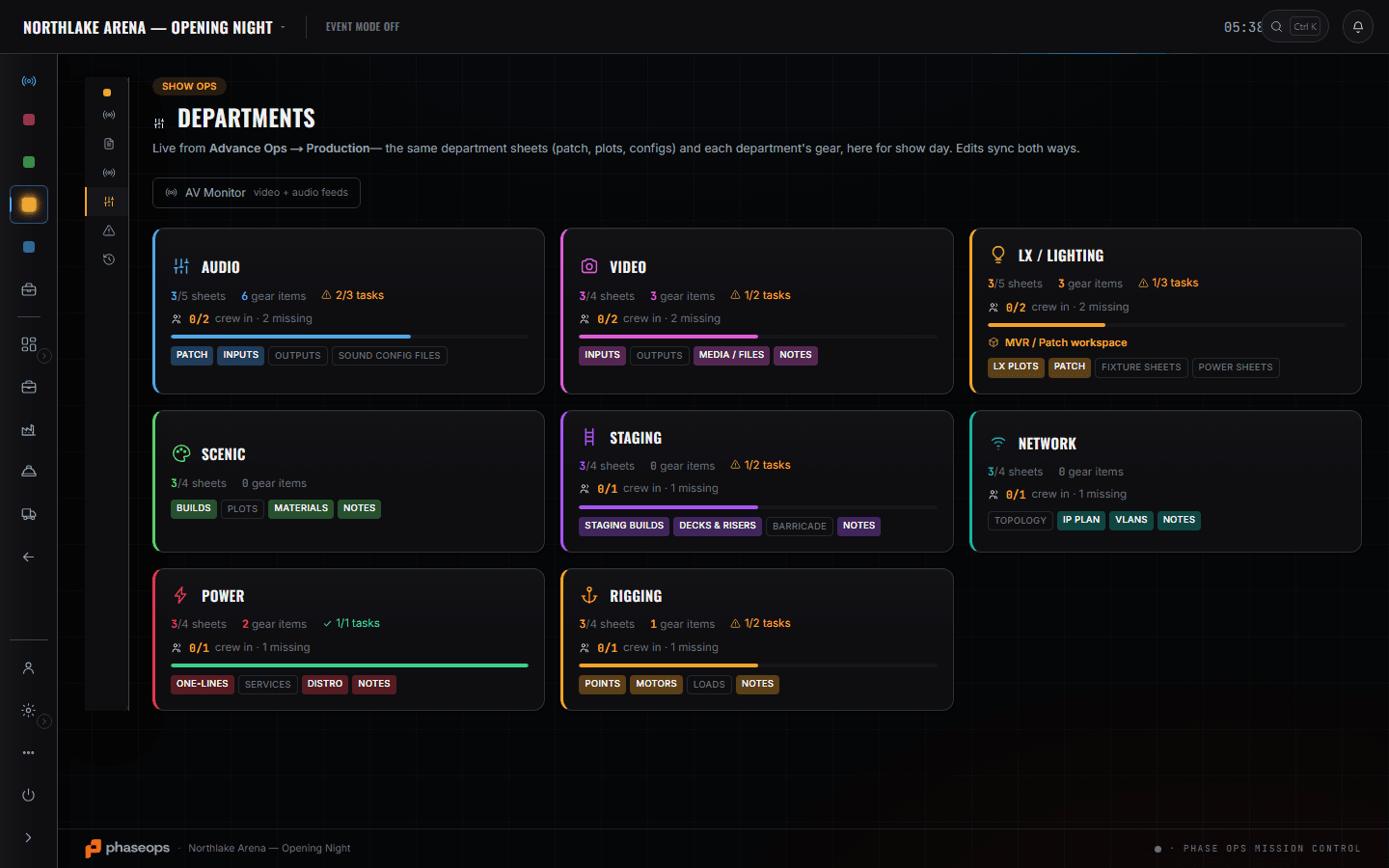
Venue Advance is the first screen and the shortest visit: the house rigger's mobile, the production spec, and whatever restriction is going to change your point count. Your Departments card is where points, motors and loads are written in the version the show reads — revise a count there and it is revised for everyone reading that card, rather than in a group chat. Build Schedule exists because you are the 06:00 row everything else is downstream of, and the board shows that rather than implying it. The Gear List is the check before the truck leaves and the check at 05:30: counts pulled, and which truck has the motor trunk, because you come off first and being buried is a two-hour problem. The crew phone carries the call itself.
What you open, and what it answers.
Venue Advance
Advance Ops
The house side: venue tech director, house electrician, head rigger, with phone and email on the row. Plus the production spec the venue answered — which is where a rigging restriction gets written down.
More on Advance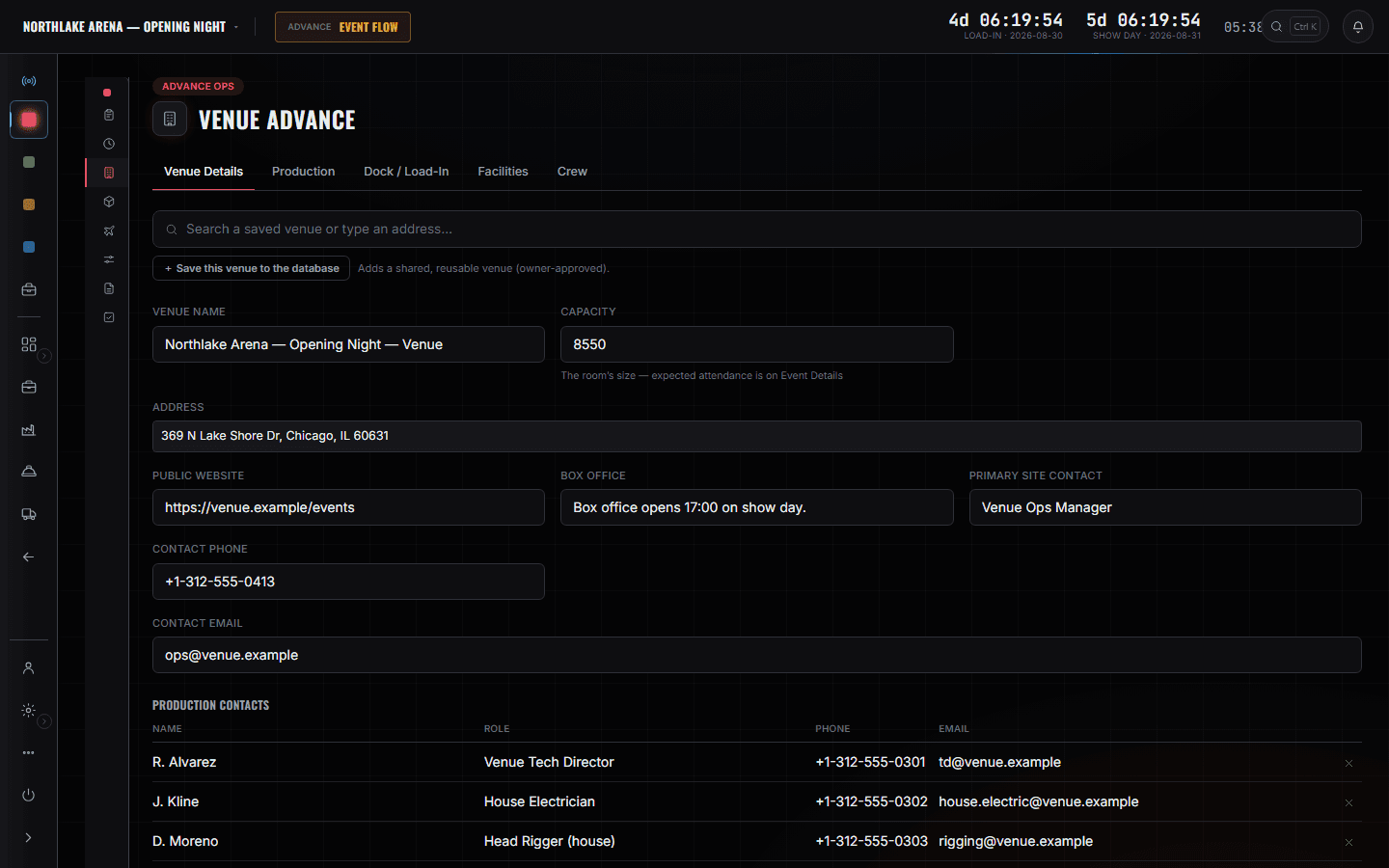
Build Schedule
Build Ops
Up-rigging the mother grid is the 06:00 row with the head rigger as owner. Everything else on the board is downstream of it finishing, and the board shows that rather than implying it.
More on Show Ops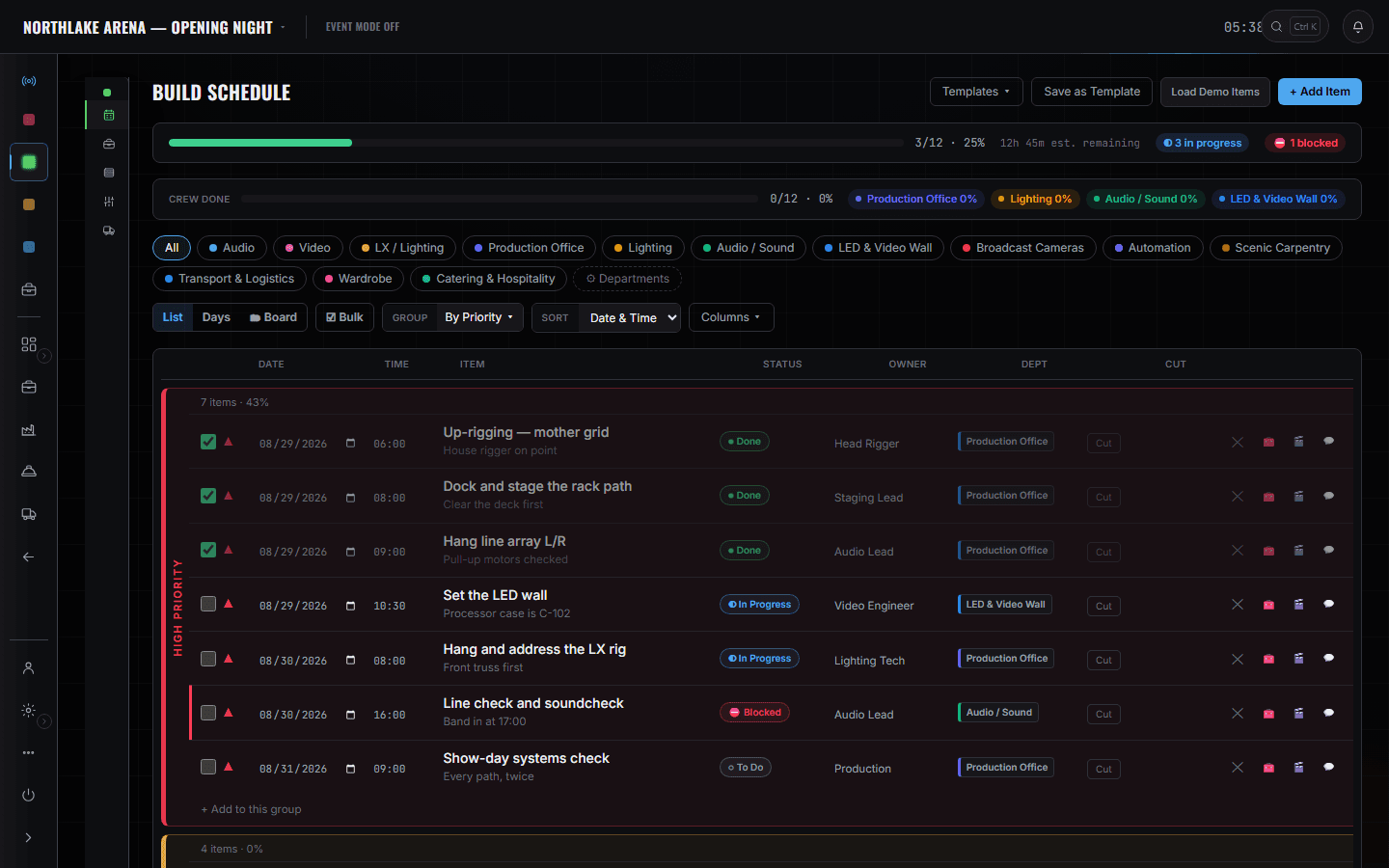
Which truck the motor trunk is on
Motors, truss and hardware as event lines with pulled counts, and a TRUCK column beside each one. '18 of 18 pulled' on the Lodestars is the line you check before the truck leaves; which truck it left on is the line you check at 05:30, because rigging comes off first and being buried is a two-hour problem.
The crew phone
Crew portal
The 06:00 rigging call, the truck ETA at the dock, and the note that says the house rigger is on the clock from 06:00 — all on one screen at the hotel the night before.
More on Crew Ops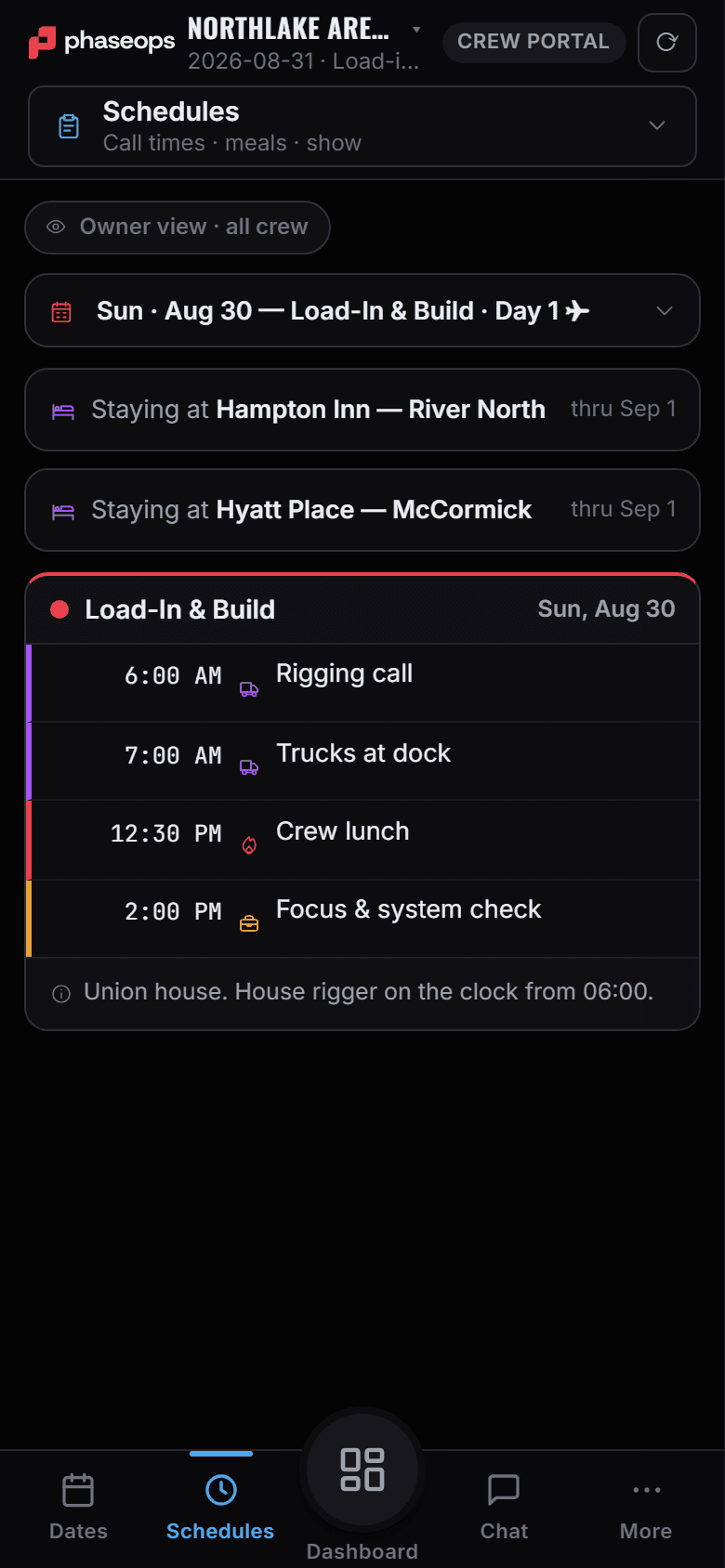
The boundary, before you find it yourself
Worth knowing now rather than at 16:00 on a load-in day.
Hoist control
No motor control, no chain hoist interface, no load cells. Loads are a number you record.
Structural sign-off
The loads sheet is documentation. It is not an engineering calculation and it does not approve anything.
The gear's home shelf
Where the motor trunk lives between shows is the warehouse's answer, on the warehouse's page. Yours is which truck it is on today.
Pairing and pull sheets
What came off a shelf and what is bagged with what is the shop tech's screen.
Flights and hotels
Somebody else books the travel. You read the 06:00 call on the phone.
Load-in, show, load-out.
- AdvanceHouse rigger's number and the venue's rigging spec off the venue sheet.Advance Ops · Venue Advance
- PrepMotor and truss counts pulled, not planned.Build Ops · Gear List
- 05:30Which truck has the motor trunk, off the truck column on your own lines.Build Ops · Gear List
- 06:00Up-rigging starts. The row goes in-progress and the board follows.Build Ops · Build Schedule
- Point revision16 to 18 after the survey, written on the rigging sheet everyone reads off.Show Ops · Departments
- ShowRigging-tagged cues only, if there are any. Most shows there are none, and that is fine.Crew portal · Live
- StrikeMotors down and back on the truck they came on. The shop takes them from there.Build Ops · Gear List