The deal, and the week it becomes — the client, the money, the run of show.
The proposal, the client, the event and its running order are one record, so what you sold, what is being built and what it is costing are read off the same thing — including at 16:10 on show day when something has to give.
You sold this week, and you will answer for it — to the client in the room and to whoever reads the number afterwards. You are not on the desk and you are not pulling cases, but on show day you are the one who decides what gets cut when the afternoon runs long, whether the extra hand is worth it, and whether the change the client just asked for is a yes. Everyone else on this list is holding a day; you are holding the deal that pays for all of them, and the week it turned into.
- Your unit is the event, and the event is a number before it is a schedule
- On show day you decide; the caller executes
- The question you are asked most is whether it can still be done for the same money
Pipeline
SalesOps
Where the week starts as a deal rather than as a date — proposals against their stage, their value and the client they belong to. It is the board you open to answer what is actually landing this quarter, and the record a show is created from rather than a note beside one.
More on Finance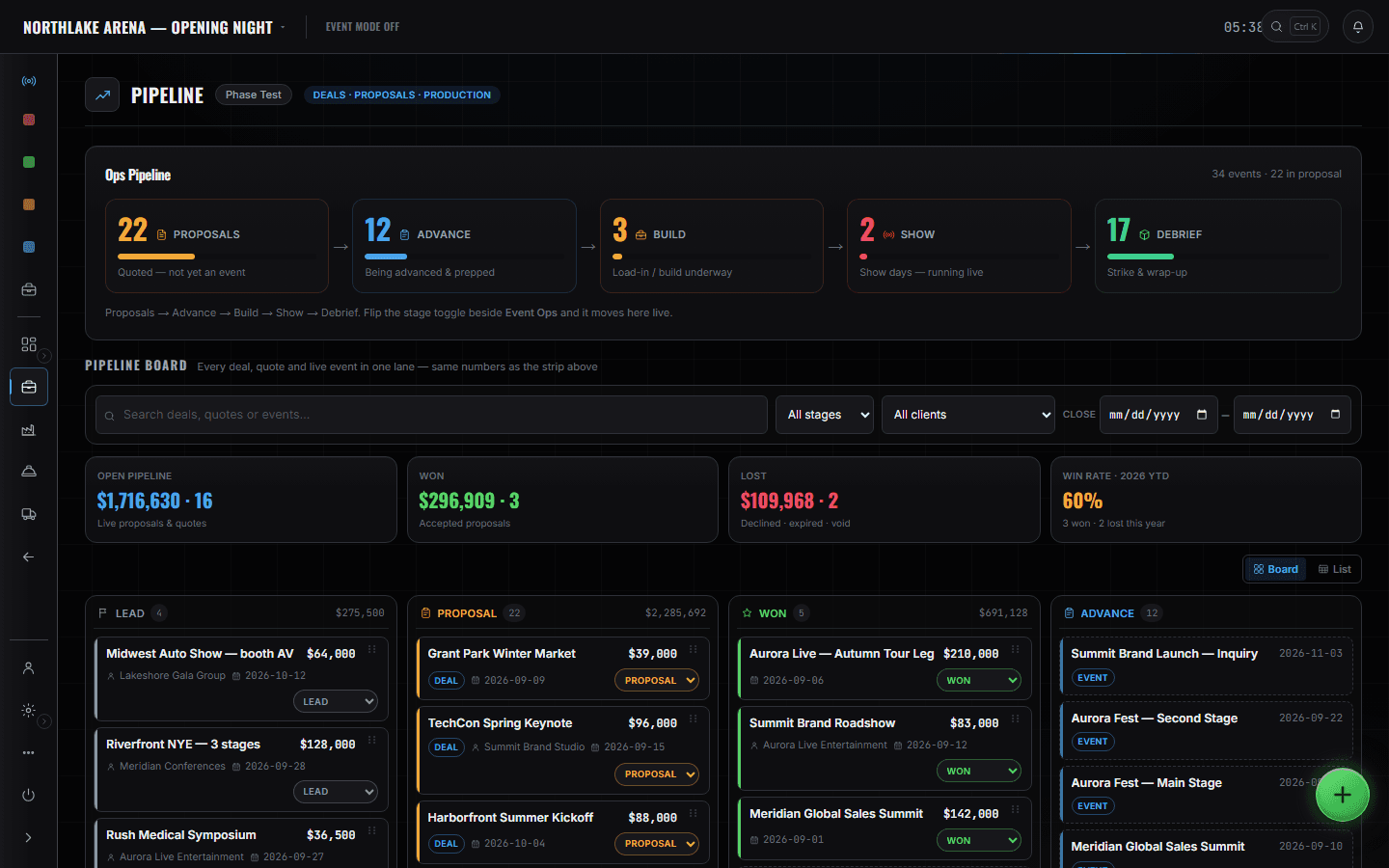
Pipeline first, because that is where the week exists before it exists — proposals by stage, with the value on the card. Clients & Vendors is the other half of that record: who you are selling to, what you have run for them before, and the vendors the show will lean on. When it lands, Event Details is where the deal becomes a show — the dates, the venue and the budget lines the rest of the company will work against. Then the week itself: Schedules is what is being built against what was sold, and the rundown is the show as it will actually run — blocks, segments and who is on each one — which you read to decide, not to call. The event dashboard is what you keep open on show day: what is late, who is double-booked and what it is costing, ranked. Event finance is the answer at the other end, per event rather than per company, which is the granularity a producer is actually asked about. The Events slate keeps you honest about how many of these you have said yes to at once.
What you open, and what it answers.
Clients & Vendors
The client the week is sold to, with the events already run for them beside it, and the vendors the show depends on in the same place. A proposal points at a real client record rather than a name retyped on a document, which is what turns what did we do for them last year into a search instead of a memory.
More on Finance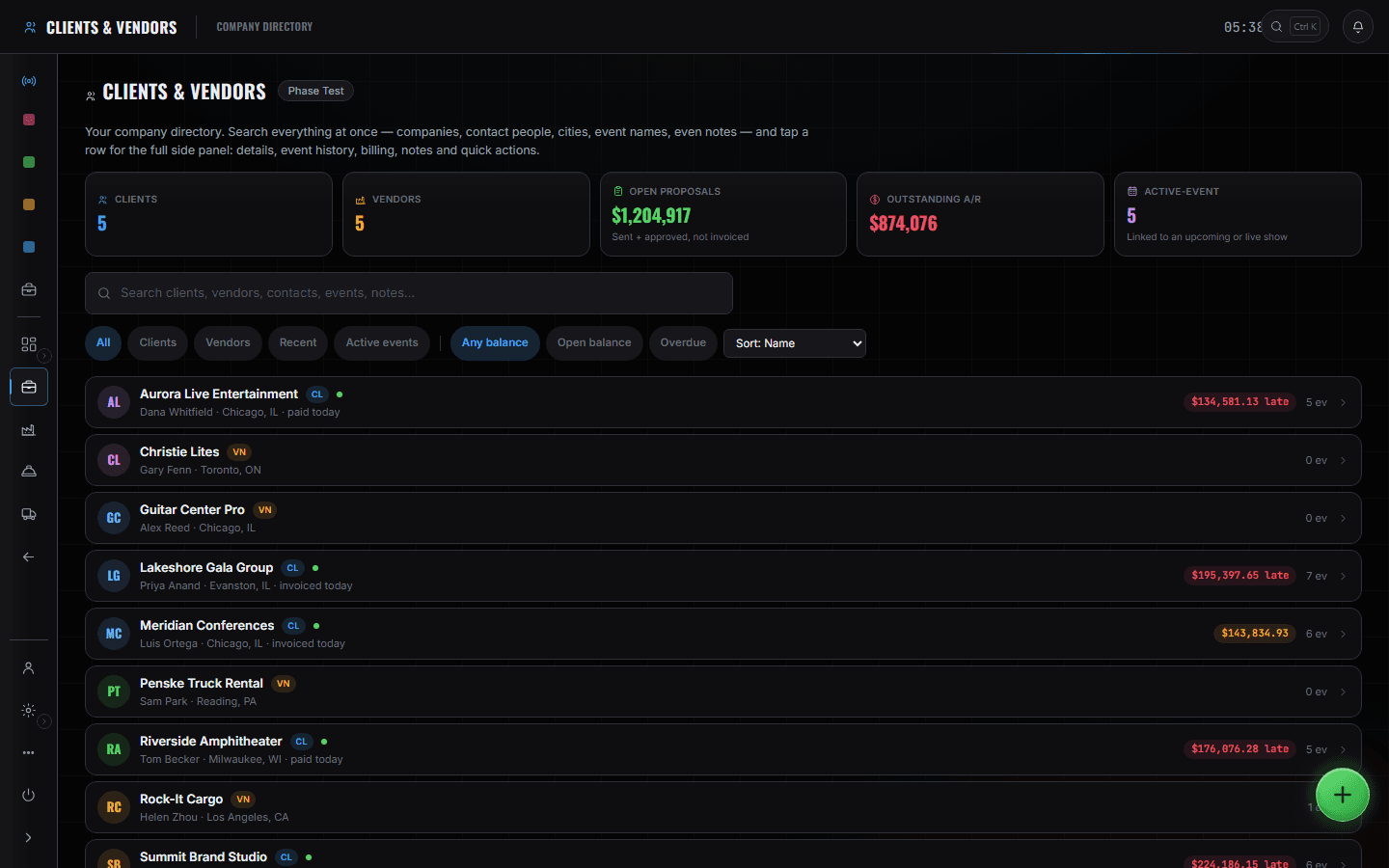
Event Details
Advance Ops
Where the deal becomes a show: dates, venue, the client it belongs to, and the budget lines the week will be measured against. Everyone else's work hangs off this record, which is the reason it is worth being the one who fills it in properly.
More on Advance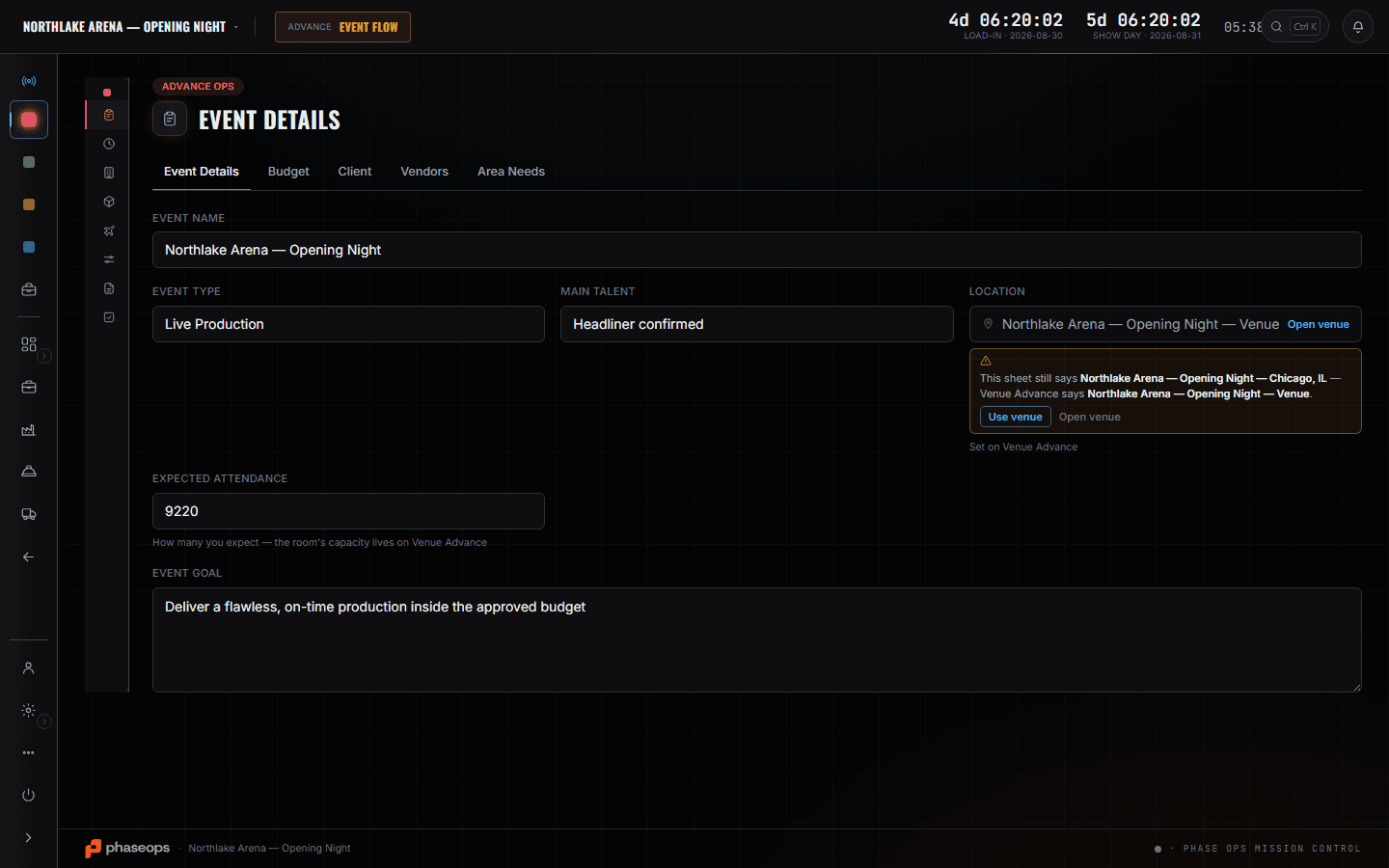
Event finance
Finance
What THIS event is making — labour, trucks and consumables against what it was sold for. Per event rather than per company, because how did the show do is the question you are actually asked, and a company roll-up cannot answer it.
More on Finance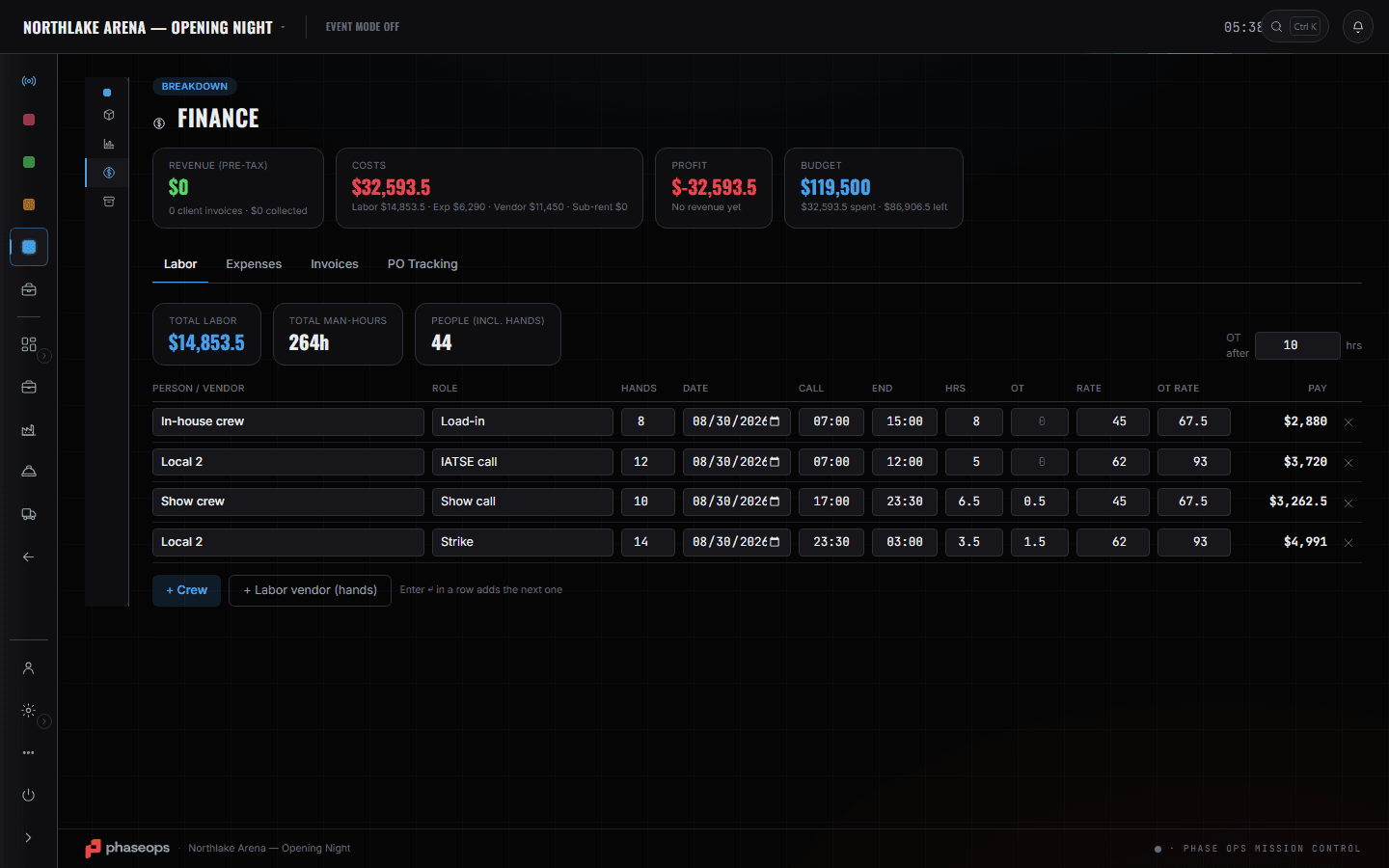
Schedules
Advance Ops
The week as days rather than as a number, which is how you check that what is being built is what was agreed. You are not writing this schedule; you are reading it against a proposal.
More on Advance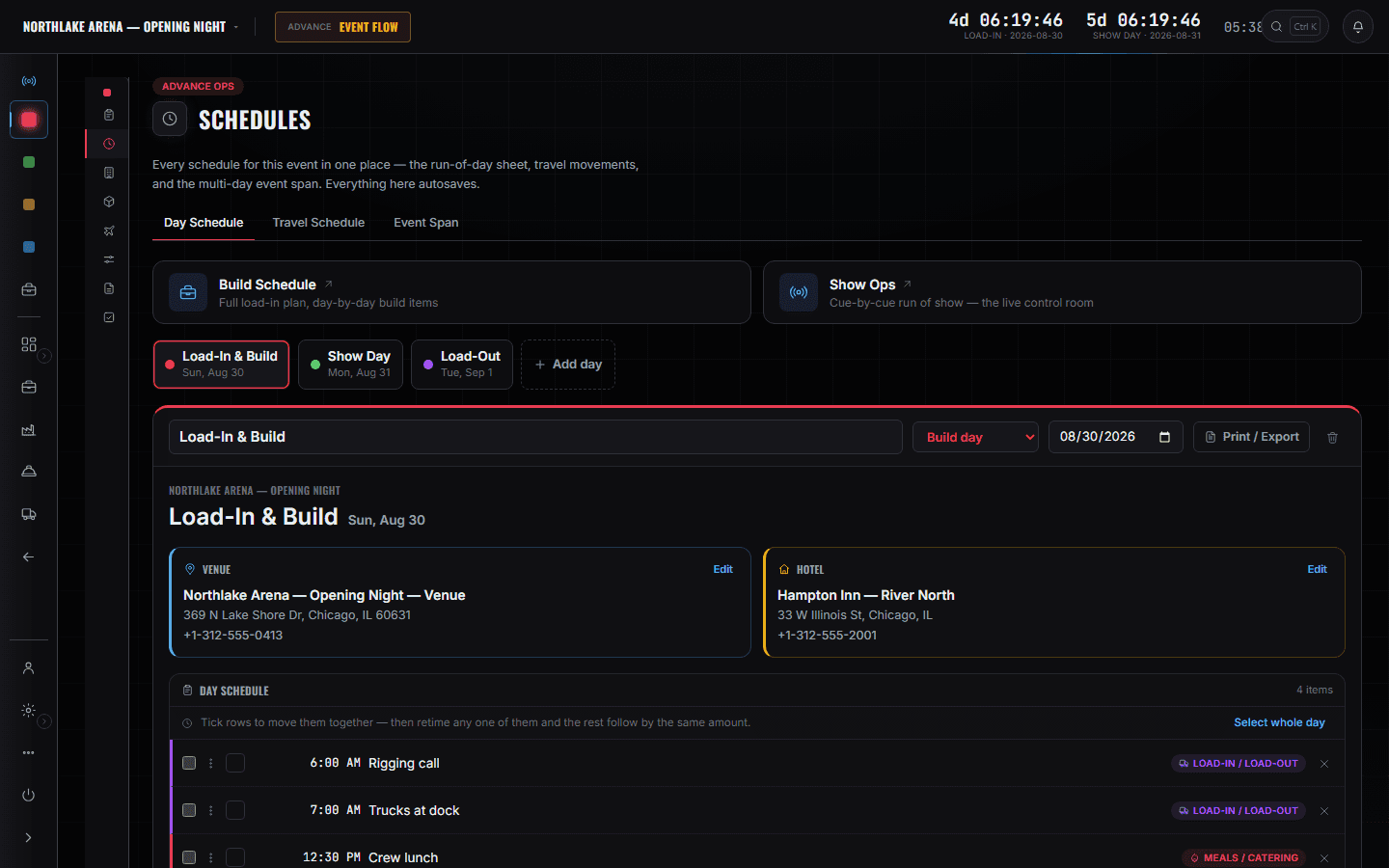
The run of show
Show Ops
The show as it will actually run — blocks, numbered segments, the type and talent on each, and the department tagged on every cue. You read it against what the client bought and against the clock: when the afternoon runs forty minutes long, this is where you see which segment goes, and what it takes with it.
More on Show Ops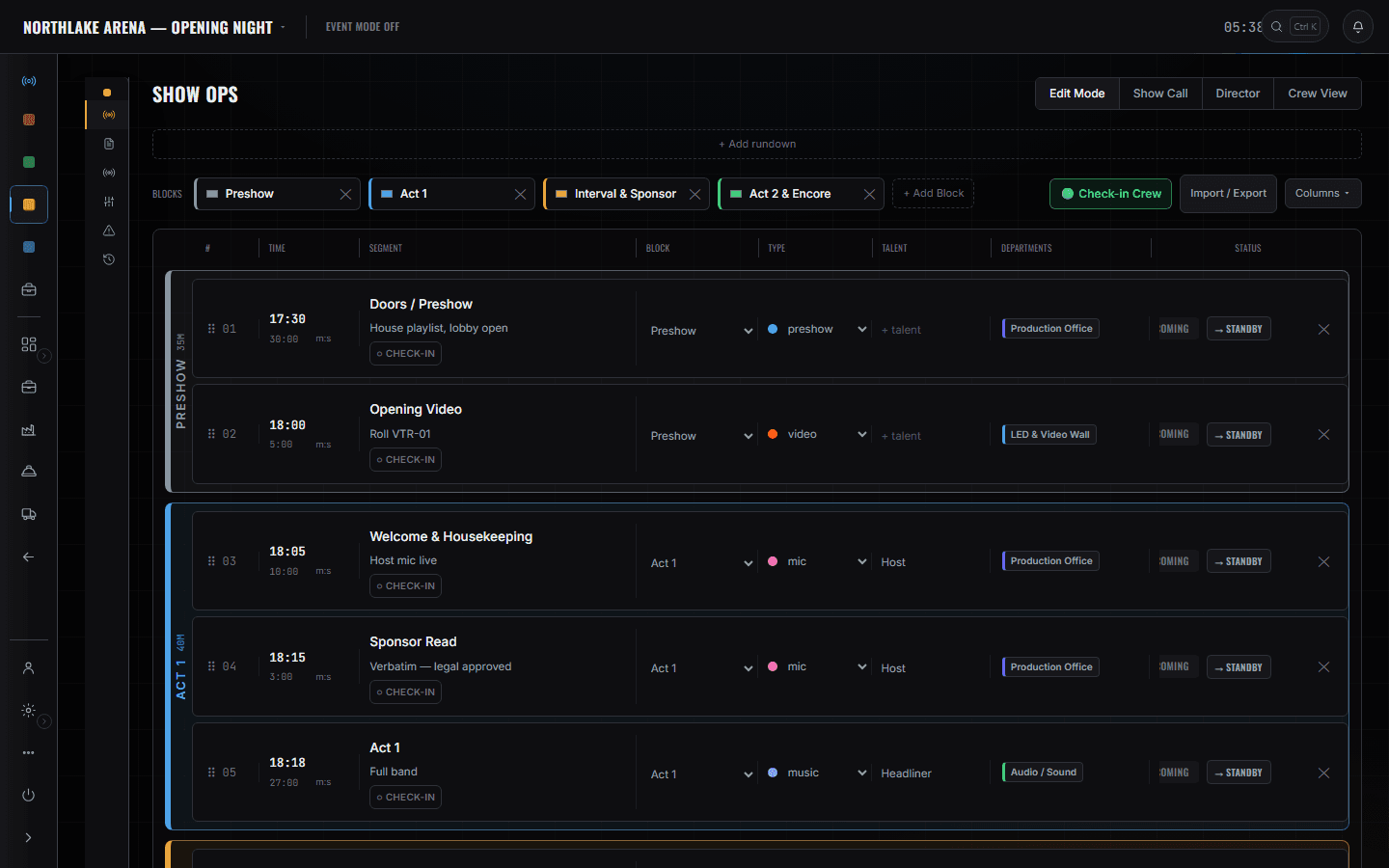
The event dashboard
Inside one show
One show, ranked: what is late, who is on two things at once, what the week is costing so far. It is the screen you keep open on show day, because the decisions you are asked for arrive in the order this list is in.
The company slate
Events
Every event the company has, in production order. It is the screen that stops a fourth yes in a week that already has three.
The boundary, before you find it yourself
Worth knowing now rather than at 16:00 on a load-in day.
Calling the show
The desk and the GO are the stage manager's. You decide what runs; they run it. You may well be in the room; you are not on that screen.
Invoices and A/R
Raising and chasing money is the owner's chair. You answer for what this event makes; somebody else answers for whether it has been paid.
Pull sheets
What came off which shelf is the shop's screen. Whether the week is deliverable is a conversation with the production manager, not a pull sheet.
Patch and the plot
The rig is drawn and patched by the departments that hang it.
Booking flights and rooms
Moving people is the tour manager's job and it books against the company card. You approve a budget, not a seat.
The actuals on a budget line are typed in. Nothing in the product pushes a real cost back onto the number you sold it at, so a budget is as current as the last person who updated it — and on a fast week that is the honest weakness of this seat.
The proposal, the yes, the show day, and the number at the end.
- Weeks outThe week exists as a proposal against a stage and a value.Sales Ops · Pipeline
- Weeks outAgainst a real client record, with what you have run for them before.Sales Ops · Clients & Vendors
- The yesIt becomes an event: dates, venue, and the budget lines everyone else works to.Advance Ops · Event Details
- Before you agree againCheck the slate. Three shows in one week is a decision, not a surprise.Events
- Build weekRead the days against what was sold. Same record, no second version.Advance Ops · Schedules
- Show day, 16:10Soundcheck ran long. Read the running order and decide what goes; the caller runs what is left.Show Ops · Edit Mode
- Show day, doorsThe client wants one more thing. The dashboard already says what it costs and who it clashes with.Inside one show · Dashboard
- AfterWhat it made — labour, trucks and consumables against the price.Finance · Event finance