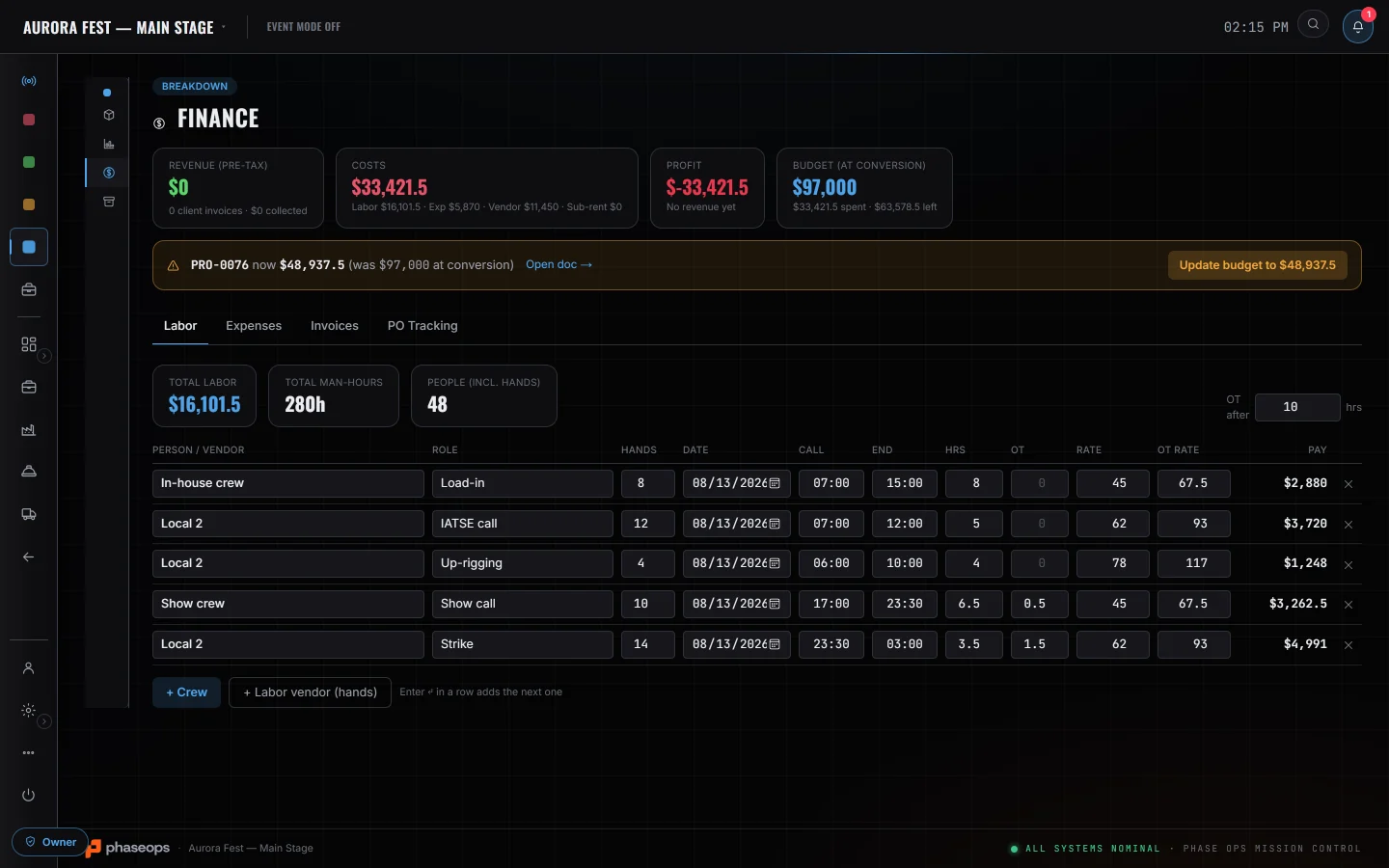
One document model for proposals, quotes and invoices, and a per-event P&L that cross-tracks what came in against labor, expenses and vendor invoices.
One document model for proposals, quotes and invoices, with a payments ledger behind it
Per-event P&L tracks revenue against labor, expenses and vendor invoices
Margin is computed PRE-TAX — sales tax is a separate passthrough line, not revenue
Labor computes from hands × hours × rate, splitting overtime around a threshold you set
A client-facing pay page opens from a link, with no login for the client
Finance The event the money settles against
Finance — Labor
Costs against the budget, before anything is invoiced
Also in this area
QuotesPriced off the same gear list the shop will pull
CostsSpend recorded against the event it belongs to
LabourHands x hours x rate, overtime split at your threshold
Vendor invoicesWhat a vendor billed you, against the event it was for
Budgets & POsA cap on the event, and purchase orders that bill down
Budgets & POs
Acapontheevent,andarecordofwhatwasordered.
The event carries a budget the finance header measures live costs against, and purchase orders that bill down as expenses and vendor invoices are pointed at them.
A purchase order is a real record — number, vendor, description, amount — and its billed-against figure is the live sum of every expense and vendor invoice pointed at it.
When the document the event was converted from no longer matches the stored budget, the header names both figures and offers to update it. Nothing is written until you press that.
The detailed budget lines are a planning sheet. Their actual column is typed, or synced on a button from assignments, truck mileage and consumable pulls — not the booked ledger — so it will not tie out to the P&L, and the card says so on screen.
Purchase-order, expense and vendor-invoice status are dropdowns anyone with edit access can set. There is no approver, no threshold and no routing.
Whoisonitwithyou
OwnerSees what is outstanding, overdue and received.
ProducerWatches the event's margin against the quote it was won from.
ClientOpens a pay page from a link, without an account.
Straight answers
Nothingsendsitself
An invoice emails when you press Send — the client gets the document link and the pay link. Nothing sends itself: there are no automated reminders, dunning sequences or late fees, and the aging badges are read-outs rather than actions. Send payment link still opens your own mail client instead, if you would rather write it yourself.