One event record, from the deal to the P&L.
PhaseOps is not a suite of apps that integrate. It is one company workspace where gear, crew and trucks are company-wide, and every event draws on them.
The shape of a show week
The six areas you work in.
Six areas, one event record — the same gear, crew and trucks under all of them.
 Show
ShowShow Ops
Build the rundown, then call it. Standby, GO, hold and step-back.
- Standby arms the next cue and warns the room; the separate GO is what fires it.
- A press that changes nothing returns the reason — end of rundown, nothing to arm — instead of looking like it worked.
- Hold banks the elapsed time server-side, so a reload comes back frozen on the same number.
 Gear
GearShop Ops
Owned-gear catalog, kits, pull sheets, scan out and back, sub-rentals.
- Every asset gets a permanent, platform-unique, human-readable number.
- The same string is the printed QR and the RFID tag, so a scanner and a phone camera agree.
- Inventory rolls up across in-warehouse, prepping, on-job, repair and missing, weighted by unit.
 Run
RunFleet Ops
Trucks, drivers, trips tied to the event, dock and yard.
- A trip carries a company vehicle, a driver from the roster, addresses and the event it serves.
- Addresses geocode on save; mileage comes from a road route, with the fallback labelled as an estimate.
- Incoming trucks feed the venue's dock board, so trucking and load-in stay one plan.
 Plan
PlanAdvance
Event details, venue, production spec, people and travel, build board.
- Seven sheets on one event record, autosaving — there is no save button to forget.
- A colleague's edit appears while you are looking at the sheet.
- Anything below full access on the event renders read-only rather than a stale copy.
 Money
MoneyFinance
Proposals and invoices, payments, per-event P&L.
- One document model for proposals, quotes and invoices, with a payments ledger behind it.
- Per-event P&L cross-tracks client invoices against labor, expenses and vendor invoices.
- Labor computes from hands × hours × rate, splitting overtime around a threshold you set.
 Field
FieldCrew Ops
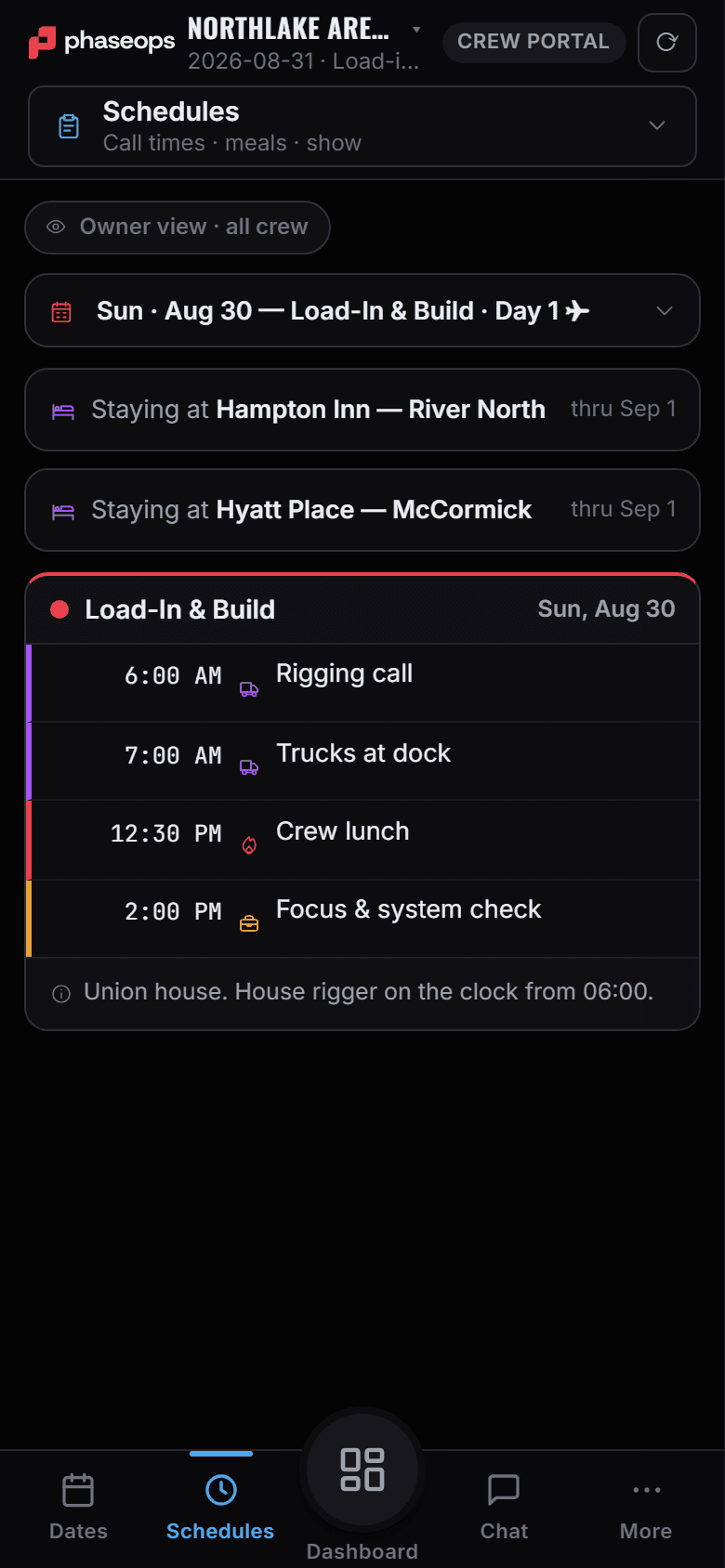
Two phone portals on the same event: check-in, day sheet, live cue, trips.
- Crew check in on arrival, read their day sheet, and watch the cue that is live.
- Drivers broadcast en route, at dock or delayed in one tap, and run a duty clock.
- The duty clock is a helper, not a certified ELD — and the panel says so.
Inside the workflow, not beside it.
You open each of these from the show or the advance it belongs to.
Signal Ops
PlanOne wiring graph per show — devices, ports, and the cables between them.
A cable is stored once and reported to both departments it touches.Event Sim
PlanRun guest arrival and the load-in schedule against the site you drew.
Load-in is a real scheduling run, not a spreadsheet of durations.Prompter
ShowTalent-facing script on a second display, armed from the on-deck cue rather than driven separately.
One driver seat. A second operator is refused by the server, not by a greyed-out control.
What else is behind each area.
Everything the six areas open onto, in seven groups.
Show floor
- Rundown and transport
- Director mode
- Crew View, filtered to one department
- Prompter on a second display
- Emergency plan: AED, routes, contacts, incident reports
- Site radar and NWS warnings
- Lightning shelter rings (your own weather key)
Warehouse
- Pull sheets, case by case
- Kits and paired units
- Scan and RFID on one tag string
- Sub-rentals in, and gear lent out
- Company-to-company transfers by code
- Consumables with par and reorder levels
- 2D/3D warehouse map with racks and bays
- Maintenance, cleaning and repairs
Road
- Trucks, trailers and drivers
- Trips geocoded on a map
- Dock and yard board
- Driver portal in the cab
- Duty clock (a helper, not a certified ELD)
- Permits tracked per trip
- Fuel log and fleet MPG
- Vehicle compliance dates
Crew
- Crew roster and rates
- Assign board, crew onto the event
- Staffing by department against named positions
- Schedule matrix, with double-booking flagged
- Job board: post a call, crew register interest
- Pay weeks from assignments, not from a timeclock
- Day sheet: call times, meals and load-in
- The live cue, and how far away yours is
- One-tap check-in, queued with no signal
- Report an issue, with a photo
Advance
- Venue, contacts and documents
- Production spec by department
- Site Survey, drawn to scale
- Dock times and the yard in one board
- Build schedule by department
- Day sheets, written day by day
- Signal flow and patch
Travel
- Book flights and rooms off each person's profile
- Group flight plans, approved traveller by traveller
- Rooming board, room by room
- Crew travel profiles, held once per person
- Travel policy: cabin caps and budgets
- Readiness check before anyone is ticketed
- Itineraries on the crew's phone
- Manual sheets for anything booked elsewhere
Money
- Pipeline board, lead to won
- One document: proposal, quote, invoice
- Quotes off the same gear list
- Client share link and e-signature
- Client pay page — the money lands in your own account
- Expenses, purchase orders and vendor invoices
- Labour lines: hands, hours, rate, overtime
- Event budget lines, kept apart from the P&L
- Outstanding, overdue and A/R aging
- Per-event P&L, margin pre-tax
What PhaseOps does not do
Worth knowing before a trial rather than in month three. Sign-in is email, password or Google. Google is a sign-in button, not a company identity provider. There is no SSO or SAML. MFA is available for owners. Trucks are not GPS units. Position is the driver's phone while the run is open, and the map says so. The driver duty clock is a helper — status, hours, an 8-day log — not a certified ELD. Engine hours and VIN wait on an engine link the company has not connected. Invites, invoices and proposals send when you press Send, and copying the link still works. A reply goes to the person who sent it, in their own inbox — PhaseOps is not a mailbox: it does not receive mail, nothing sends on a schedule, and there are no campaigns. Flight and hotel booking needs a card on file.