Everyone's flights, rooms and calls, on the phone they already carry.
Everybody's flights, hotels, ground and call times on one board, per person, on the same event record the show is being built on. Hotels carry confirmation numbers; flights carry live status; the movements sit next to the schedule they have to survive.
You move people for a living. Twenty-two of them, most of whom you did not hire, across cities that do not care about your schedule — and every one of them will ask you personally what time the lobby call is. The software's job is that they can read the answer without asking, and that when it changes at 23:40 you change it once.
- Your unit is the person, not the department — you think in names
- A hotel is not booked until somebody can read the confirmation number
- The day you dread is two shows overlapping and the same four people on both
Travel Portal
Advance Ops
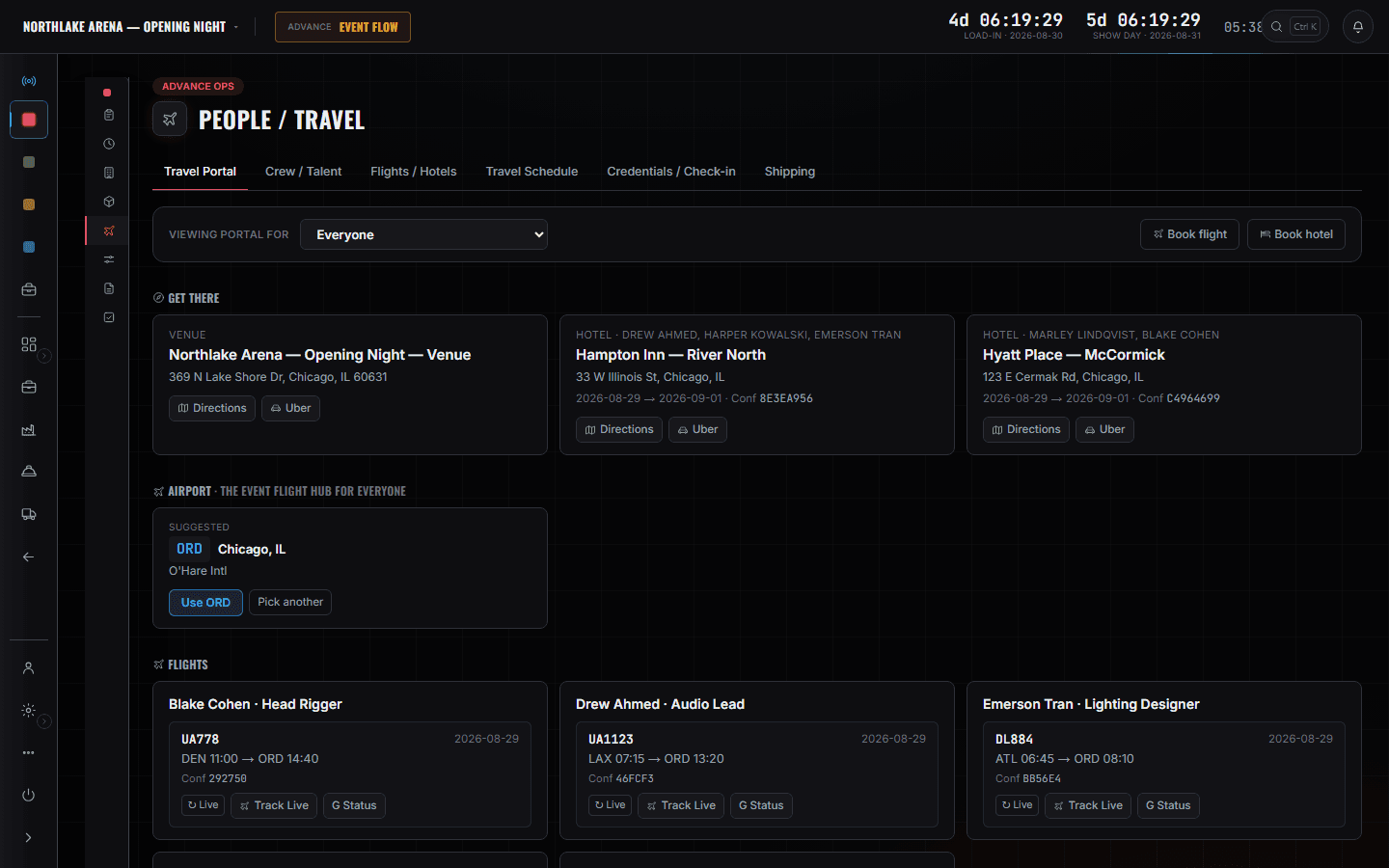
The routing board, read as one person or as everyone: the venue with directions, each hotel with its dates and confirmation code, the event's airport hub, and every flight per person with the number, the times, the record locator and a live status check. Switch "viewing portal for" to a name and it becomes that person's own page — which is what you send them instead of a paragraph.
More on AdvanceTravel profiles come first and only once — home airports and documents sit at company level, so the twelfth show does not ask you for them again. Auto-Book is where a group becomes a ranked plan you approve rather than forty tabs, and what it books lands on the Travel Portal as the page you send a person. Travel Schedule is the same movements in time order, which is the view that answers whether the crew can make the first call. The Events slate and the CrewOps roster are the pair you open before agreeing to anything: one shows two shows overlapping, the other names who is on both. FleetOps tells you when the trucks move, which sets the day everything else has to be finished by.
What you open, and what it answers.
Flights / Hotels — Auto-Book
Book flights and rooms off each person's profile. Demo companies run sample offers and never ticket.
More on AdvanceTravel Schedule
Every movement in time order rather than per person — who lands when, who is on which bus, and what has to happen before the first call. It is the view that answers 'can the whole rigging crew actually be on site at 06:00', which the per-person cards cannot.
More on AdvanceCrew / Talent and travel profiles
Traveller details held once per person at company level and reused on every show: home airports, loyalty numbers, known traveller, and an optional passport with its expiry. Below a manager seat the passport number and date of birth read as present-or-missing rather than as values — the expiry is exposed because an expiry is an operational fact and a document number is not.
More on AdvanceCredentials / Check-in
Who has been issued what, and who has physically arrived. Advance Tasks reads the same records, so 'creds issued' is a progress meter fed by the work rather than a box you tick twice.
More on Advance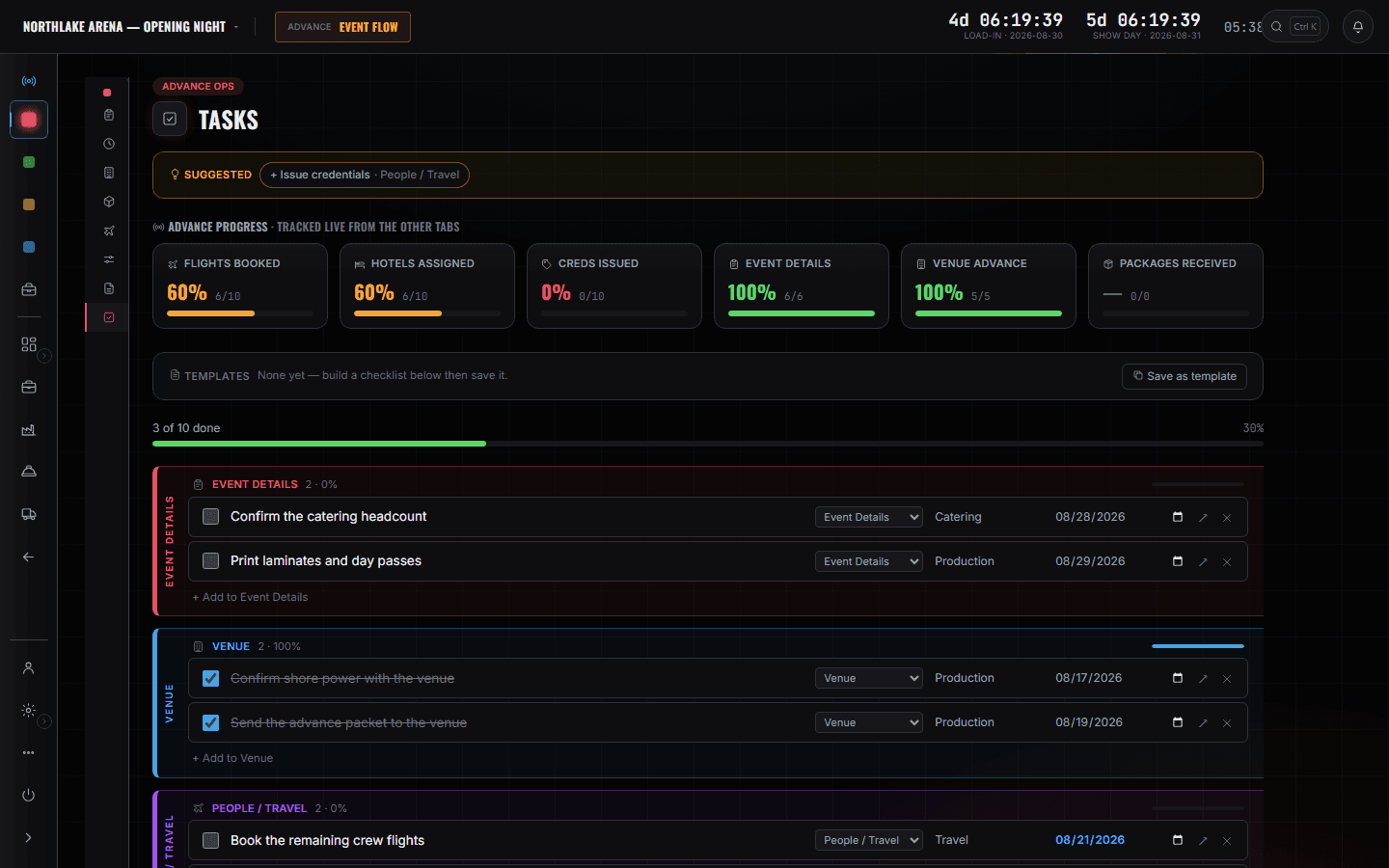
When the trucks move
FleetOps
Runs with the event each one serves, the depart time and the ETA. You are reading dates here — the truck leaves Tuesday, so the load has to be done Monday and the crew has to be somewhere Monday. Duty clocks and dispatch belong to the coordinator and the driver.
More on Fleet Ops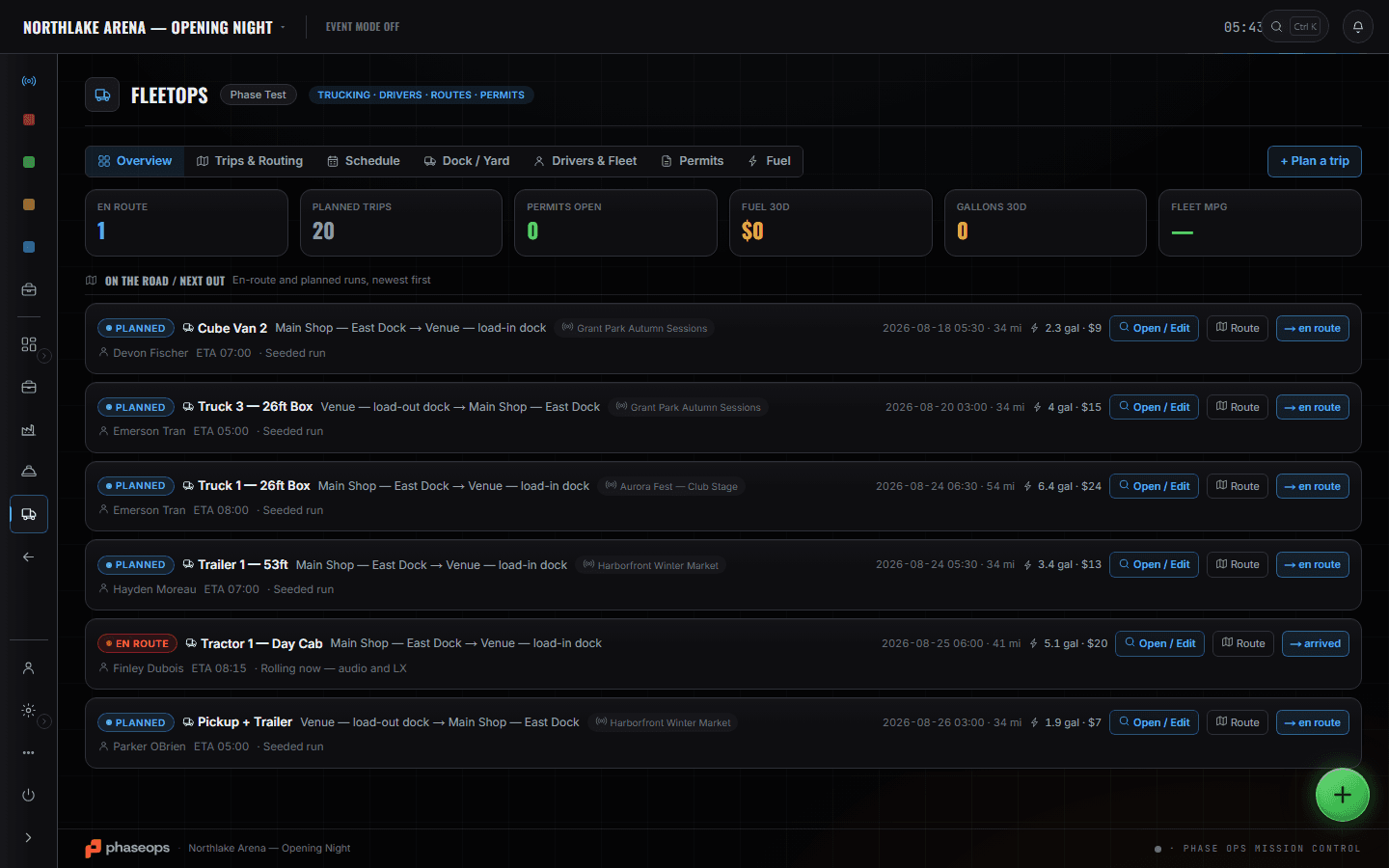
The phone in their pocket
Crew portal
Your work is not done when the booking is made, it is done when the person holding the phone can read it. Each traveller opens the same show you are working on and sees their day sheet, their call and their own hotel — so the answer to 'what time is lobby' is on a screen they already have rather than in a message you send twenty-two times.
More on Crew Ops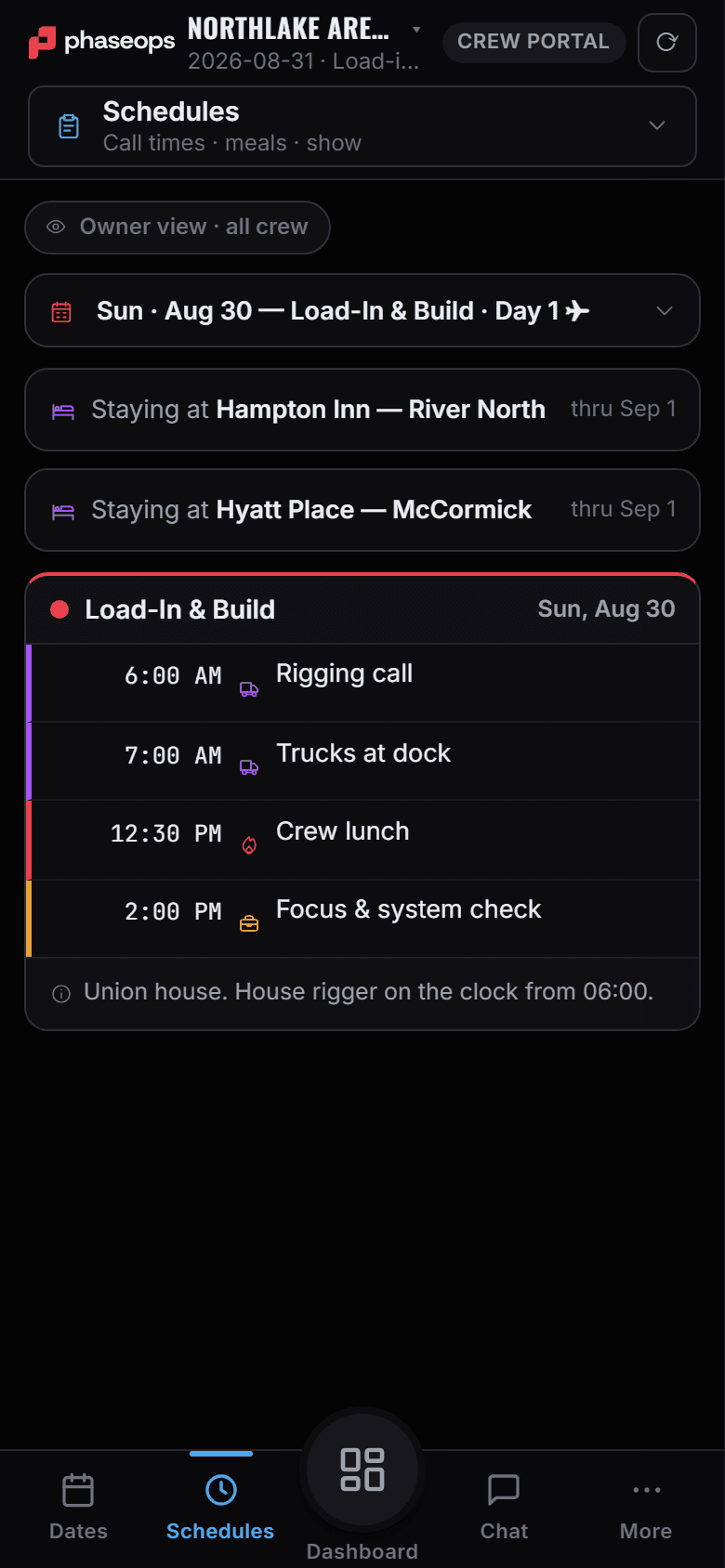
The company slate
Events
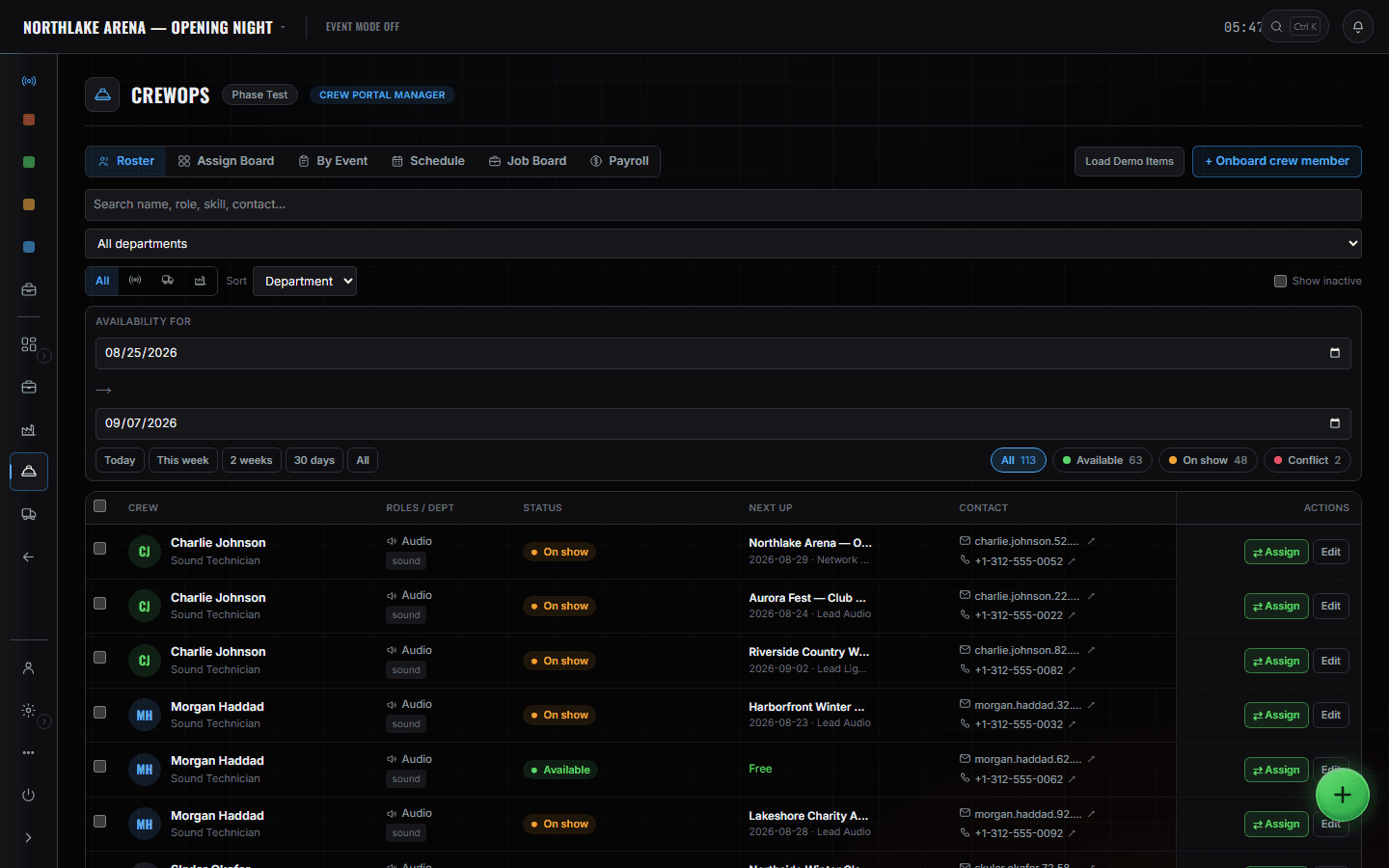
Every event the company has, in production order, so two shows overlapping is something you see in advance rather than something you discover. The roster carries the other half: availability is computed from assignments that already exist, and a person double-booked is flagged with both clashing events named.
What else this chair can open
- CrewOps — rosterCrewOps
- SchedulesAdvance Ops
The boundary, before you find it yourself
Worth knowing now rather than at 16:00 on a load-in day.
The MVR rig and the lighting plot
Fixture imports, patch and the 3D plot belong to the departments that draw them. You are moving the people who will hang it.
Cue sequences
There is no cue-sequencing surface in this product, and show call is the caller's desk. Your show day is a lobby call, not a GO.
The prompter
Talent's script surface, armed from the cue on deck. Not yours.
Pairing, pull sheets and RFID
What is bagged with what, and what came off a shelf, is the shop tech's screen. You need the truck to leave, not the pull to be perfect.
The racks and the warehouse floor
Where a case lives between shows is the warehouse's answer. It has never once been a tour manager's problem.
Driver duty clocks
Hours of service is the driver's screen and the coordinator's constraint. You read when a truck moves — not how long its driver has left.
What is actually in the truck
You read WHEN it moves, because that sets the day your people have to be somewhere. What is in it — which case, which line, is it here yet — is the production manager's list.
Two things a touring office needs are not built. There are no per-diems — no rates, no run, no reconciliation — and there is no visa tracking; a passport is a profile field with an expiry, and that is all. A tour that runs either of those is still running them in a spreadsheet.
The advance, the travel day, and 23:40.
- AdvanceEveryone's home airport and traveller details, once, at company level.Advance Ops · Travel profiles
- BookingPlan the group against the arrival window and the policy; approve the ranked offers yourself.Advance Ops · Auto-Book
- BookingRooms assigned on the rooming board, confirmation codes on the cards.Advance Ops · Flights / Hotels
- Two weeks outCheck the slate. Two shows overlapping, and the roster names who is on both.Events · CrewOps roster
- One week outMovements in time order against the run of day — can the whole crew make the 06:00.Advance Ops · Travel Schedule
- Travel dayFlight status per person, live, without ringing anybody.Advance Ops · Travel Portal
- On siteCreds issued, people arrived, and the day sheet already on their phones.Advance Ops · Credentials / Check-in
- On siteThey open the show on their own phone and read their own call. Nobody asks you.Crew portal · Schedules
- 23:40The lobby call moves. You change it once and twenty-two phones have it.Advance Ops · Schedules