The trip, the dock window and the run — tied to the event they serve.
A trip books a dock at both ends, so the shop's yard board and the event's load-in board are two views of the same booking rather than two calendars to reconcile.
You move the gear. Two warehouses, six trucks, four events in the same fortnight, and a venue with eight dock doors and a fifteen-minute window. Every question you are asked is really the same question: where is that truck, and is it going to be there when it said.
- You work across events, not inside one
- Both ends of every run are somebody else's dock
- Your bad day is a run that is silently late
FleetOps Overview
FleetOps
En route and planned runs, newest first, with the event each one serves, the driver, the ETA, the distance and the fuel. One en-route run and twenty planned is the shape of your week in a single row count.
More on Fleet Ops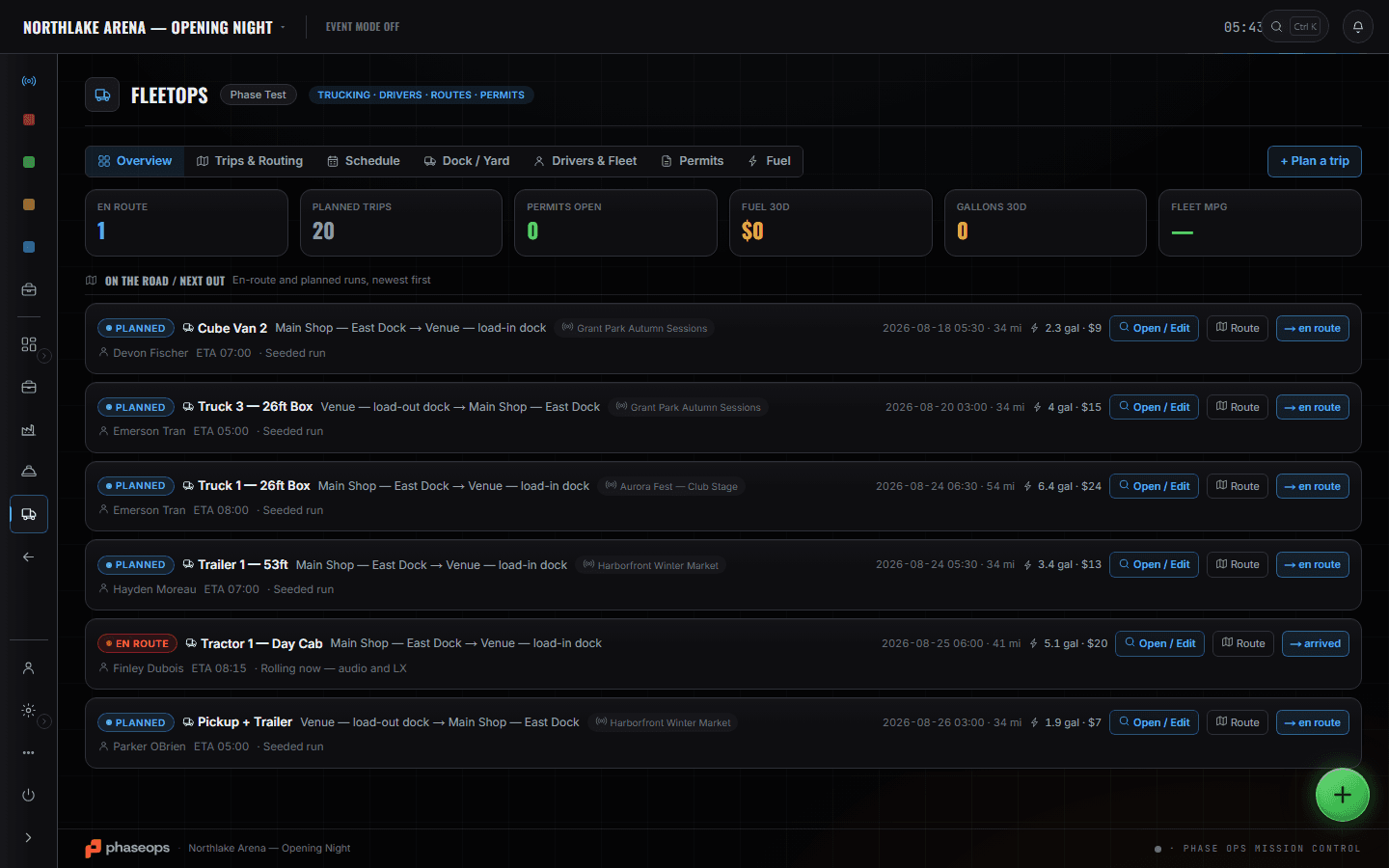
FleetOps Overview is the morning read: what is en route, and what is planned but not rolling yet. A trip books a dock at both ends, so the event's dock board and the shop's yard are two views of one booking rather than two calendars to reconcile. Truck Pack Manager answers whether the truck is the right truck before the run is booked instead of at the tailgate — weight and fill are on the card. The driver's screen is what you are actually dispatching to, and it is worth opening before assuming a driver knows something. Analytics closes the week: on-time moves, and the runs past their depart time that are still not rolling.
What you open, and what it answers.
Event dock board
Build Ops
Trucks arriving for this event, soonest first, with ETA and dock. Trucks on the event's own board that have no trip yet are flagged 'needs trip' rather than being assumed. Drag across staging, dock and departed as the day runs.
More on Fleet Ops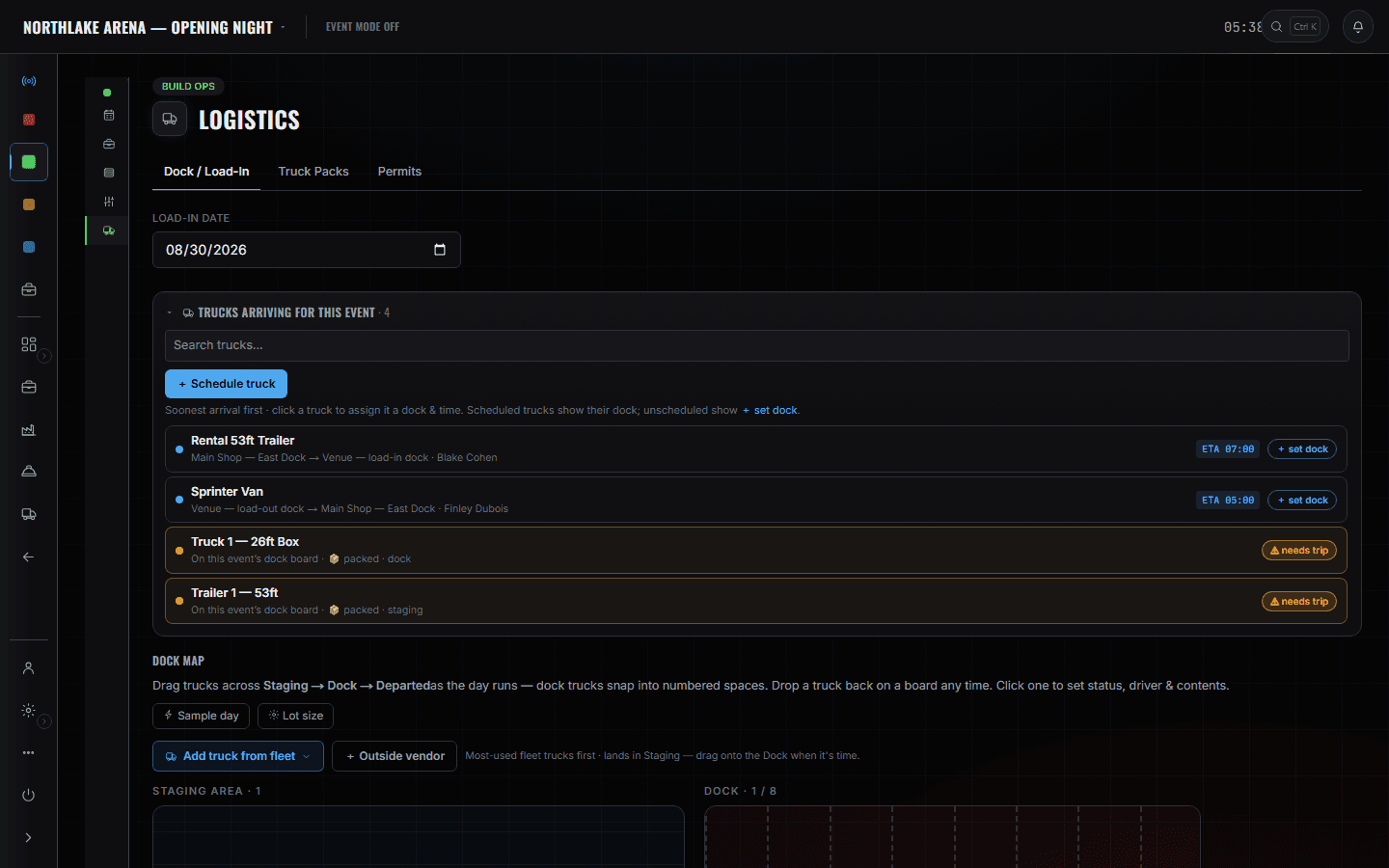
Shop yard & docks
ShopOps
The other end of every run. Numbered doors drawn to scale, what is scheduled to arrive today, and which door each truck is on — the same booking the event board is showing from its side.
More on Shop Ops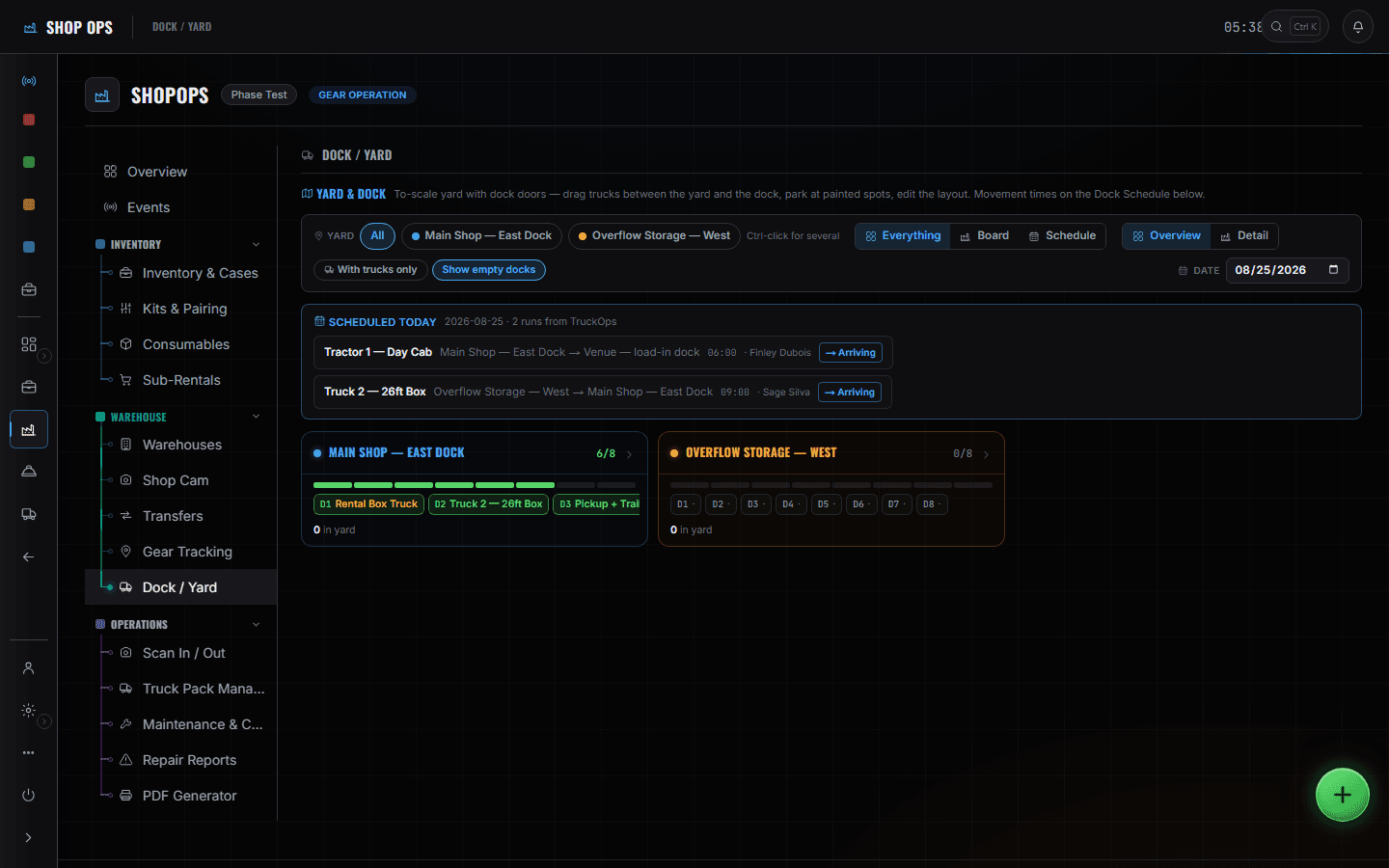
Truck packs
What is actually on each truck, to scale, by layer. Weight and fill are on the truck card, so 'will it fit' is answered before the run is booked rather than at the tailgate.
More on Shop Ops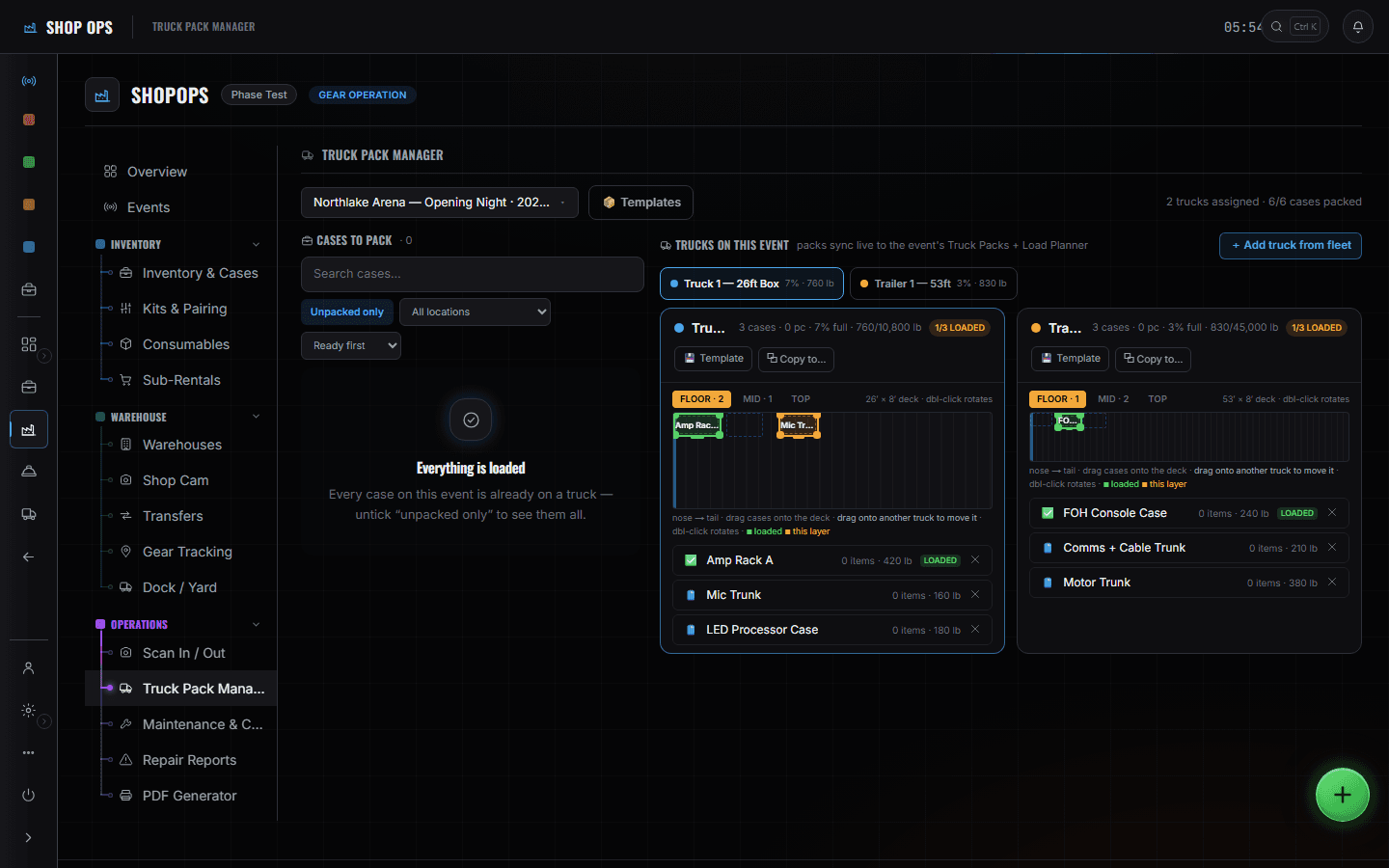
The driver's screen
Driver portal
What you are actually dispatching to: the trip, the destination with directions, the load list, the dock, and duty clocks. Read it before you assume a driver knows something.
More on Crew Ops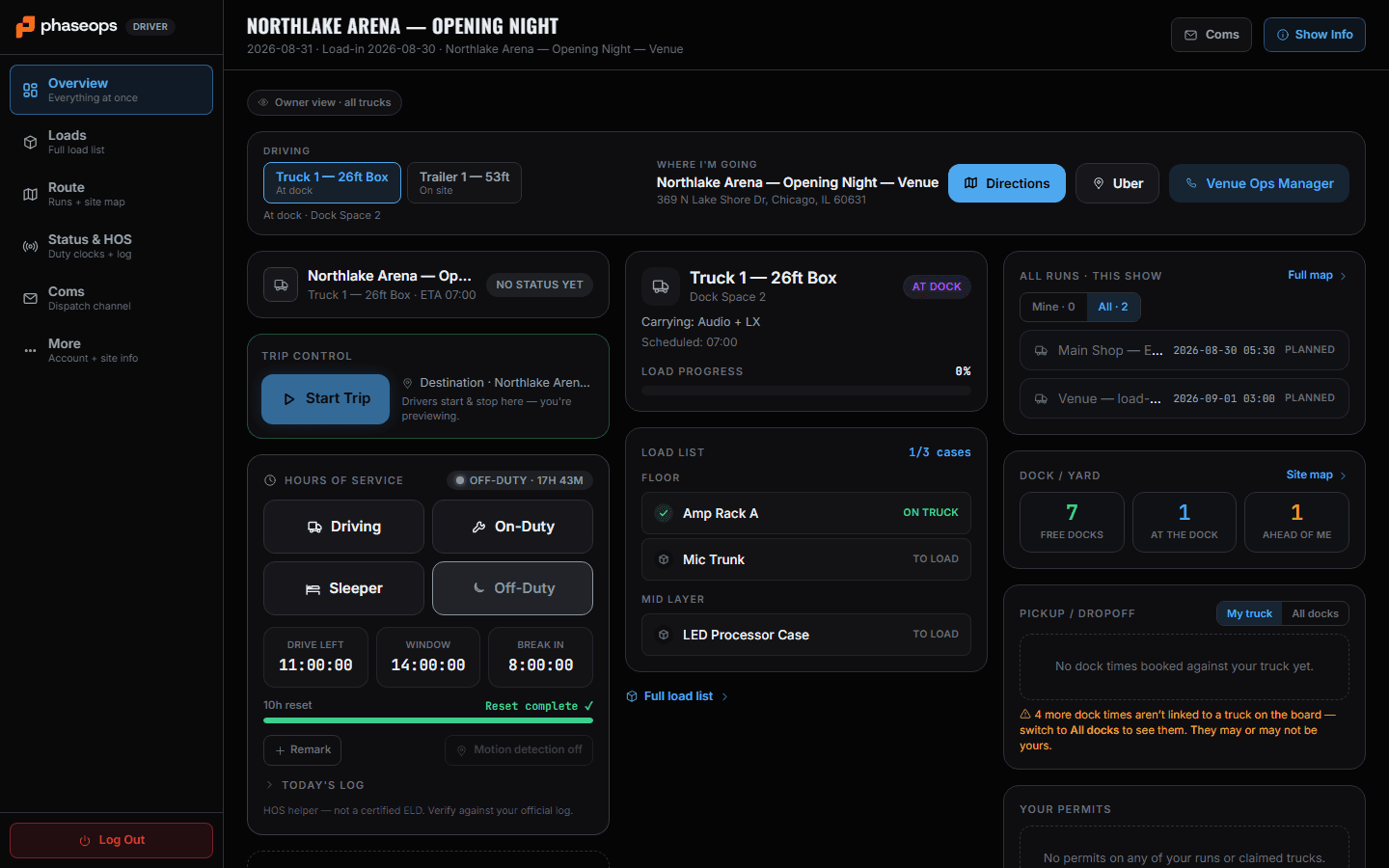
Analytics — fleet
Analytics
On-time moves as a number with the overdue count beside it, and the recommendation that names which four runs are past their depart time and still not rolling.
More on Finance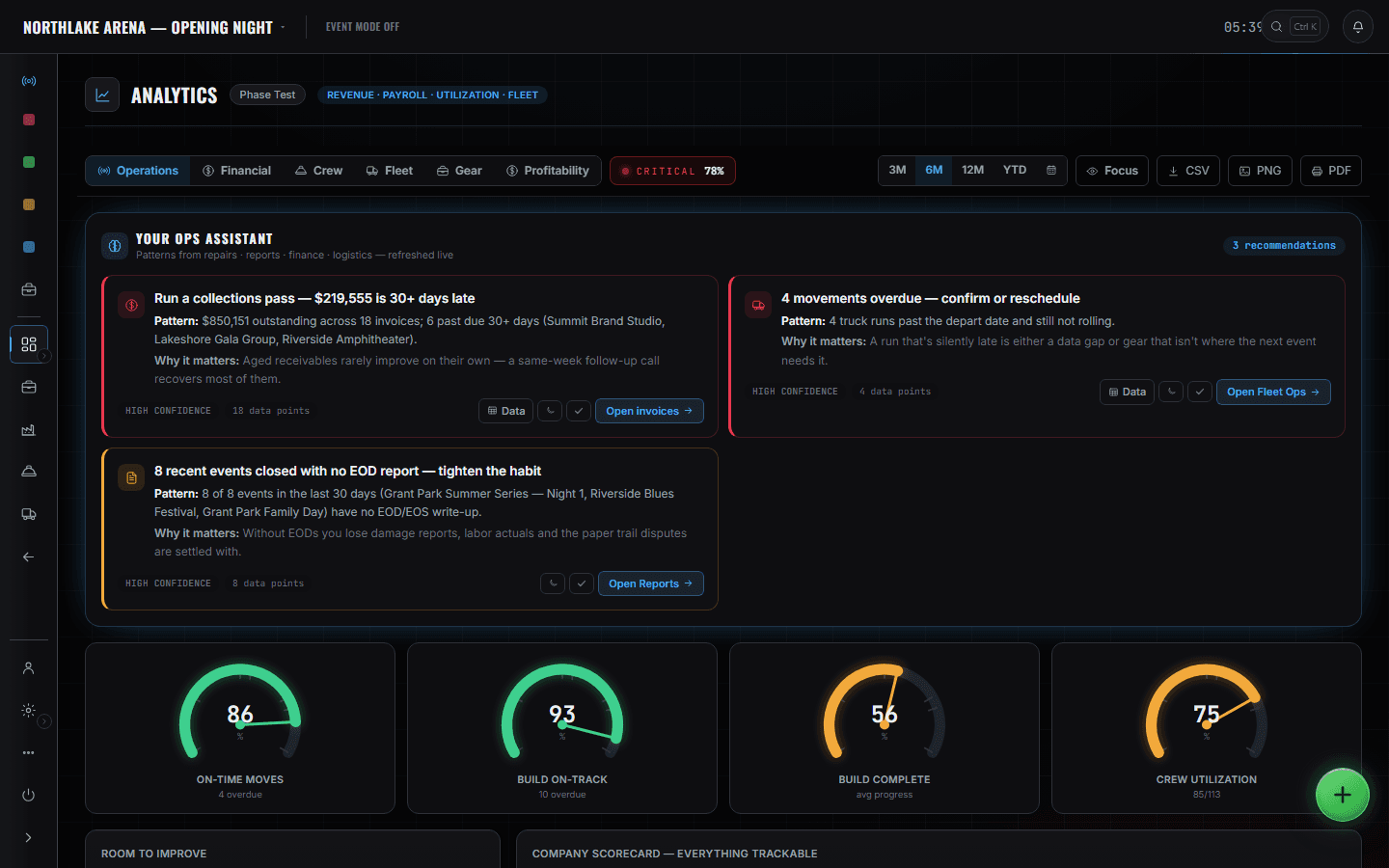
The boundary, before you find it yourself
Worth knowing now rather than at 16:00 on a load-in day.
Live GPS
Trucks are not GPS units. Position is the driver's phone while the run is open, and the map says so; otherwise status is what a driver set and what a dock recorded.
A certified ELD
The duty clock is a helper for the hour rules. The product says so on the screen, and drivers must verify against their official log.
Booking a carrier
Outside vendors go on the board by name. Nothing here dispatches to a third-party network.
A run, and both ends of it.
- PlanningBook the run, and with it a dock window at both ends.FleetOps · Trips & Routing
- MorningRead what is en route and what is planned but not rolling.FleetOps · Overview
- Before the runCheck weight and fill on the pack, so the truck is the right truck.ShopOps · Truck Pack Manager
- DepartureYard board shows the door emptying as the truck leaves.ShopOps · Dock / Yard
- ArrivalSet the dock on the event board; the driver's screen shows the space.Build Ops · Logistics
- Load-outThe return leg is a run in the other direction, booked the same way.FleetOps · Trips & Routing
- WeeklyOn-time moves, overdue runs, fuel and miles across the fleet.Analytics · Operations