Every item has a home, and a scan says where it is right now.
The warehouse is drawn to scale in 3D — racks, bays, dock doors, and the cases actually on the shelves. Put-away has a home to put things back into, and a scan is what moves an asset between states.
You run the floor. Three trucks come back on a Tuesday and everything on them has to end up somewhere findable by Thursday. The measure of a good week is that nobody had to ask you where anything was.
- You think in shelves and bays, not in event names
- A returned case with no home is next month's missing item
- Your accuracy number is the one the whole shop depends on
Warehouses — 3D floor plan
ShopOps
Your sites drawn to scale, with racks, bays and dock doors, and the cases on the shelves where they actually are. Drag to orbit, click anything to inspect, walk it from inside. The 2D plan is the same layout data from above.
More on Shop Ops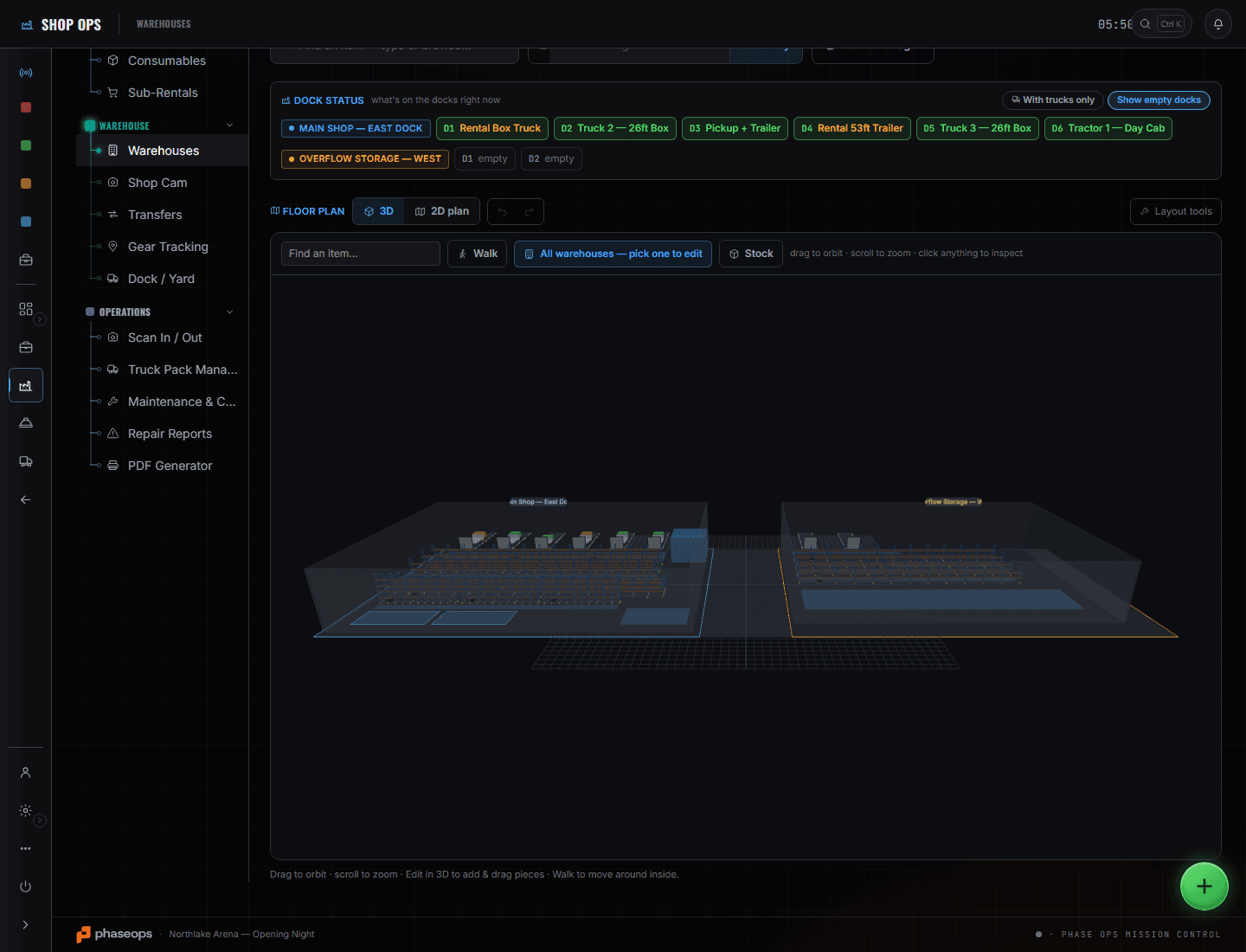
Dock and Yard is the first screen because it tells you what today is: which trucks are coming, which doors they are going to, and when. Returns run through the scan portal and put-away runs through the floor plan — every case back to a home somebody else can find on Thursday. Gear Tracking is the screen you read rather than work: accounted-for across the whole inventory, and the strip that names anything not seen in a fortnight while it is out. Inventory and Cases is where an asset number resolves to a thing, which is what makes a scan and a search find the same item. The order barely changes week to week, and that is the point.
What you open, and what it answers.
Gear Tracking
Where every asset is right now — in shop, prepping, out, in transit, repair, missing — with an accounted-for percentage over the whole inventory. The 'not seen in 14+ days while out' strip is the early warning, and it names the items.
More on Shop Ops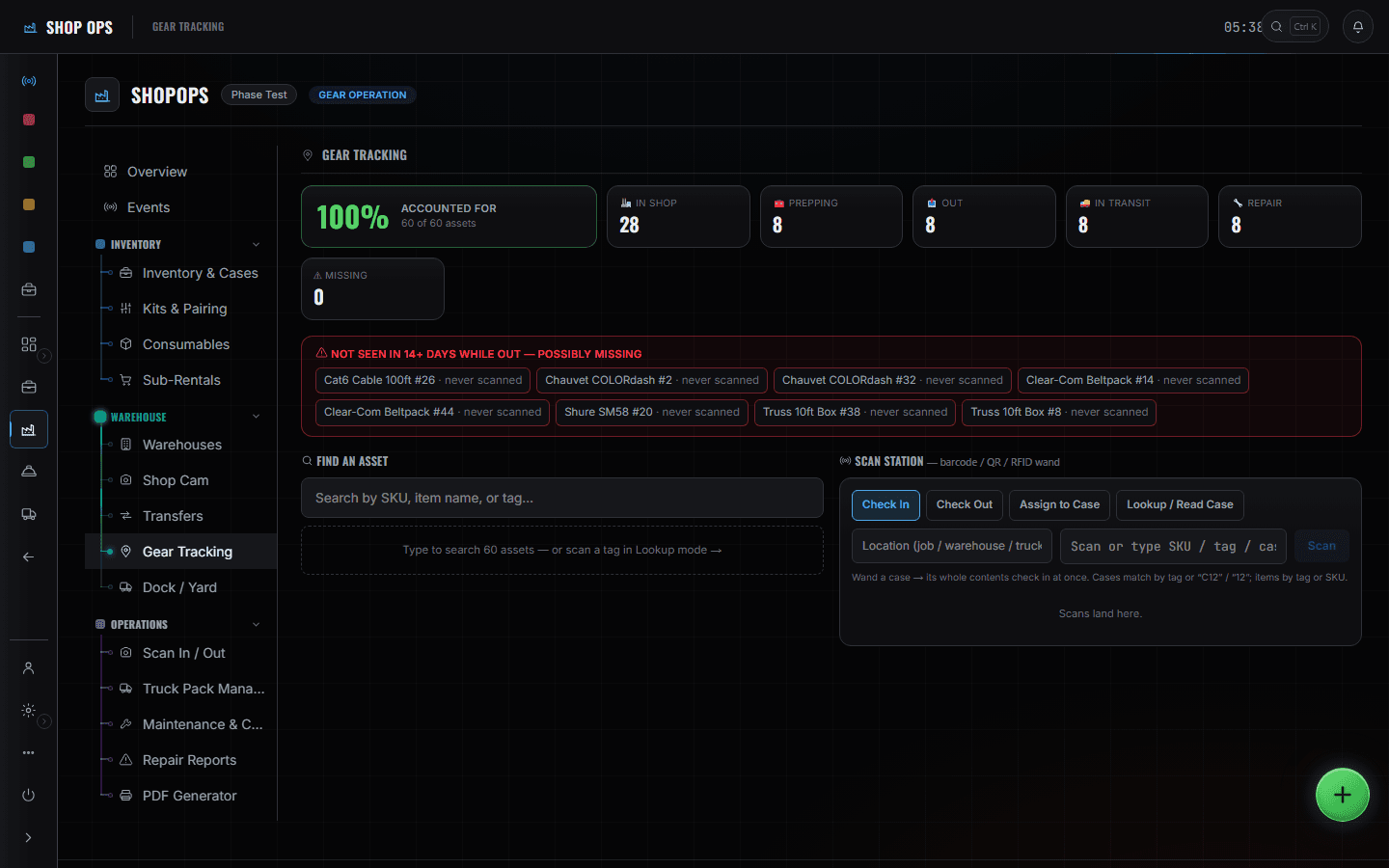
Scan In / Out
Pull, pack, load and return, against a specific event. Wanding a case checks its whole contents in at once — cases match by label, number or tag; items by tag or SKU.
More on Shop Ops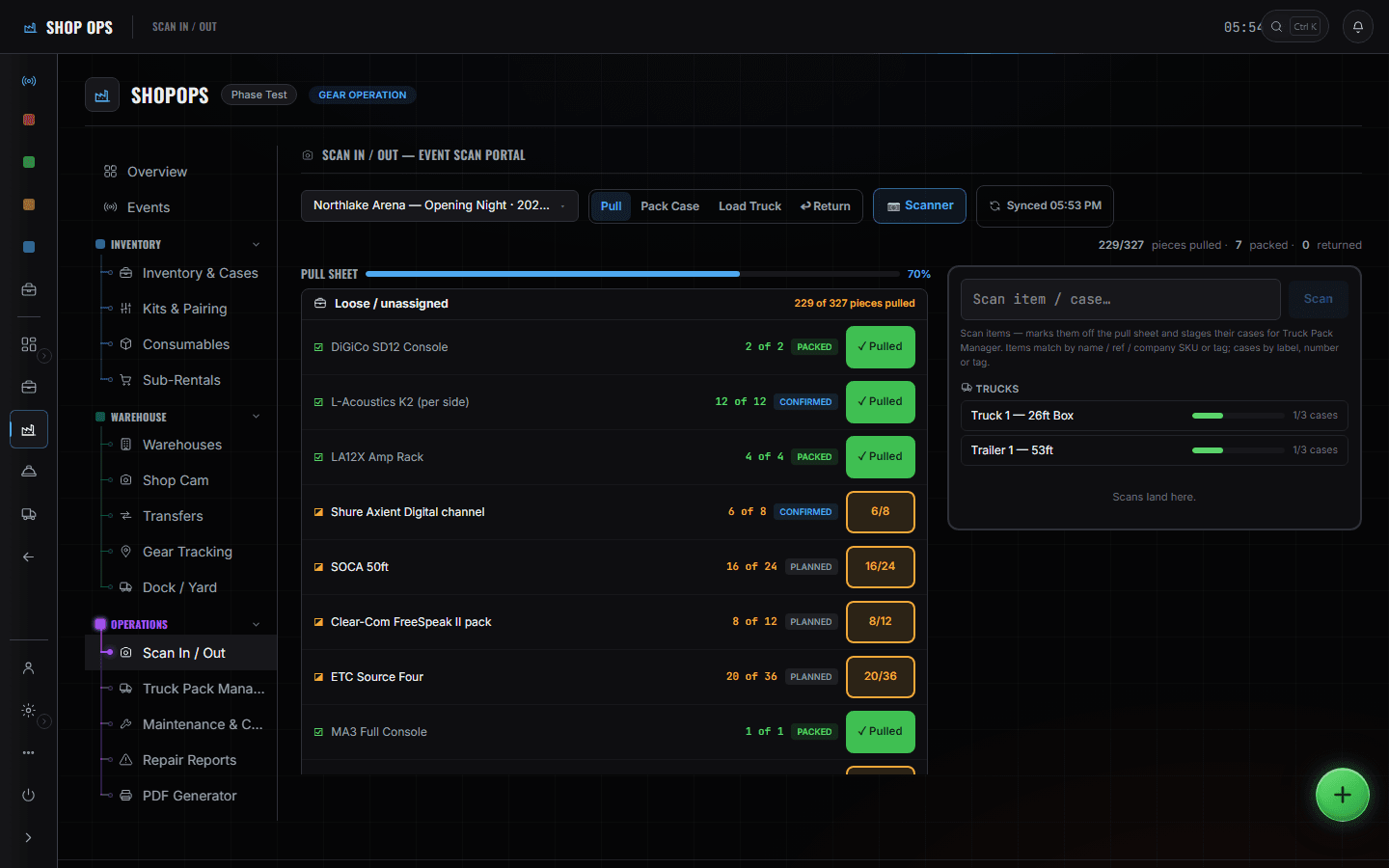
Inventory & Cases
The catalogue behind the shelves. Every item and case carries a permanent company asset number, and the same string is what goes in the QR label and the RFID tag — so a scan and a search find the same thing.
More on Shop Ops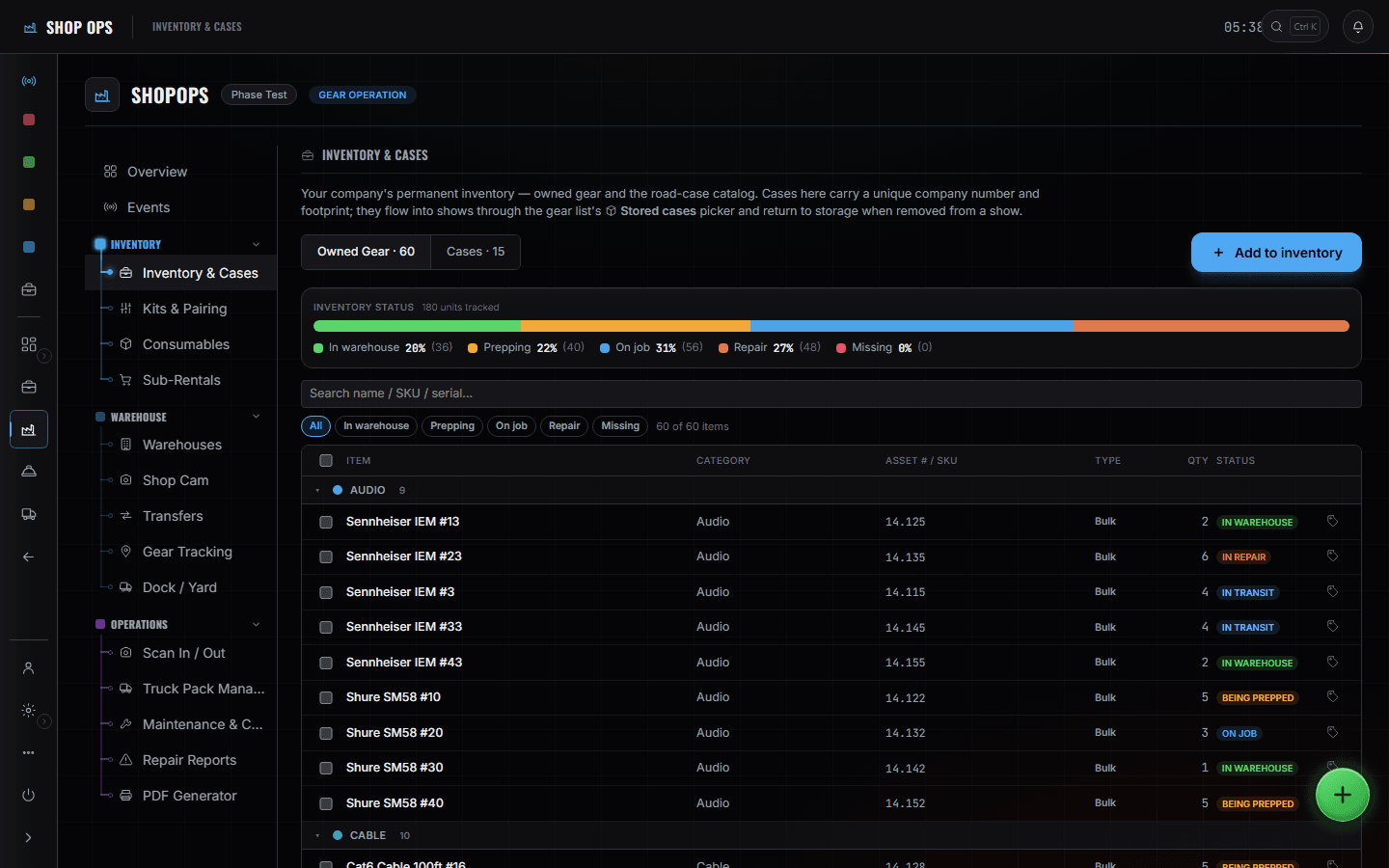
Dock / Yard
The yard drawn to scale with numbered dock doors, and what is scheduled to arrive today from FleetOps. Drag trucks between yard and dock; the schedule underneath is the movement times.
More on Shop Ops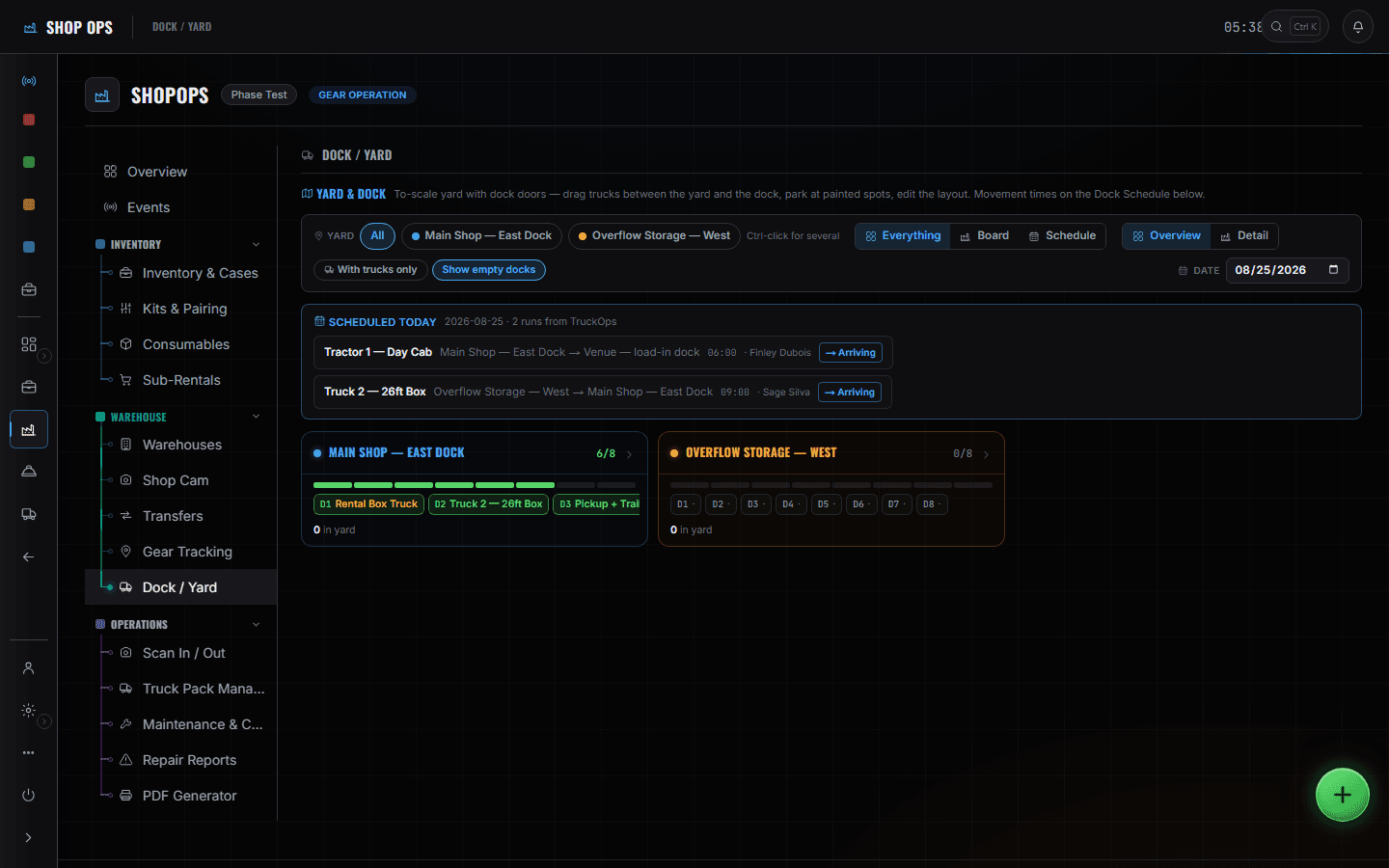
What else this chair can open
- RFID / QR scan portalShopOps
The boundary, before you find it yourself
Worth knowing now rather than at 16:00 on a load-in day.
The event's paperwork
Rundowns, advances and call sheets are somebody else's screens. You work in assets and shelves.
Automatic stock decisions
Nothing reorders, nothing writes off. Missing is a state that gets flagged for a human.
Live asset positions
There is no continuous tracking. An asset's location is where it was last scanned — which is exactly what the screen claims and no more.
A day on the floor, and it barely changes.
- MorningWhat is arriving today and which door it is going to.ShopOps · Dock / Yard
- ReturnsReturn scan the cases off the truck; the counts move as you go.ShopOps · Scan In / Out
- Put-awayEvery case back to a home on the plan, so the next person finds it.ShopOps · Warehouses
- CheckAccounted-for percentage, and anything not seen in fourteen days while out.ShopOps · Gear Tracking
- DamageFlag it against the item so it is not pulled onto the next show.ShopOps · Repair Reports
- PrepStage the next event's pull, by shelf order rather than by list order.ShopOps · Scan In / Out
- OutLoad truck, and the dock board shows the door emptying.ShopOps · Dock / Yard