Raise and chase an invoice
Invoices sit on the same records as the work, which is what stops the question “was that show paid for” being answered from a different system than the one that ran it.
WhereSidebar > Sales Ops > Invoices
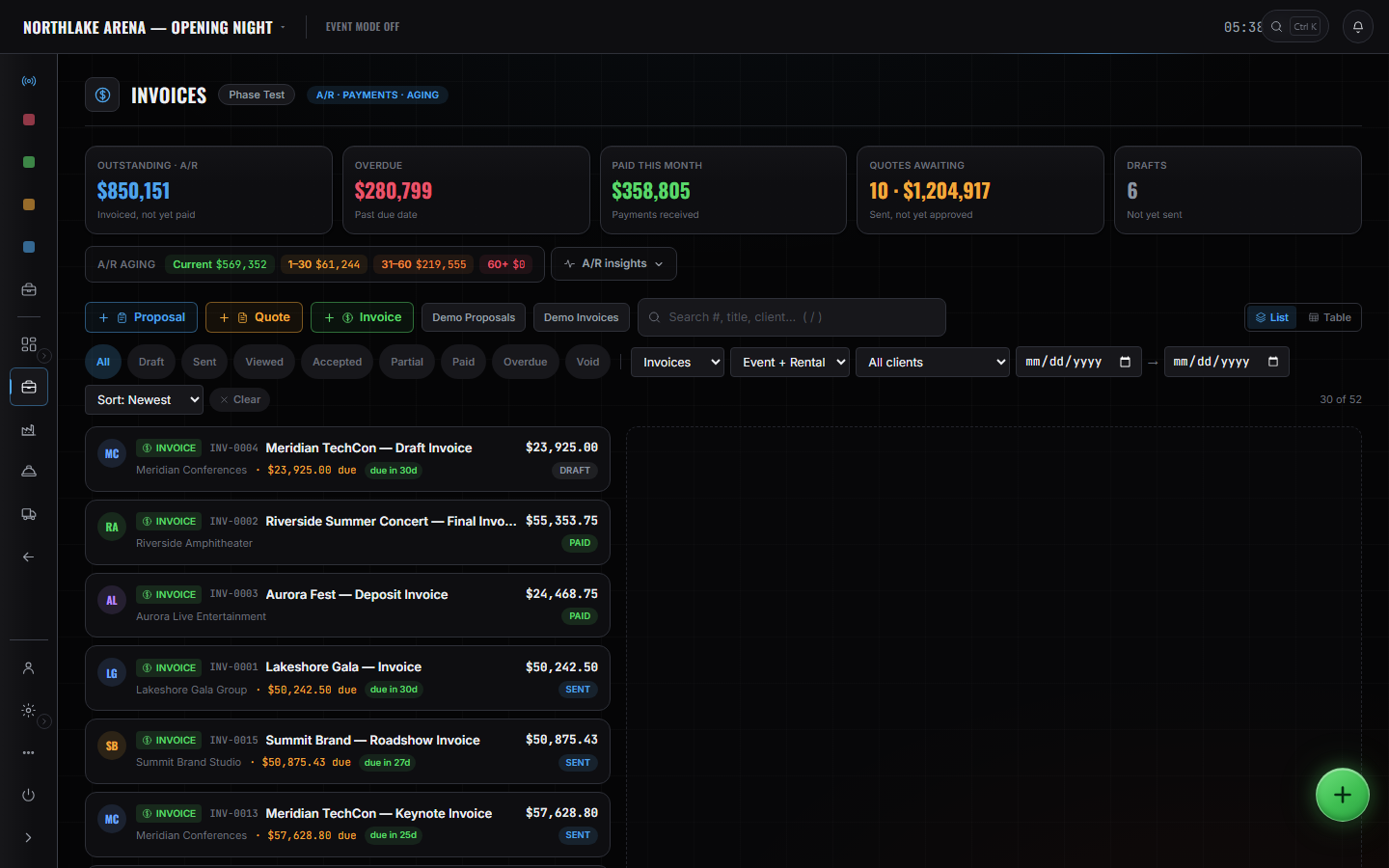
Raise it against the event.
It carries the event and the client, so it is never an orphan document with a number on it.
Read the aging buckets.
What is current, what is late, and how late. The buckets are the working view; the list underneath is the detail.
Chase from the list.
Statuses are on every row, so the follow-up is worked off one screen rather than a memory of who was called.
Documents are identified by title.
There is no separate invoice-number column in this product. Title your documents so they can be found — that is the honest state of it today.
These pages say how the product works, not what it costs. If you want it for your company, or want the figure, ask us — a person answers.