Work a pull sheet
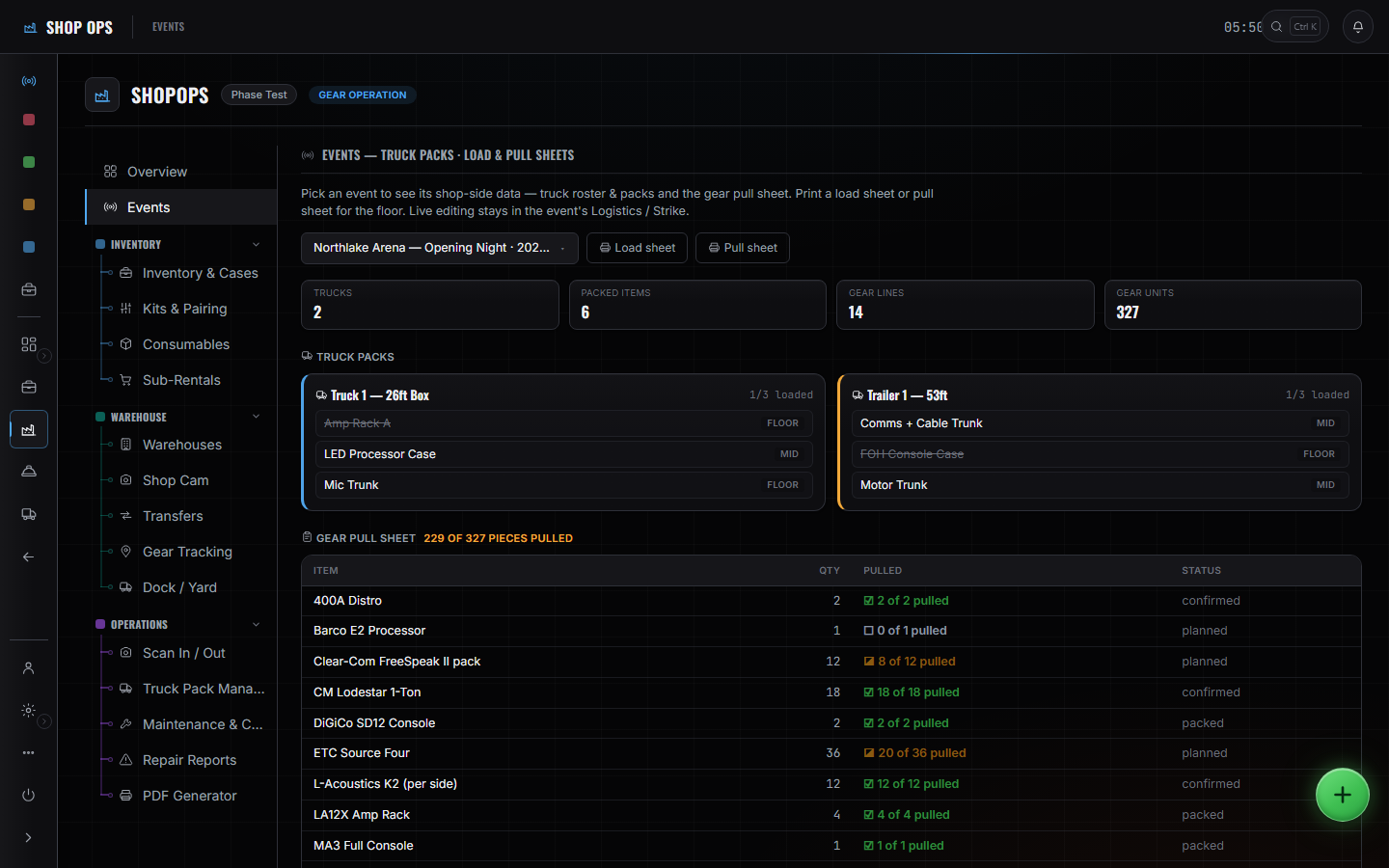
The pull sheet is the shop's work order for one event. It is per-line rather than per-box, so a pull that is nearly done reads as nearly done instead of as finished.
WhereSidebar > Shop Ops > Events
Open the event in Shop Ops.
Not the event's own gear tab — this is the shop's view of it, with the truck packs above the sheet.
Work down by category.
Each line carries the quantity asked for and the quantity pulled, so the gap is visible per item rather than as one total.
Mark as you go, not at the end.
The counts are what the production manager and the event board are reading. Marking twenty lines at once means twenty lines were wrong for an hour.
Deal with what is short.
A line you cannot fill is a sub-rental or a conversation, and it is better to have it now than at the dock.
These pages say how the product works, not what it costs. If you want it for your company, or want the figure, ask us — a person answers.