Pack a truck
The pack you build in the shop is the sheet the driver gets and the order the dock unloads in. Getting it right on a screen costs ten minutes; getting it wrong costs a liftgate and an hour.
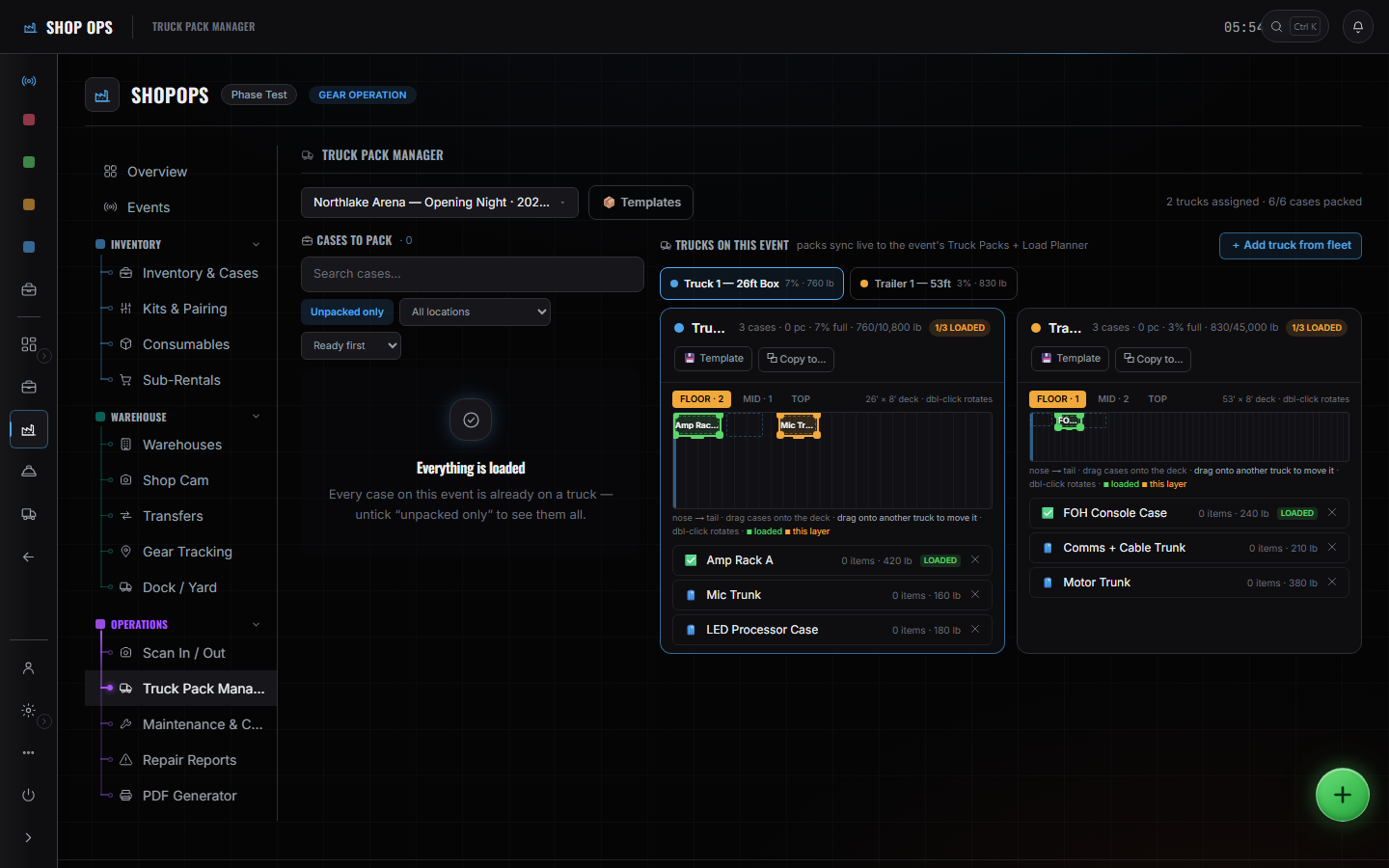
WhereSidebar > Shop Ops > Truck Pack Manager
Pick the truck.
Each one has its own deck, drawn to size, with its capacity on it.
Place cases on the Floor layer.
Heavy and first-off goes down first. The deck is to scale, so what does not fit does not fit here either.
Then Mid, then Top.
They are layers over the same deck rather than three separate diagrams — you are stacking, and the screen knows it.
Watch weight against capacity.
It totals as you place. A truck over its number is over its number before it is loaded rather than after.
These pages say how the product works, not what it costs. If you want it for your company, or want the figure, ask us — a person answers.