Count it home
The show is over and the expensive part is starting. What you can prove came home is what you still own; everything else is a conversation in three weeks with somebody who does not remember either.
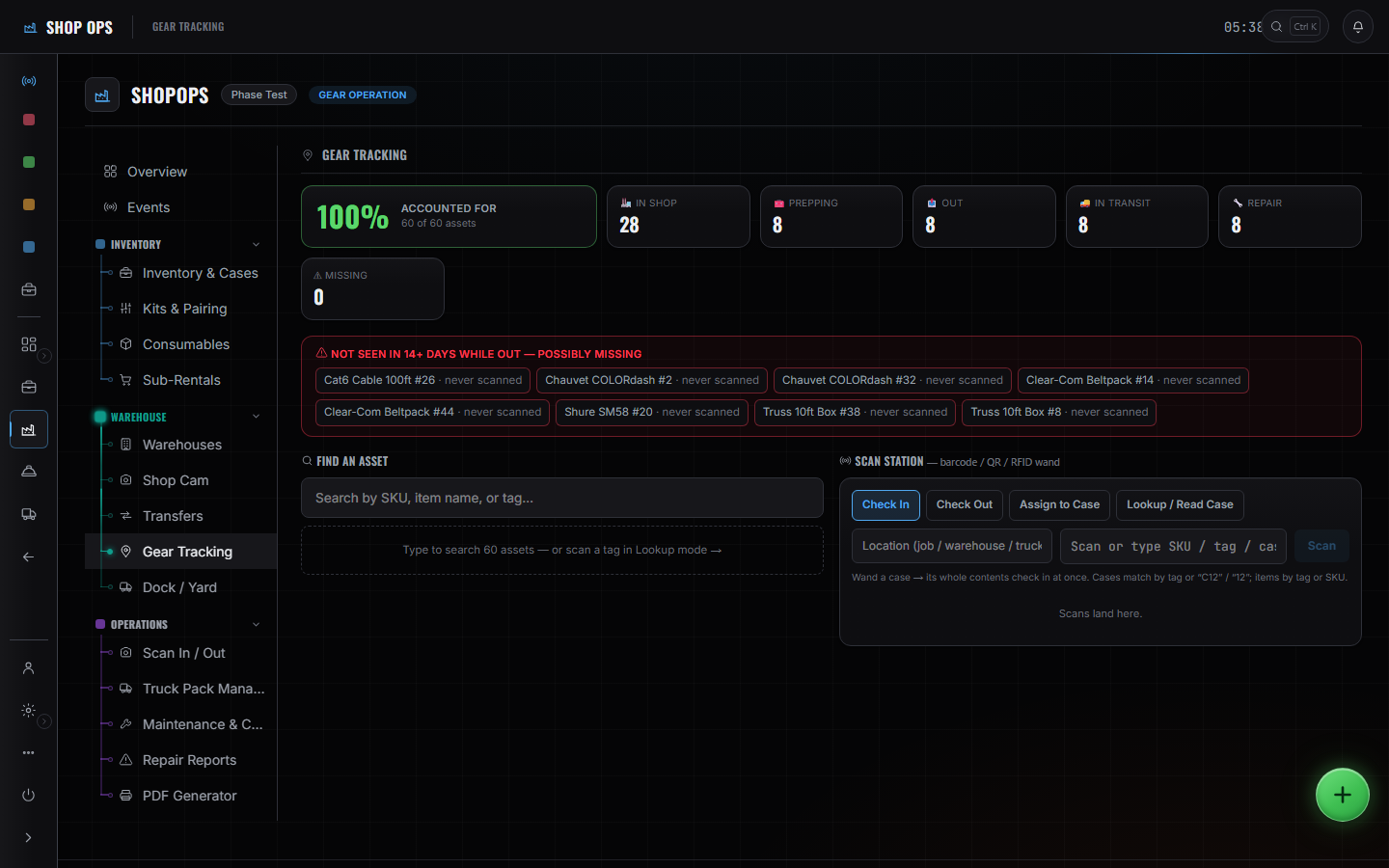
WhereSidebar > Shop Ops > Gear Tracking
Scan it back.
Return is a tab on the portal the gear went out through. Same codes, same cases, opposite direction.
Read the count.
Every owned asset is in the shop, out, in transit or missing. The number is the number — nobody reconciles it from memory in the morning.
Flag what came back broken.
A repair report hangs on the item rather than on a note in somebody's phone. Sub-rentals close out the same way.
Schedule maintenance and cleaning.
Set it across many items or a whole group at once. Doing it one item at a time is how a shop stops doing it.
Close the event.
Reports and money sit on the same record the work did, so the week you just ran is the week you are looking at.
These pages say how the product works, not what it costs. If you want it for your company, or want the figure, ask us — a person answers.