Scan in and scan out
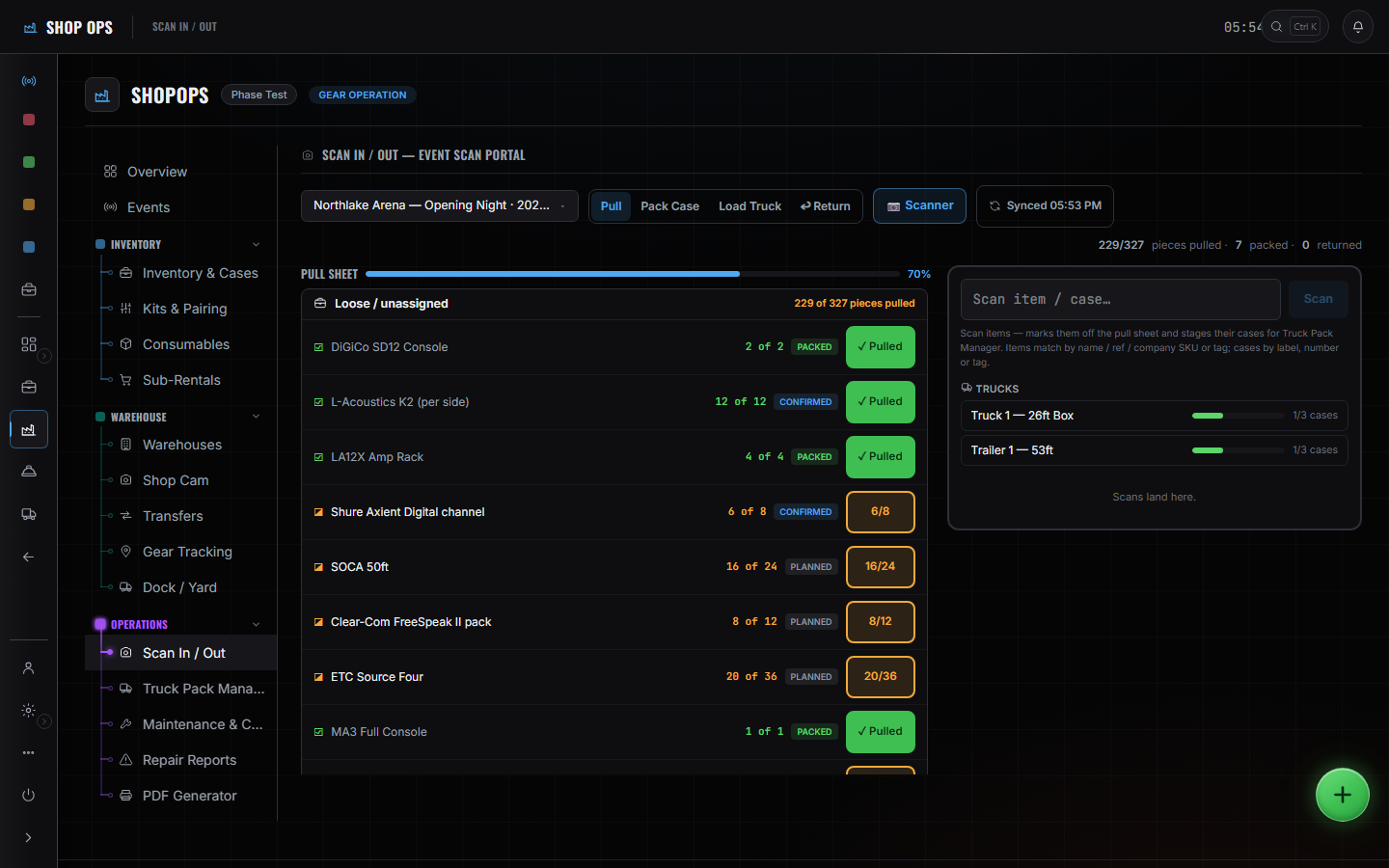
One portal, four directions. Pull, pack, load and return are tabs on the same screen because they are the same gear moving through the same four states, and splitting them into four screens is how a count stops adding up.
WhereSidebar > Shop Ops > Scan In / Out
Pick the direction first.
Pull, pack, load or return. The tab you are on is what a scan means — the same code does something different in each.
Scan the code.
A phone camera reads it. So does a handheld scanner, and the portal does not care which — to the screen a hardware scanner is just a keyboard typing fast.
Watch the counters.
Per truck and per case, beside the station. They move as you scan, which is what tells you a case is short before it leaves.
Return through the same portal.
The way home is a tab on the screen the gear went out through, which is what makes the count at the end comparable to the count at the start.
These pages say how the product works, not what it costs. If you want it for your company, or want the figure, ask us — a person answers.